
 Need help?
Do you have a question about the Xiaomi realme TechLife Watch S100 and is the answer not in the manual?
The realme TechLife Watch S100 is a smart wearable device designed to track various health and fitness metrics, provide notifications, and offer convenient features for daily use. This quick start guide outlines its product description, instructions for use, and key functionalities.
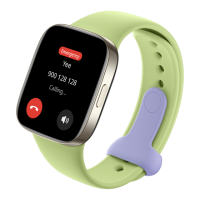
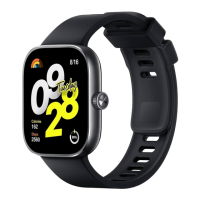
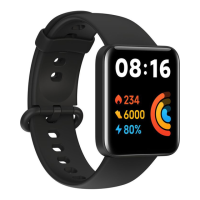
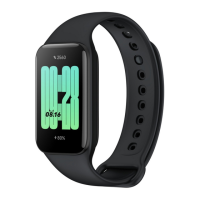
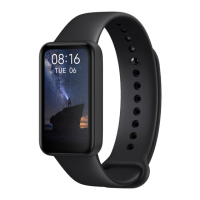
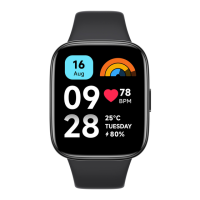
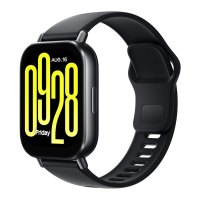
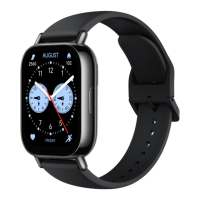
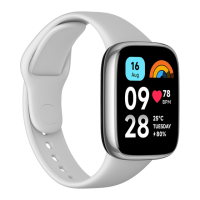
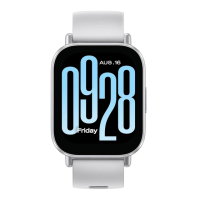
The watch features a rectangular screen, a button on the side, and a strap for wearing. On the underside, it includes a temperature steel sheet, a heart rate sensor, a blood oxygen sensor, and a charging interface. These components work together to provide comprehensive health monitoring and user interaction.
To begin using the watch, press and hold the power button located on the side of the device to power it on and enter pairing mode.
The companion application, "realme Fit," is essential for managing the watch and viewing detailed data. It can be downloaded from the Google Play Store (for Android devices) or the App Store (for iOS devices). A QR code is provided in the manual for easy download.
Once the realme Fit app is installed, tap the "Add device" icon within the app. Select "realme TechLife Watch S100" from the list of nearby devices. Alternatively, you can scan the QR code displayed on the watch screen to initiate pairing.
The watch's home screen offers intuitive navigation:
To charge the realme TechLife Watch S100, place it on the charging base. Ensure that the metal pads on the back of the watch are correctly aligned with the metal tips on the base to establish a proper connection for charging.
The watch allows for interchangeable bands. To remove or attach a band, slide the spring pin and hold it in place while manipulating the band.
For accurate health data collection, it is crucial to wear the watch correctly. Position the watch approximately 1 cm away from the wrist bone and adjust the tightness of the wrist strap. It should not be worn too tightly or too loosely, as this can affect the accuracy of the heart rate sensor. The band can be worn on either the left or right hand without impacting data accuracy. Ensure the back of the band is clean and tidy, as sweat and dirt can affect comfort and data accuracy.
The TechLife Watch S100 automatically synchronizes daily activity data, including step count, exercise duration, calories burned, and time spent standing. Users can view this data by tapping the "Daily Activities" icon on the watch and sliding the page up or down.
By tapping the "Heart Rate" icon on the watch, users can monitor their current heart rate in real-time. The watch also provides detailed data on heart rate throughout the day.
The watch is equipped with a sensor to measure blood oxygen saturation, allowing users to monitor their body's state at any moment. This feature can be activated by turning on the blood oxygen measurement switch during sleep in the "realme Fit" app, which will then measure breathing quality in real-time.
Wearing the watch while sleeping enables it to measure sleeping conditions. Upon waking, users can access the "Sleep" function on the watch to view their sleep status from the previous night. More detailed sleep information is available within the realme Fit app.
During freestyle training, the TechLife Watch S100 measures various exercise data. Users can pause or end an exercise session by swiping right lightly on the screen.
The "realme Fit" app automatically synchronizes with the watch's exercise records, providing detailed analysis of exercise data. More comprehensive exercise details can be viewed within the app.
To change the watch face, long-press the current watch face on the screen. This will enter the watch face editing page, allowing users to swipe left and right to browse available designs. Tapping on a desired watch face will switch to it. Watch faces can also be changed via the "realme Fit" app under "Watch Face Settings" when the phone and watch are connected.
From the watch face editing page, tapping "Select a Style" will lead to an interface displaying various watch face options. Users can tap on non-functional widgets in editing mode or press the right-side button to exit editing mode.
The watch provides quick access to several settings and status indicators:
This comprehensive set of features makes the realme TechLife Watch S100 a versatile device for health monitoring, fitness tracking, and daily convenience.



 To Next Page
 General