
 Need help?
Do you have a question about the Xiaomi Redmi Buds 3 Lite and is the answer not in the manual?
Instructions for charging the charging case and earbuds.
Details on powering the earbuds on and off automatically and manually.
Guidance on correctly inserting and adjusting earbuds for comfort and call clarity.
Steps to connect the earbuds to a phone via Bluetooth for the first time.
Procedure to reset the earbuds and clear connection records.
How to answer/end calls, play/pause music, and control tracks using touch areas.
Managing multiple calls, using voice assistant, and switching modes.
Enabling and disabling the low latency mode for enhanced audio-video sync.
Crucial safety precautions regarding battery, usage, and handling.
Details on the product's warranty coverage and exclusions.
Statement of compliance with European Union directives for the product.
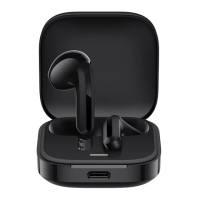
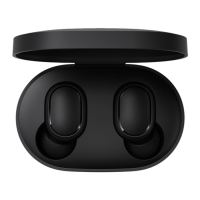
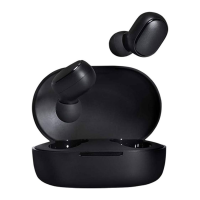
The Redmi Buds 3 Lite are a pair of wireless earphones designed for convenient audio playback and communication. This user manual provides comprehensive instructions for their operation, maintenance, and safety.
The Redmi Buds 3 Lite offer a range of functionalities for an enhanced audio experience. They are primarily designed for wireless audio playback, allowing users to listen to music, podcasts, and other audio content without the constraints of cables. Each earbud features a multi-function touch area, enabling intuitive control over various functions.
For communication, the earbuds are equipped with a microphone, facilitating clear hands-free calls. Users can answer, end, and even manage second incoming calls directly from the earbuds. The device also supports the activation of a phone's voice assistant, providing a convenient way to interact with their smartphone using voice commands.
The earbuds operate in both single and dual-bud modes. When both earbuds are connected, they function in dual-bud mode, offering a stereo audio experience. If one earbud is placed back into the charging case, the remaining earbud automatically switches to single-bud mode, allowing for flexible usage. The device also features a low latency mode, which can be enabled or disabled to optimize audio synchronization, particularly useful for gaming or video playback.
Turning On/Off: The earbuds automatically turn on when removed from the charging case, provided the case has sufficient battery. To turn them off, simply place both earbuds back into the charging case. They will automatically disconnect, begin charging, and power off once fully charged. If the earbuds are in pairing state and outside the charging case without connecting to a device for 10 minutes, they will automatically power off.
Charging: Before first use, it is crucial to remove the protective film from the contact points on both earbuds and fully charge both the charging case and the earbuds. The charging case has an indicator that is white when not fully charged and turns off when fully charged. To charge, connect the charging cable to the charging case while the earbuds are inside.
Wearing: For optimal comfort and sound quality, gently place each earbud into your ear canal and adjust its position. During calls, ensure the primary microphone is pointed towards your mouth for clearer voice transmission. The earbuds come with M-size ear tips and L-size ear hooks pre-installed, but these can be replaced with a more suitable size if needed.
Low Latency Mode: To enable low latency mode, simultaneously press and hold the multi-function touch areas of both the left and right earbuds when connected to the phone (not during a call). To disable it, either simultaneously press and hold the multi-function touch areas again or place both earbuds back into the charging case.
Resetting Earbuds: If you encounter connection issues or wish to clear all pairing records, you can reset the earbuds. Ensure the charging case has battery. Open the lid of the charging case and place both earbuds inside. Press and hold the multi-function touch areas on both earbuds for at least five seconds, then release. The indicators on both earbuds will blink white three times, confirming a successful reset. This action clears all connection records between the left and right earbuds, as well as between the earbuds and any previously paired phones.
The Redmi Buds 3 Lite are designed for ease of use and durability, but proper care and adherence to the instructions will ensure a long and satisfying user experience.
 General
| Type | In-ear |
|---|---|
| Bluetooth Version | 5.2 |
| Battery Life | 18 hours (with case) |
| Charging Port | USB-C |
| Water Resistance | IP54 |
| Battery Life (earbuds) | 5 hours |
| Driver Size | 6mm |
| Frequency Response | 20Hz - 20kHz |
| Impedance | Unknown |
| Sensitivity | Unknown |
| Weight (per earbud) | 4.2g |
| Charging Time | 1.5 hours |



 To Next Page