
 Need help?
Do you have a question about the Xiaomi Redmi Buds 4 and is the answer not in the manual?
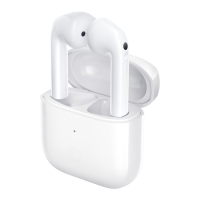
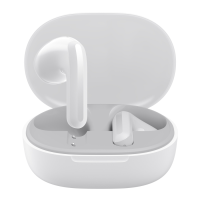
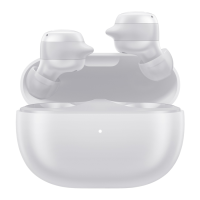
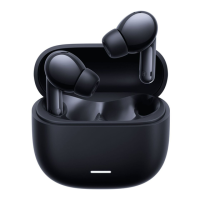
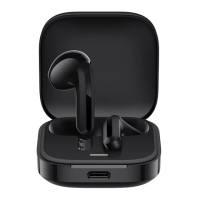
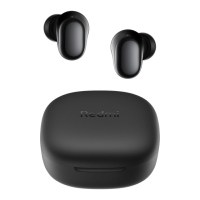
Overview of the charging case and its components, including indicator and port.
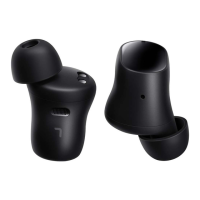
Description of the earbuds, detailing microphones and touch areas.
Details on how to charge both the earbuds and the charging case.
Details on how to charge both the earbuds and the charging case.
Overview of the touch-sensitive areas on the earbuds.
Gestures for answering calls, ending calls, and controlling music playback.
How to switch between noise cancellation and transparency modes.
Steps to connect the earbuds to the dedicated mobile application.
Simplified steps for connecting earbuds via the companion app.
This document is a user manual for the Redmi Buds 4, a pair of wireless earphones designed for a seamless audio experience. The manual provides comprehensive instructions on how to use, maintain, and troubleshoot the device, ensuring users can maximize its features.
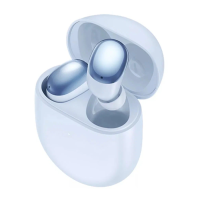
The Redmi Buds 4 are wireless earphones that come with a charging case. They are primarily designed for audio playback and communication, offering features such as music listening, call management, and noise cancellation. The earphones connect to other devices via Bluetooth, providing a wireless and convenient user experience. The charging case not only stores the earbuds but also charges them, extending their usage time. An indicator light on the charging case provides visual feedback on its status, such as charging or pairing mode. The earbuds themselves are equipped with multiple microphones to enhance call clarity and support noise cancellation features.
First-time Use and Pairing: To begin using the Redmi Buds 4, users must first open the lid of the charging case and remove any protective film from the earbuds. Then, place both earbuds back into the charging case and open the lid to initiate the pairing process. For the initial connection, users need to put both earbuds into the charging case and close the lid. Opening the lid again will cause the charging case indicator to blink white slowly for about 1 minute. During this period, users should enable Bluetooth on their phone and search for "Redmi Buds 4" to connect. If the earbuds connect successfully, the charging case indicator will turn off after 7 seconds; otherwise, it will continue blinking slowly for 1 minute.
Wearing the Earbuds: Proper fit is crucial for both comfort and optimal audio performance. Users should gently place the earbud into their ear canal and adjust it to a comfortable position. The M-size ear tips are preinstalled, but if they feel uncomfortable, users can change to size L or S for a better fit. When making calls, it's recommended to point the talk microphone towards the mouth for clearer calls.
Charging: The earbuds are charged by placing them into the charging case. They will automatically start charging. To avoid losing or misplacing the earbuds, it's recommended to place them back into the charging case when not in use, as this will extend their service life. The charging case itself is charged using a Type-C charging cable. When the charging case is charging, its indicator light will remain white. It will turn off when fully charged.
Turning On and Off: The earbuds turn on automatically when the lid of the charging case is opened, provided there is sufficient battery. To turn off the earbuds, users should place them back into the charging case and close the lid. They will automatically disconnect and start charging, and then turn off once fully charged. If the earbuds are turned on and out of the charging case, they will automatically turn off after about 1 hour if they remain disconnected from the device without any operations (such as being worn on or put back into the case).
Connecting to Other Devices: If the earbuds cannot connect, users should close and open the lid and then repeat the connection process. To connect to other devices, ensure the charging case has battery. Place both earbuds in the case, keep the lid open, and press and hold the charging case button for 2 seconds until the charging case indicator starts blinking. Then, search and connect with the earbuds on the new device. The earbuds can remember previously paired devices and will automatically reconnect with them. If reconnected, the earbuds will disconnect from the current device if it is already paired with it.
Automatic Connection: When the earbuds are in the charging case, opening the lid will automatically connect the earbuds to the most recently used Bluetooth device. If the earbuds cannot successfully connect to any Bluetooth device, they will automatically enter the low-power consumption mode.
Disconnected State: If the earbuds are connected to a device, but the device's Bluetooth is disabled, the device is too far to be connected to, or both earbuds are in the charging case with the lid closed, the earbuds will disconnect from the device.
Restoring Factory Settings: There are two methods to restore factory settings. Method 1: Close the charging case lid. Press and hold the charging case button for about 10 seconds until the charging case indicator stays on for about 3 seconds and then turns off. Method 2: Open the charging case lid. Press and hold the charging case button for about 10 seconds until the charging case indicator stays on for about 3 seconds and then blinks slowly. After restoring factory settings, the connection history will be cleared, and the earbuds will be waiting for a connection.
Multi-function Touch Area: The earbuds feature a multi-function touch area for various controls.
App Integration: The Redmi Buds 4 can be connected to a phone via a dedicated app. Users can scan a QR code provided in the manual to download the app. To connect with the app, download and open it. Place the earbuds into the charging case and close its lid. Ensure the phone is unlocked and its Bluetooth is enabled, then hold it close to the charging case. Open the charging case lid and follow the instructions on the phone to connect the earbuds. Once connected, the app can be used to update the firmware of the earbuds.
AI Voice Assistant Integration: Once connected with the app, users can press and hold the multi-function touch area on either earbud (or use the "press and hold" function in the app) to activate the AI voice assistant. This allows users to complete tasks by voice, such as setting an alarm for 8:00 tomorrow morning, pausing music, speaking louder, checking the weather, or asking "How do I speak 'thank you' in French?".
Battery Care: The product has a built-in battery that cannot be removed or replaced by the user. To avoid damage to the battery or the product, users should not disassemble or modify the battery themselves. The battery can only be replaced by authorized service providers. Replacement of a battery with an incorrect type may defeat a safeguard (such as catching fire, explosion, and leakage of corrosive electrolyte).
Disposal: Do not dispose of used batteries with household waste. Disposal of this product and used batteries shall comply with local laws and regulations. All products bearing the WEEE symbol (a crossed-out wheeled bin) should not be mixed with unsorted household waste. Instead, users should protect human health and the environment by handing over their waste equipment to a designated collection point for the recycling of waste electrical and electronic equipment, appointed by the government or local authorities. Correct disposal and recycling will help prevent potential negative consequences to the environment and human health.
Product Handling: Users should not attempt to disassemble, repair, or modify the product, as this may cause fire or even completely damage the product. Keep the product's indicator away from the eyes of children and animals while the product is in use. Do not disassemble, puncture, or crush the product nor expose it to fire. Please stop using the product immediately and seek medical assistance if the contact area on your skin shows signs of redness or swelling.
Environmental Considerations: To prevent possible hearing loss, do not use high volume for long periods of time. This product is not a toy and may contain small parts; keep them out of the reach of children. Disposal of a battery into fire or a hot oven or water or other liquids, or mechanically crushing or cutting of a battery, can result in an explosion. Leaving a battery in an extremely high temperature surrounding environment can result in an explosion or the leakage of flammable liquid or gas. A battery subjected to extremely low air pressure may result in an explosion or the leakage of flammable liquid or gas.
General Care: Product information and certification marks are located in the Charging Case. The symbol "DC voltage" indicates the product uses direct current. Note that once the weather is cold outdoors and hands become dry, the earbuds may not function when touching them. This suggests that environmental conditions like extreme dryness might affect touch sensitivity.
 General
| Driver Size | 10mm |
|---|---|
| Bluetooth Version | 5.2 |
| Battery Life (earbuds) | 6 hours |
| Battery Life (with case) | 30 hours |
| Water Resistance | IP54 |
| Type | In-ear |
| Impedance | 32 ohms |
| Charging Port | USB Type-C |
| Frequency Response | 20Hz - 20kHz |
| Weight (each earbud) | 4.5g |
| Noise Cancellation | Active Noise Cancellation (ANC) |
| Bluetooth Profiles | A2DP, AVRCP, HFP |


 To Next Page