4
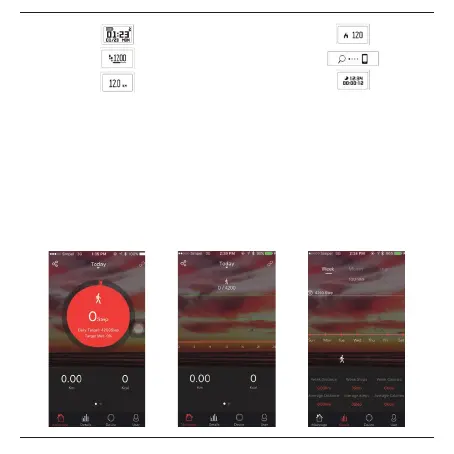
Time mode: Calories burned mode:
Pedometer mode: Find phone:
Distance mode: Sleep monitoring mode:
Please note: Hold the button until the bracelet vibrates in order to enter the sleep mode and start monitoring sleep
modus. It can also detect it automatically. Go to 4.1 Sleep monitoring to read more about this function.
4. App functions
4.1 Activities Record
Check history activities (week, month and year) including steps, distance, and burned calories by going to “details”
tab in the App. To adjust your goals, please go to “Goal setting” in the “User” tab to adjust your preferred goal.
To check the status of the counted steps, calories burned and distance on the same day, tap in the middle of the
home screen.


 To Next Page