Powering the REX Card On and Off
To power on REX, press any of the buttons along the side of the unit. To
power off REX, press and hold the
Home
button (the top button).
To prolong battery life, REX powers off automatically after one minute of
inactivity. For information on changing the time before auto-power-off,
see the
Controls
section in the online user guide. You will find
instructions for displaying that guide at the end of this manual
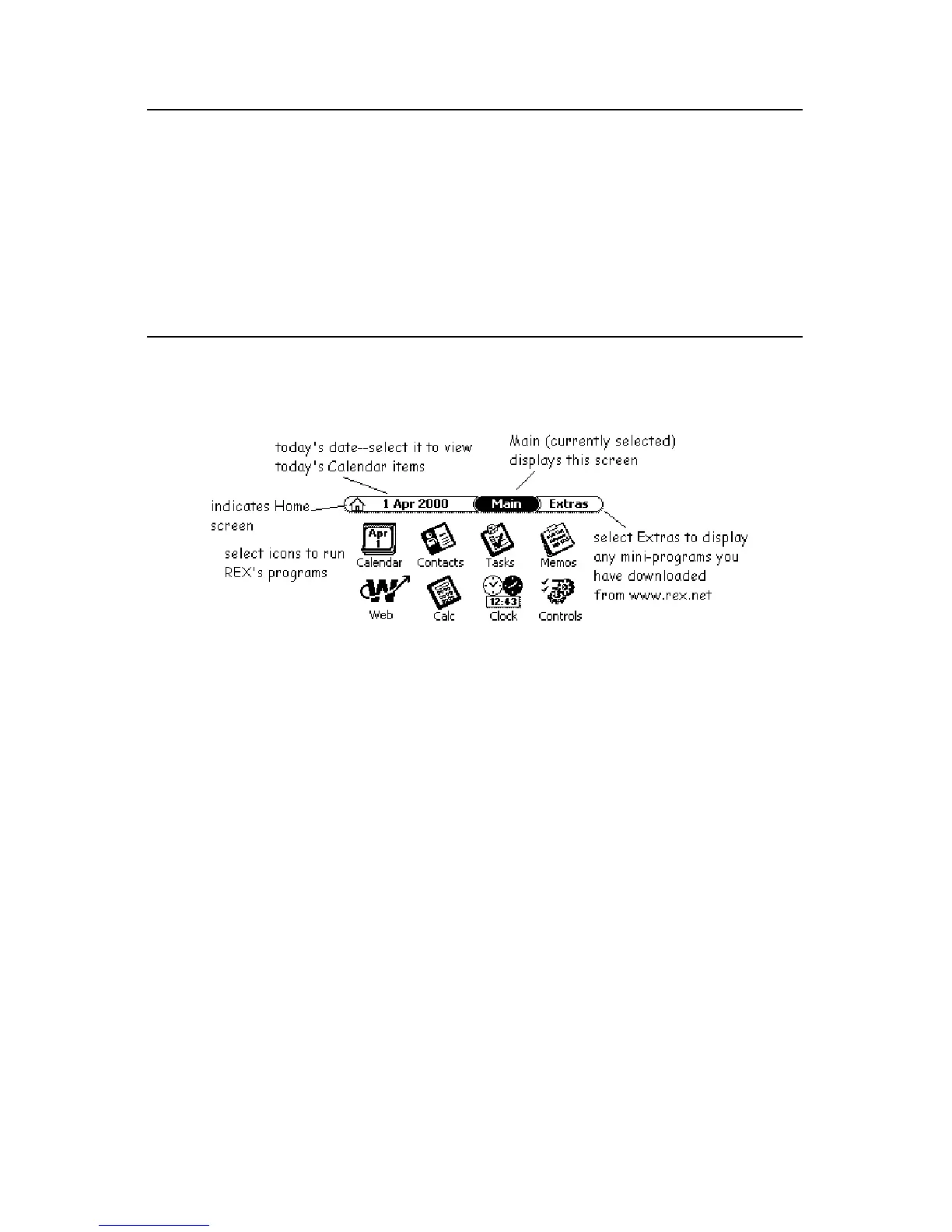
The Home Screen
When you power on REX, the screen you were at when the unit was last
powered down will display. If you are powering on REX for the first time,
you will see the home screen.
The main modules are:
•
Calendar
– keeps track of your appointments and important dates
•
Contacts
- stores contact information
•
Tasks
– a place to enter to-do items
•
Memos
– a place to make notes, lists, reminders, etc.
•
Web
– a feature you can use to read specially tailored content you
have downloaded from the Web onto REX
•
Calc
– an on-screen calculator
•
Clock
– a clock you can use to keep track of the time and date in
major cities around the world
•
Controls
– where you set up your user preferences, such as whether
to display time in 12-hour or 24-hour mode and the amount of time
before REX automatically powers off


 To Next Page
 Loading...