Step 3 – Register for Free REX Content and Services
If you did not visit
www.rex.net
during the installation, we encourage you
to do so now. By registering online, you can access the following:
•
Service
– Update REX with daily news, sports, entertainment
happenings, and stock quotes.
•
Knowledge
– Learn more about REX and download REX
applications.
•
Community
– Free gifts, contests, exclusive access, and sneak
previews, and a forum for sharing ideas with the REX community.
To register online:
1. Be sure you are logged on to the Internet.
2. Use your Web browser to go to
www.rex.net
.
3. At the opening screen, select
Join Now
.
4. Fill in the form on the sign-up screens and create a user name and
password. Select
Next
at the bottom of the screens to continue.
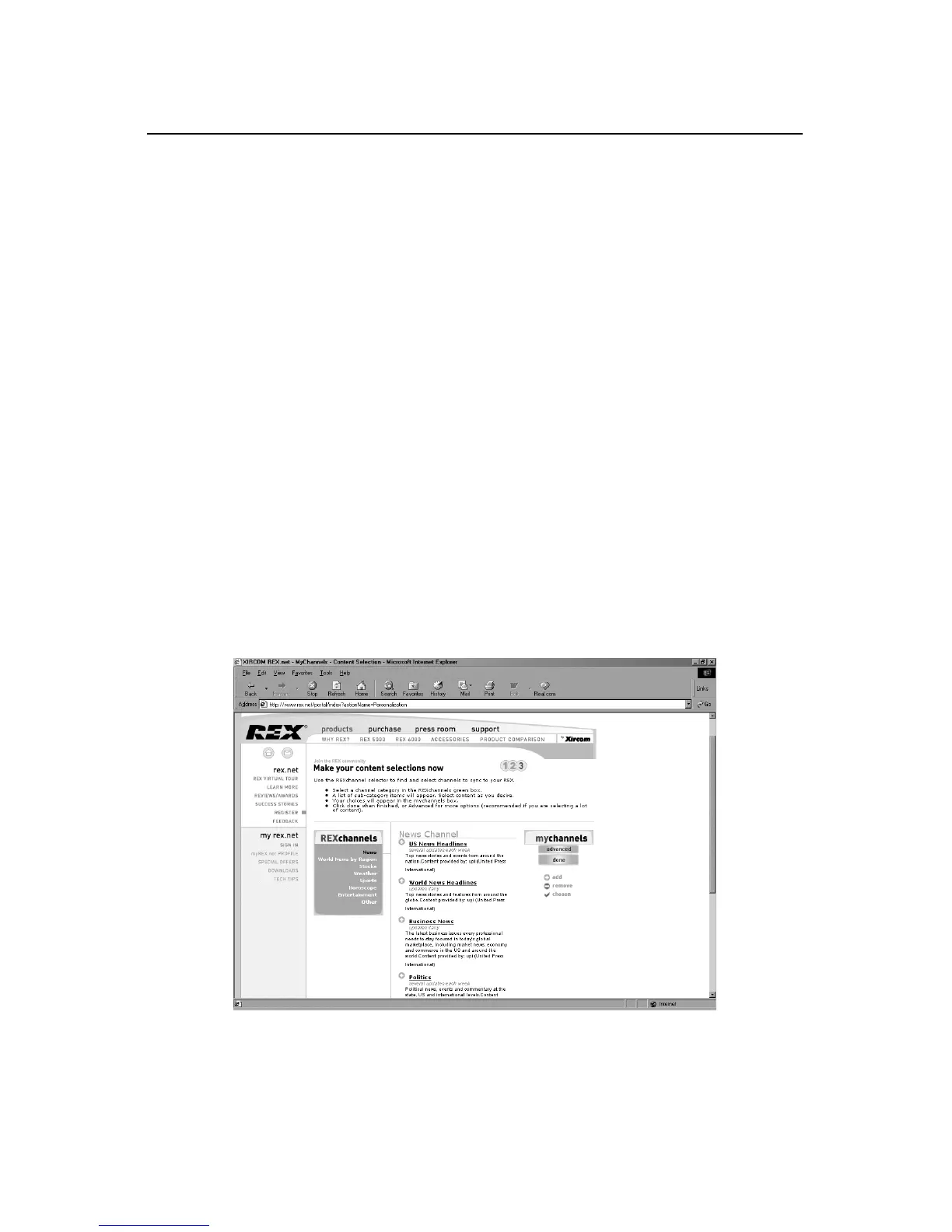
5. You will see a screen where you can select content to download onto
REX. Follow the on-screen instructions. The content will be
downloaded when you synchronize REX with your PC.
Be sure to visit
www.rex.net
frequently for the latest information,
updates, content, and services.


 To Next Page
 Loading...