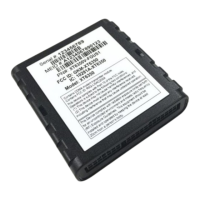
The Xirgo Technologies XT4975A is a solar energy-harvesting cellular and GPS tracking device designed for long-term remote deployments. It features a robust design and offers various mounting options.
Function Description:
The XT4975A serves as a comprehensive tracking and monitoring solution, leveraging LTE cellular communication and a GPS receiver. It supports a wide array of features including:
- Location Tracking: Provides location polling and periodic reporting.
- Alerts and Monitoring: Offers various alerts such as speed threshold alerts, mileage threshold alerts, heartbeat and power-up/reset alerts, ignition idle alerts (wired ignition only), towing start/stop alerts (wired ignition only), and movement start/stop alerts (wired ignition only).
- Input/Output: Includes 2 digital inputs, virtual odometer, and motion detection.
- Power Management: Utilizes solar energy to replenish its internal 10 Ah rechargeable Li-ion battery, supporting sleep/wake configuration settings.
- Geofencing: Supports radial, rectangular, and polygonal geofence configurations.
- Diagnostics: Provides device diagnostics including battery voltage and connectivity status.
- Wireless Sensor Connectivity: Features wireless sensor connectivity.
- Configuration: Can be configured via SMS commands or through a PC connection using a RS-232 to USB TTL converter cable.
- Firmware Updates: Supports Download Over The Air (DOTA) firmware updates via an FTP server.
Important Technical Specifications:
Cellular Technology Options:
- 4G LTE Cat 1: Bands 2, 4, 5, and 12.
- 3G UMTS/HSDPA/HSUPA: Bands 1, 2, 5, and 8.
- 2G GSM/GPRS/EDGE: 850 MHz, 900 MHz, 1800 MHz, and 1900 MHz.
GPS Specification:
- Receiver: 72 channels.
- Receiver Tracking Sensitivity: -167 dBm.
- Accuracy: +/- 2.0 m CEP (50%, -130 dBm, > 6 Satellites).
- Cold Start: 26 seconds.
- Hot Start: 1 second.
Power Requirements:
- D.C. Power: 8-24V, 12V nominal.
- Current Consumption (4V Supply Internal Battery): 170 μA in sleep state, 80 mA in idle state, 240 mA in transmit/receive state.
- Max. Solar Charge Current: 150 mA.
- Internal Battery: Internal 10 Ah rechargeable Li-ion.
Physical Connection:
- Interface Connector: 8-pin attached harness.
- Cellular/GPS Antenna: Internal.
- SIM Access: Internal.
- Programming: Serial (RS232 3V logic level).
Mechanical:
- Case Material: PC and PBT composite.
- Dimension: 4.7" X 8.5" X 1.1".
- Weight: 24 oz.
- Operating Temperature: -40°C to +70°C.
Certifications:
- Product: PTCRB, FCC (GKM-XT4975A), IC (10281A-XT4975A), CE, IP69K.
- Carrier: AT&T.
Cable Harness Description (8-pin Bayonet Connector):
- Pin 1 (Blue): VBATT (Ignition Sense): 8V to 24V, internally pulled low.
- Pin 2 (Brown): GND (Ground): 2.4V to 24V, < 0.2V (Note: Internally pulled high).
- Pin 3 (Yellow): IN2.
- Pin 4 (Black): ADC2: 8-24V.
- Pin 5 (White): RS232 RX (RS232 Receive Port): 3V Logic Interface, Com Port Settings: Baud rate: 115200 bps; Flow control: None; 8N1.
- Pin 6 (Green): RS232 TX (RS232 Transmit Port): 3V Logic Interface, Com Port Settings: Baud rate: 115200 bps; Flow control: None; 8N1.
- Pin 7 (Red): OUT (Output Port): Default Open.
- Pin 8 (White/Black): ADC1 (Analog Input): 8-24V.
LED Description:
- Cellular (Blue):
- OFF: No Carrier/Denied Registration.
- Fast Blinking: Searching for Cellular Network.
- Medium Blinking: Registered Roaming.
- Slow Blinking (1Hz): Registered Home.
- GPS (RGB Green):
- Solid: Searching for satellite.
- Slow Blinking (1 Hz): GPS Lock.
Usage Features:
Device Wakeup:
To start up the device, simply hold the black button located near the circular connector on the side panel for 3 seconds. The blue "C" LED will light up and then fade out, indicating successful connection to the network. The factory default settings configure the device to sleep within 2 minutes of wake. To keep the device awake for configuration purposes or disable sleep, pull the IN1 wire high or issue the proper 3017 command.
Device Mounting Options:
The XT4975A offers flexible mounting solutions:
- Screw Mounting: The device has two flanges (with two holes each) at both ends of the housing for screw mounting to a surface. It is recommended to use #10-24 mechanical bolts with 5.5-6.0 lb.in torque. Mounting flush to a flat surface is crucial to maintain the environmental seal. A small black "Wake-up" button is located on top of one of the mounting holes; care must be taken not to damage or permanently engage it during installation.
- 3M VHB Tape Mounting: For a semi-permanent option, the device can be mounted using 3M VHB tape.
- Trailer Cradle Mounting (Optional): An optional cradle can be purchased for easy mounting. The cradle can be screw-mounted or VHB tape mounted. The XT4975A is then fastened into the cradle via a Phillips head screw. The angled edges of the cradle are designed to withstand snow scraper impacts. The cradle includes four drain holes, which should not be used for screw mounting.
- Container Cradle Mounting (Optional): An optional container cradle, designed for VHB tape mounting only, fits into the corrugations of an ISO standard freight container. The XT4975A is fastened into the cradle via a Phillips head screw. This cradle also has four drain holes that should not be used for screw mounting.
Device Mounting Guidelines:
To maximize solar charging and optimize cellular/GPS signal reception:
- Solar Panel Orientation: Position the solar panel directly towards the noon sun, or at least no greater than 90° away from it.
- Avoid Shadows: Do not mount the device where shadows may be cast on the solar panel.
- Material Interference: Avoid placing the unit inside a container or partially mounting it into a bracket made from conductive materials, as this can degrade GPS and cellular reception.
- Environmental Contamination: Avoid mounting in low locations prone to dirt, grease, or staining particles from rotating wheels, as these can reduce solar panel charging efficiency.
- Physical Harm: Avoid mounting in locations with high risk of physical harm (e.g., on top of an asset where snow scrapers are used, unless protected by a bracket).
Maintenance Features:
Configuring the Device via SMS:
- Ensure the device is active on its cellular account.
- Wake up the device using the "wake-up" button.
- If needed, supply 12V DC power via the red wire of the cable harness.
- Verify the cellular LED is blinking according to the LED definition.
- Send the +XT:1008 command to the device MDN to set the SMS number.
- Once the SMS reply is configured, other commands can be sent for network settings (+XT:1010), sleep/wake mode (+XT:3017), and alert/threshold settings (+XT:3040, +XT:3042).
- Use +XT:7008, to save the device configuration to permanent memory.
Configuring the Device via PC:
- A RS-232 to USB TTL converter cable is required. Connect the XT4975A's Tx, Rx, and ground wires to the corresponding pins on the TTL converter cable.
- Use a terminal application with settings: 115200 bps, 8 data bits, no parity, 1 stop bit, no flow control.
- Press enter 3 times to activate the Aux Port.
- Log in to the device using the AES challenge prompt (contact Xirgo FAE for instructions).
- Once "Accepted" is printed, the device can be configured using XT commands.
Download Over the Air (DOTA) Firmware Update Guide:
The device supports firmware updates over the air, requiring an FTP server configured for active mode.
- Ensure +XT:1010 network settings are valid and the device can send/receive data with the configured APN.
- Configure FTP network settings via +XT:1004.
- Verify settings with +XT:1005.
- Ensure the FTP server is in active mode and the correct EBF file is in the specified FTP network folder.
- Initiate the OTA update by sending the +XT:1006 command.
- A 1007 reply indicates successful update completion if cellular network settings are compatible.
- Notes: Upgrading firmware may reset 1000, 3000, 5000, and 7000 series settings to default if new parameters are added. Always refer to release notes before upgrading. Disable sleep mode prior to a download. Do not download older firmware into newer devices.

 Need help?

 To Next Page
 General