XLINK OUICK START GUIDE
t)ACi(r\G
t:
CONI-[-it]
I
S
:
,
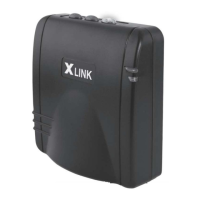
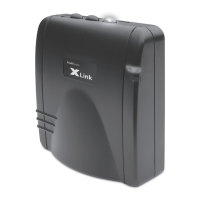
XLinN BT or B'|TN unit
.
9-'.'o
i
DC
pci,er
srrpply
.
For tsTTN nicdcls only: A telephone cord cable
I iGi
l1. li\DlCAl
Ofl
RIFFRENC[:
Green solid:
lrdicaies ihe un t
is
pcu'ered
ano
running nonnaliy.
Rod llashing: Indicates ihe
Xlink has
an acli're
phone
line
piugged
in to
an
incorrect pod,
.
Fcr the Xlink B'l:
Disconnect
any telephone l;ne conneclions
unlil the red
light
goes
oft.
pcd,
as shclin
in
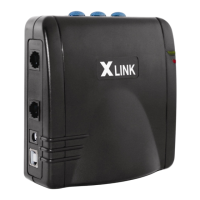
the dral';lng 0n reverse.
Blue
light:
.
SOliC:
lndrcales
lhe
Xlink is
cOnnecleii t0
a cell
phone
0n that
line .
'
Flash;i]g
fast: htdicales the lrne is
in
pairing
mcoe.
Use
your
celi
phcre
to search for the
Xlink Ga{el'ray.
,
Fla-qhing
sio','riy:
Indicaies tlie iine is
paired,
bul the cell
phone
is
curfe ntiy cut
0{
range.
PAllliirlo
ct_l,i Plloi.iL:s \i'/llllYOLJit
xt ti!i(
As
slicr';n on lhe
reverse
side oi
trr
s
paEe:
Slep
(|
:
l/ake
the
ccnneclrons to the
Xlirk BT
or BTTN
as
inciicateri,
Step
O
: Hsjd dot';n one
oi the three ine
builcns Lnlilil
starls fiasning
repiol1,, v;hich lakes
ai:oul 0 secsnris.
Step
0
{,4
& Bi: Search for llliretoclir
clevices
on
your
ceii
phcne
uni;l it iniricaies
it lias fctnii an Xlinr,
See';,oL;r ceii
;lhonc
ol;ners
guide
fo:.ncre
rniormaiicn,
Step
$1e;:
[nierlhePil,.lnunber:1-2*3-.4
NOTE: A
paired
line
ancl cell
phorre
can be
'unpaired'by
hclciing
rjcwn
lhe blue l:ne button for ailoul
6 seconds.
tintil
ii
iiashes rapidiy.
Dl;\LING VVlTil YOUR ){Llr\lK
racge.
i;clo:e .t
t,,e
s
,t celr ohoires
\t/alting)
on
your
handset. then ciial
the nunber
or use speed
ciial as usual,
# on
your
handset,
.ToLtsevo:ceciialing,pllkupanypl0i"]e,0pti0nallyselectthellneasai:ove.press##,anrisaythe
i\i'lsy'JL:{]iii{G
cALt_s oN YouR
xLlNt(
suppril this feature,
'
The Xlink
can alsc be cenfigured
to add the cell
phone
line
nLrniber"lo
the call,ng
line lD
in{onlalion.
See
the
',!,ebsite
for nicre cietaiis,
.
0n BTTN ncdels,
the
inco;'ning land
line rings
n0rmaiiy.
.
'lhe
'iiash'
key an
ycur
home
phones
can
togglo beivieen
catis.
just
as l;ith
catl tiaitirrg.
ii4ANr\GllrlCl iHF
BLU[:l'OOl
i] CON.INFC
iiONt
tiiecel|phonecnlhati1t-:e,buicannot1incit.!,{hentheceliphcnecomesin1orange,ilaulonratlcaliycr:nnecisto|ece1|p!llllo
ccntrnue
the
call. lf
you get
ciiai
lone
on the hancisct,
press
*
#
to
conneci
the cati. See r"*.,u,nryxiink.com
fo;
dctarro.
The ligitt turns
oil.
lf
1'cy
*ut* on
a call, auCio
is
transfered
to
the ceil
phone.
'
VJhen the
lighl
is ofl
(but
the line is
paired), press
the
buf,on
once to make the
Xlink
starl searchirrg for the
ceil
phone.


 To Previous Page
 Loading...