Need help?
Do you have a question about the Xlink ITC-BT and is the answer not in the manual?
Welcome and overview of the XLink ITC-BT Cellular Gateway's capabilities.
Lists all items included in the XLink ITC-BT gift box for user convenience.
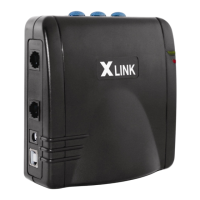
Visual guide illustrating physical connections and labeled ports of the XLink unit.
Step-by-step instructions for the initial physical setup of the XLink ITC-BT device.
Detailed procedure for pairing a Bluetooth cell phone with the XLink ITC-BT.
Explains automatic and manual Bluetooth connection methods for the XLink.
Steps to verify correct connections and ensure the XLink is functioning properly.
Explanation of the meaning of various LED status lights on the XLink unit.
How to place calls and understand incoming call notifications on extension phones.
Covers line selection, force call connection, and handling call waiting.
Details on using speed dialing and accessing voice mail from extension phones.
Information on how Caller ID display and voice dialing function with the XLink.
Instructions for connecting the XLink to a computer for firmware updates.
Solutions for common issues like red light flashing, no dial tone, or connectivity problems.
Details the product warranty terms, conditions, and limitations.
Essential safety precautions and regulatory compliance information for the XLink.
FCC compliance statements and specific considerations for making 911 calls.
Guidance on how to properly mount the XLink unit on a wall.

 To Next Page
 General