
 Need help?
Do you have a question about the XODO PS1 and is the answer not in the manual?
Lists the items contained within the product packaging for setup and use.
Important safety instructions and warnings to follow before and during product use.
Technical details of the Xodo WiFi Smart PIR Sensor, including voltage, battery, and detection range.
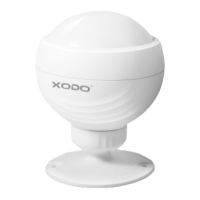
Identifies and explains the function of the sensor's physical parts like buttons and indicator lights.
Instructions for obtaining and installing the necessary mobile application for device management.
Steps for launching the app, logging in, or registering a new user account.
Manual process to add the PIR Sensor, including confirming device readiness via indicator light.
Guides the user through connecting the sensor to their home Wi-Fi network.
Verifies successful device addition and shows its appearance on the app's main dashboard.
Displays the live sensor status and provides access to alarm history and settings.
Adjust various features such as device name, location, sharing, and firmware updates.
Instructions for integrating the Xodo sensor with the Google Home ecosystem.
Examples of voice commands to control smart devices through Google Home.
Steps to connect the Xodo sensor with Amazon Alexa for voice control.
 General
| Brand | XODO |
|---|---|
| Model | PS1 |
| Category | Home Automation |
| Language | English |

 To Next Page
