Need help?
Do you have a question about the XODO PK2 and is the answer not in the manual?
Lists the contents of the Xodo Smart Home Doorbell Kit, including doorbell, cameras, and accessories.
Details how to set up and pair the external ringer with the smart doorbell for audio notifications.
Provides essential safety instructions for using the product, including handling and environmental considerations.
Lists technical specifications for the Xodo Wireless Doorbell VD1, including resolution, WiFi, and battery.
Outlines technical specifications for the Xodo Smart WiFi Camera E4, covering power, resolution, and storage.
Introduces the smart doorbell and labels its key physical components and ports.
Explains the function of each component of the smart doorbell, such as IR LED, PIR sensor, and buttons.
Describes the meaning of different indicator light colors and patterns for the smart doorbell.
Introduces the smart camera and labels its key physical components and ports.
Explains the function of each component of the smart camera, such as IR LED, PIR sensor, and speaker.
Instructions on how to detach the mounting bracket from the smart doorbell.
Guides on how to securely attach the mounting bracket to the wall using screws.
Details the process of attaching the smart doorbell onto the installed mounting bracket.
Explains how to secure the doorbell to the bracket using the provided mounting screws.
Instructions on how to find and download the Xodo Smart App from app stores for setup.
Guides users through opening the app and creating a new account or logging into an existing one.
Explains how to initiate the manual addition of devices like VD1 within the Xodo Smart App.
Details the process of putting the device into pairing mode and confirming readiness for connection.
Guides users to connect the device to a 2.4GHz WiFi network by entering the password.
Instructions on using the doorbell camera to scan a QR code displayed on the app screen for pairing.
Describes the "Connecting" screen and the expected time for device registration after scanning the QR code.
Shows the screen confirming the smart device has been added and allows renaming or specifying location.
Displays the home screen of the app showing the newly added device alongside other Xodo products.
Details the controls and information available on the doorbell's home screen in the app.
Explains how to adjust various settings for the doorbell, like name, talk mode, PIR, and power management.
Covers features like FAQ, sharing devices, adding to home screen, and device updates.
Instructions on how to remove the doorbell from the app and its pairing.
Instructions on how to detach the camera from its mounting base by rotating counterclockwise.
Guides on positioning and installing the camera's base securely to the desired location.
Details on using provided mounting screws to firmly attach the camera base.
Explains how to reattach the camera to the mounting base with a clockwise motion.
Instructions for connecting the USB power supply and inserting an external memory card.
Guides on downloading the Xodo app, creating an account, and following app instructions for setup.
Guides users through opening the app and creating a new account or logging into an existing one for the camera.
Explains how to initiate the manual addition of the E4 IP Camera within the Xodo Smart App.
Details the process of putting the camera into pairing mode by holding the reset button until a sound is heard.
Guides users to connect the camera to a 2.4GHz WiFi network by entering the password.
Instructions on using the camera to scan a QR code displayed on the app screen for pairing.
Describes the "Connecting" screen and the expected time for device registration after scanning the QR code.
Shows the screen confirming the smart camera has been added and allows renaming or specifying location.
Displays the home screen of the app showing the newly added camera alongside other Xodo products.
Details the controls available on the smart camera's home screen in the app, such as snapshot, speak, and record.
Explains how to adjust settings for the camera, including name, detection, and VAS.
Covers features like FAQ, sharing devices, adding to home screen, and device updates for the camera.
Instructions on how to remove the camera from the app and its pairing.
Describes the main "My Home" page of the app, including weather display and device status.
Explains how to control devices and create groups for simultaneous management within the app.
Details the steps to enter a group name, save, and manage devices within created groups.
Guides on setting up automation rules, including selecting triggers, actions, and effective periods.
Explains how to name an automation, save it, and enable or disable it via a switch.
Details how to set up "Tap-to-Run" features, including selecting conditions, tasks, and naming the automation.
Guides on creating a specific "Tap-to-Run" task by naming it and saving the configuration.
Provides contact details for customer support, including email and website for further assistance.
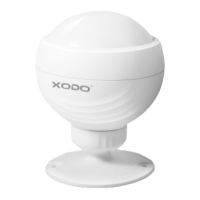
The Xodo Smart Home Doorbell Kit (PK2) is a comprehensive smart home security solution designed to monitor your doorstep and surrounding areas. The kit includes a VD1 Smart Doorbell and two E4 Smart Home Cameras, offering a combination of doorbell functionality, motion detection, and remote monitoring capabilities. An external ringer is also provided to ensure audible notifications when the doorbell button is pressed, even if a smartphone is not readily available. The system allows for photo and video storage on your smartphone or an external memory card.
The VD1 Smart Doorbell serves as a primary security device for your doorstep, offering two-way audio communication, motion detection, and remote monitoring. When the doorbell button is pressed, it sends a notification to your smartphone and can trigger an external ringer. The integrated motion sensor (PIR) detects activity and sends alerts, enhancing security by notifying you of visitors or suspicious movements. The doorbell supports remote wake-up, allowing you to access the live feed at any time.
The E4 Smart Home Camera is a versatile security camera designed for indoor monitoring. It features motion detection, two-way audio, and remote wake-up capabilities, allowing you to keep an eye on your home or office from anywhere. The camera records in full HD and supports local storage via a Micro SD card, with optional cloud storage available.
For support, contact support@contixo.com. Include your order number and product description. More products and information can be found at www.contixo.com.
 General
| Brand | XODO |
|---|---|
| Model | PK2 |
| Category | Home Automation |
| Language | English |


 To Next Page