How To Find IP Address and MAC Address
Quick Steps
1. Press the “Menu” button.
2. Scroll down to “Status” and press the “Enter” softkey.
3. Scroll down to see either the IP address or the MAC address.
How To Set the Configuration Server
Quick Steps
1. Select the “Menu” button.
2. Scroll down to “Settings” and press the ”Enter” softkey.
3. Scroll down to “Advanced Settings” and press the “Enter” softkey.
4. Scroll down to “Auto Provision” and press the “Enter” softkey.
© Copyright Schmooze Com, 2012
5. Define the URL to your PBX. Generally this would be tftp://IPADDRESS
such as tftp://10.10.0.1 in our example and press the “Save” button at the bottom.
How To Factory Default
Quick Steps
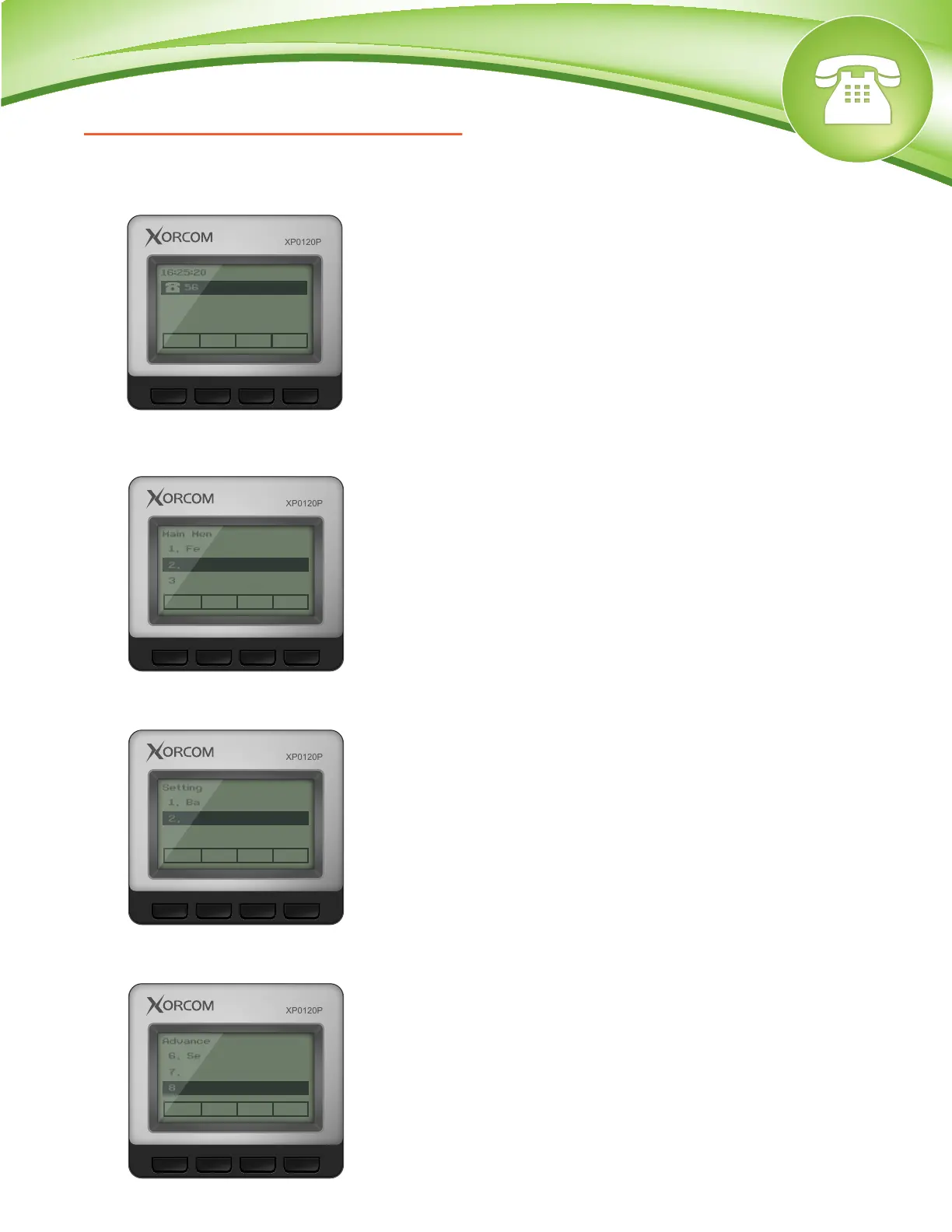
1. Select the “Menu” button.
2. Scroll down to “Settings” and press the “Enter” softkey.
3. Scroll down to “Advanced Settings” and press the “Enter” softkey.
Menu DND Int Dir
16:25:20
5601
Exit Enter
Main Menu
3/6
1. Features
2. Settings
3. Messages
Back Enter
Setting Type
2/2
1. Basic Settings
2. Advanced Settings
Back Enter
Advanced Settings
8/9
6. Set Password
7. Set AES Key
8. Auto Provision
4. Scroll down to “Reset to Factory” and press the “Enter” softkey.


 To Next Page
 Loading...
