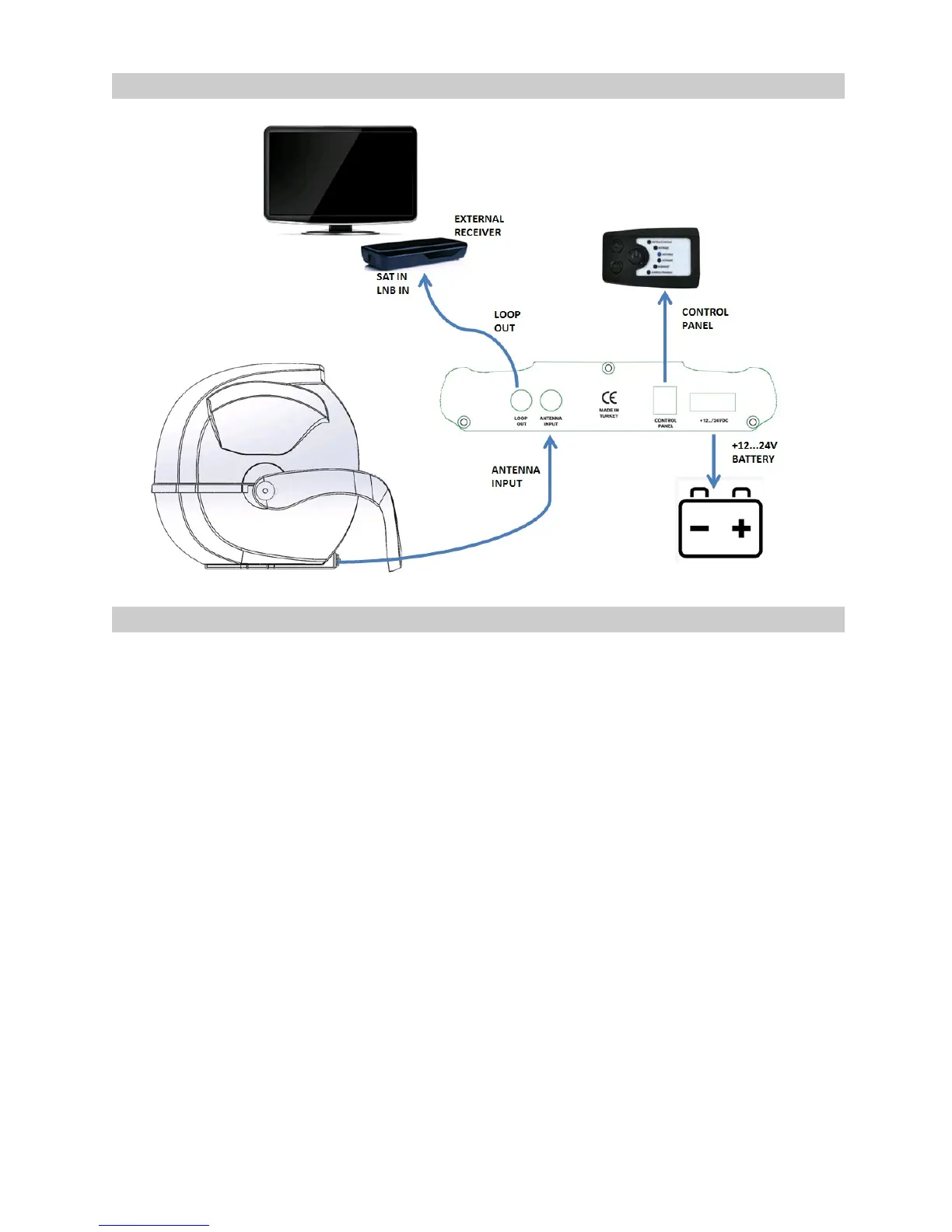
CONNECTION SCHEME
INSTALLATION
1. Make sure the control box is switched off while connecting all the cables.
2. Use the RG-6 coaxial (long) cable to connect the antenna unit’s DCR-port with
“ANTENNA IN” of the control box. Then use the second coaxial (short) cable to
connect “LOOP-OUT” jack of the control box with the LNB/SAT-IN input of your
satellite receiver. The loop jack passes the complete receiving signal coming from
the satellite to your receiver through or TV set.
3. Connect 12-24 V DC supply voltage to the input of the control box via 5 amp
thermal fuse. The fuse protects it from damages caused by e.g. a shortcut or cable
fire.
NOTE:
The XORO MPA 38 Pro has an auto skew functionality that automatically sets the
polarization angle for the LNB and a GPS-receiver for accurate and quick positioning.



 To Next Page