68 / 99 www.xovis.com
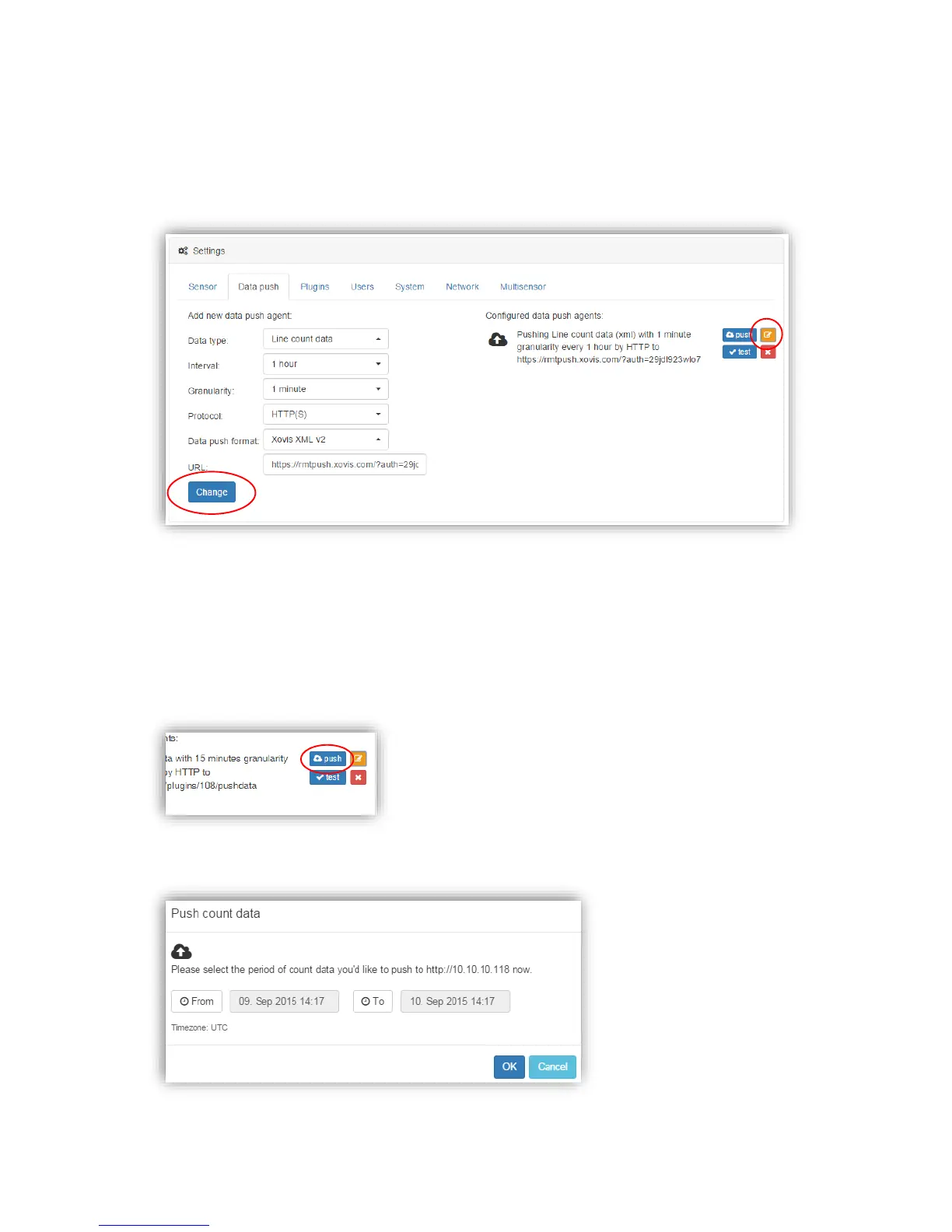
Any already configured push agent can be modified by just clicking on the orange icon
highlighted on the next picture. To confirm any setting changes just click on the button
“Change” and afterwards “Save” again.
The button “push” allows to immediately push count data, sensor status or a validation
recording sequence to the selected destination at any time.
This can be useful for example when a sensor was installed two weeks ago but outgoing
network connectivity was first possible after these two weeks. Using the “manual data push”
functionality now, the count data of these past two weeks can now be pushed to the remote
side manually.
Manually pushing count data allows the user to specify the desired period to push:



 To Next Page