
 Need help?
Do you have a question about the XROCKER XH1 and is the answer not in the manual?
Details products excluded from warranty coverage, including damage and unauthorized repairs.
Lists conditions voiding warranty: accidents, incompatibility, and accessory damage.
Stretch the headset gently apart to minimize headband stress, but avoid overstretching beyond structural limits.
Navigate to the PS4 Settings menu.
Select the 'Devices' option within the PS4 settings.
Choose 'Audio Devices' for headset configuration.
Set 'Output to Headphones' to 'All Audio'. If using with a gaming chair, set to Chat Audio.
Access the Xbox One Settings menu.
Navigate to the 'Console' section in settings.
Select 'Display & Sound' for audio options.
Configure 'Chat Mixer' settings: Mute other sounds, reduce volume by 80% or 50%. An adapter may be required.
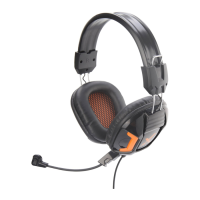
 General
| Driver Size | 50 mm |
|---|---|
| Frequency Response | 20 Hz - 20 kHz |
| Microphone | Yes |
| Microphone Type | Omnidirectional |
| Microphone Frequency Response | 100 Hz - 10 kHz |
| Microphone Sensitivity | -42dB ± 3dB |
| Connectivity | Wired |
| Impedance | 32 Ohm |
| Cable Length | 2.2m |

 To Next Page