
 Need help?
Do you have a question about the XSONIC AIRSTEP BW Edition and is the answer not in the manual?
Explains how connection and footswitch LEDs indicate channel selection across different modes.
Details saving the current patch to KATANA-AIR/WAZA-AIR via a long-press of the FUNC button.
Guides on connecting AIRSTEP BW Edition with KATANA-AIR/WAZA-AIR and the BTS App simultaneously.
Information on charging the device using a USB cable or 9v standard pedal power.
Procedure to enter firmware upgrade mode by holding FS D and powering on the device.
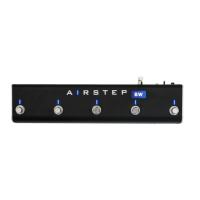
The AIRSTEP BW Edition is a versatile foot controller designed to enhance your experience with KATANA-AIR and WAZA-AIR amplifiers. It offers seamless control over various amplifier functions, allowing for hands-free operation during performances or practice sessions. The device is engineered for ease of use, with multiple control modes and clear indicators to keep you informed of its status.
The primary function of the AIRSTEP BW Edition is to provide remote control over KATANA-AIR and WAZA-AIR amplifiers via Bluetooth. It allows users to switch between channels, activate effects, and manage other parameters directly from the foot controller. The device supports different control modes, each offering a unique set of functionalities tailored to specific needs.
For KATANA-AIR, Mode 1 provides control over BOOSTER, FX, and channel selection (CH GRN/CH A, CH RED/CH B, CH ORG/PANEL). Mode 2 expands on this with BOOSTER, FX, DELAY2, and channel/panel navigation (CH -/PANEL, CH +/PANEL). Mode 3 offers more granular control, including BOOSTER/CH A GRN, MOD/CH A RED, FX/CH A ORG, DELAY/CH B GRN, and REVERB & DELAY2/CH B RED. Mode 4 simplifies channel selection with direct access to CH A GRN, CH A RED, CH A ORG, CH B GRN, and CH B RED/CH B ORG.
For WAZA-AIR, Mode 1 includes BOOSTER, FX, and channel selection (CH 1/4 / Select CH 1-3, CH 2/5 / Select CH 4-6, CH 3/6). Mode 2 features BOOSTER, FX, DELAY2, and channel navigation (CH -, CH +). Mode 3 provides detailed control over BOOSTER/CH 1, MOD/CH 2, FX/CH 3, DELAY/CH 4, and REVERB & DELAY2/CH 5. Mode 4 offers direct channel access for CH 1, CH 2, CH 3, CH 4, and CH 5/CH 6.
A key feature is the ability to trigger secondary functions by long-pressing the footswitches, indicated in the control mode sheets. This dual functionality maximizes the utility of each switch, providing more control options without increasing the physical footprint of the device. The AIRSTEP BW Edition is designed to be a reliable companion for musicians seeking to streamline their amplifier control.
The AIRSTEP BW Edition is designed for intuitive and flexible use.
Quick Start Guide:
Control Modes Selection: The AIRSTEP BW Edition offers four distinct control modes (Mode 1, 2, 3, 4). To select a mode, press and hold a combination of footswitches (A/B/C/B+C) while turning on the power switch. This allows users to quickly switch between different control layouts based on their performance requirements.
Channel Indication:
Toggle Effects Indication: In Modes 1-3, the Footswitch LED indicates the on/off status of effects. A solid blue light signifies an effect is active, while an unlit LED means it's off.
FUNC Button: The FUNC button allows users to save the current patch to their KATANA-AIR/WAZA-AIR amplifier. This is achieved by long-pressing the FUNC button, providing a convenient way to store custom settings.
Simultaneous Use with BTS App: The AIRSTEP BW Edition can be used concurrently with the BTS App for KATANA-AIR/WAZA-AIR, allowing for real-time control and preset editing.
The AIRSTEP BW Edition is designed with straightforward maintenance in mind to ensure its longevity and reliable performance.
Charging: The device can be charged using the included USB charging cable. Alternatively, it is compatible with a standard 9V pedal power supply, offering flexibility in power options. This dual charging capability ensures that users can power their device conveniently, whether at home, in the studio, or on the go.
Firmware Upgrade Mode: To access the firmware upgrade mode, simply hold down Footswitch D while turning on the power. This feature allows users to update the device's firmware, ensuring it remains compatible with the latest amplifier software and benefits from any performance enhancements or new features released by the manufacturer. Keeping the firmware updated is a crucial aspect of maintaining optimal device functionality and compatibility.
 General
| Category | Switch |
|---|---|
| Type | Bluetooth MIDI Foot Controller |
| Power | Rechargeable Battery |
| Battery | Lithium-ion |
| Charging Time | 2 hours |
| Number of Pedals | 5 |
| Connectivity | Bluetooth, USB |
| Compatibility | iOS, Android, Mac |

 To Next Page