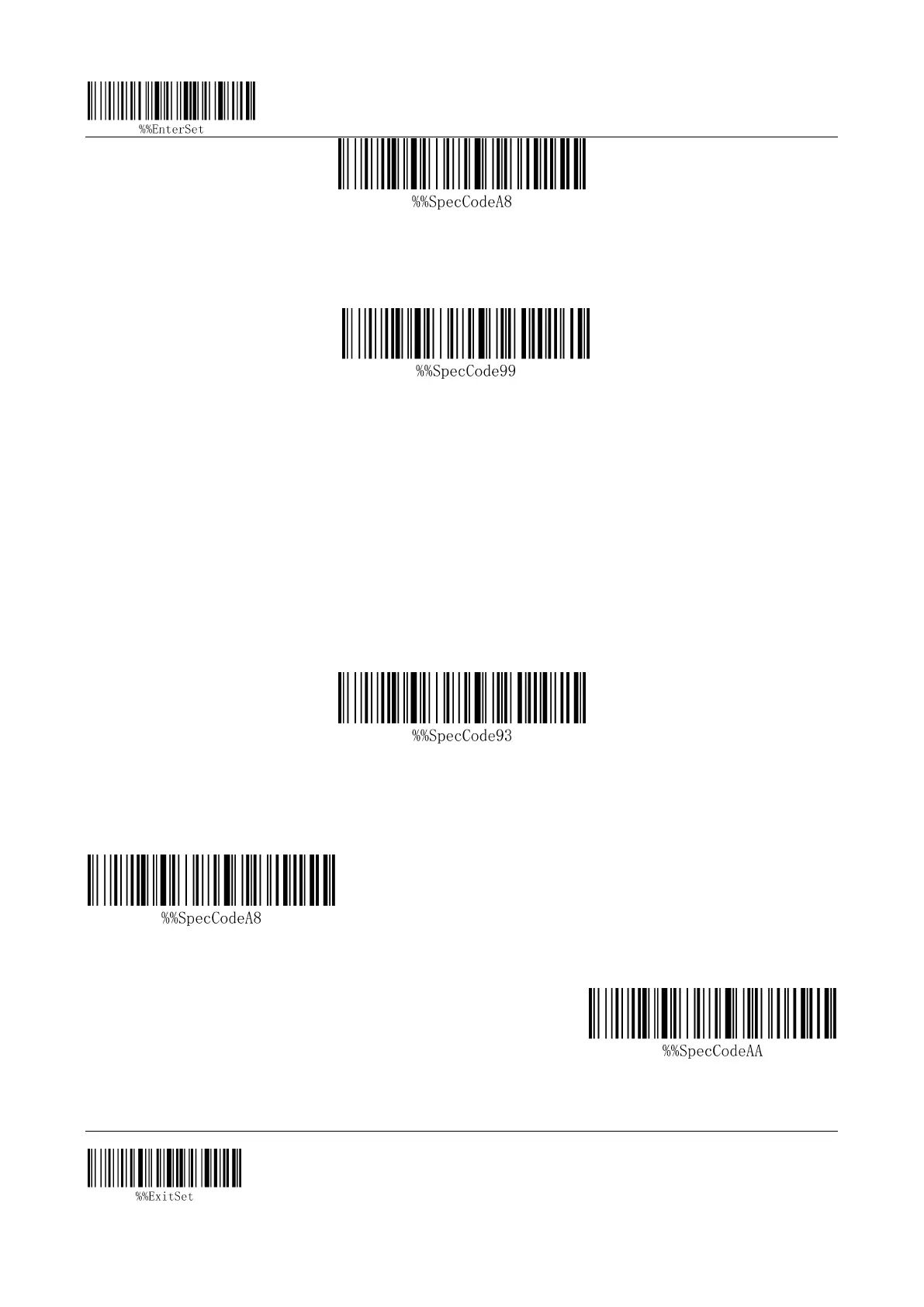
Enter setting mode
Exit setup mode
3 / 4
Enter 2.4g mode
2. The scanning receiver forces the pairing bar code to enter the pairing state, and the green light
flashes quickly.
Receiver forced pairing
3. Insert the receiver, hear a "drop", the pairing is successful, the green light is always on.Note:
Double click on the scanner to exit the pairing status
reset
If you accidentally scan other function setting codes during use, resulting in the scanning function
not working properly, you can restore the factory default barcode by scanning to restore the factory
settings.
reset
Communication mode switching
2.4g mode
Bluetooth hid mode


 To Next Page