Need help?
Do you have a question about the Xtool F1 Ultra and is the answer not in the manual?
Illustrates the physical components and interfaces of the xTool F1 Ultra.
Explains the buttons and functions of the touchscreen controller.
Lists technical specifications and displays the machine's identification label.
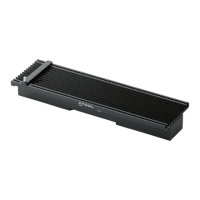
Instructions for installing and using the slatted panel for material processing.
Guidance on using the L-shaped piece for consistent material placement.
Steps to power on the device and configure the touchscreen controller's UI language.
Instructions for downloading and using xTool Creative Space (XCS) for computers and mobile.
How to clean the field lens using a lint-free cloth and alcohol.
Procedures for cleaning the fan and smoke outlet to ensure proper smoke exhausting.
The xTool F1 Ultra is a versatile laser engraving and cutting machine designed for both hobbyists and professionals, offering a blend of precision, speed, and user-friendliness. This quick start guide outlines its setup, operation, and maintenance, ensuring users can quickly get started with their creative projects.
The xTool F1 Ultra is a compact and powerful laser processing machine capable of engraving and cutting various materials. It utilizes a dual-laser system, combining a blue-light laser and a fiber infrared laser, to achieve high precision and efficiency across a wide range of applications. The machine is designed for both desktop use and portability, with a protective enclosure that ensures safety during operation. It can be controlled via a dedicated touchscreen controller or through software on computers and mobile devices, offering flexible operation methods. The F1 Ultra is ideal for creating intricate designs, personalizing items, and producing small-scale prototypes or products. Its quick start guide emphasizes ease of setup, from unboxing to the first engraving, making it accessible even for those new to laser technology.
Setting up the xTool F1 Ultra is straightforward, beginning with unboxing and identifying all included components such as the machine itself, the touchscreen controller, power adapter, cables, and various accessories like the slatted panel and L-shaped positioning piece. The initial setup involves preparing the machine for operation. Users are instructed to remove the field lens protector, which is crucial for optimal laser performance and should be reinstalled when the machine is not in use to prevent dust accumulation. The machine incorporates a key for operation access control, allowing users to disable processing functions for safety or to prevent unauthorized use. An emergency stop switch is prominently featured, providing an immediate shutdown mechanism in case of any unexpected events, which can be reset by rotating it after the emergency is resolved.
Connecting the peripherals is an essential step. The pipe, which is likely for smoke exhaust, is installed to ensure proper ventilation during operation. The touchscreen controller connects to the main unit, serving as the primary interface for manual control and monitoring. Care is advised when connecting the controller, ensuring the connector's notch faces up for correct insertion. Finally, the machine is connected to a power supply, making it ready for use.
The touchscreen controller plays a central role in operating the F1 Ultra. It features Up/Down buttons for adjusting the laser module's height, facilitating manual focusing. A Framing button allows users to preview the processing area, ensuring accurate material placement. The Start/Stop button initiates or halts material processing. Upon powering on, users can select their preferred UI language on the touchscreen, enhancing the user experience.
For material processing, specific accessories are recommended. The slatted panel is advised for cutting operations. It helps reduce burn marks on materials and protects the machine's baseplate from laser damage. For batch processing, the L-shaped positioning piece is invaluable. It helps users consistently place materials in the same position, ensuring uniformity across multiple items and streamlining workflow.
The xTool F1 Ultra offers versatile control options through software. For computer users, the xTool Creative Space (XCS) software can be downloaded and installed from xtool.com/software. This software provides a comprehensive interface for designing, preparing, and sending projects to the machine. Connectivity to the computer is established via a USB cable, and the machine is then connected within the software interface. Mobile device users can also control the F1 Ultra by downloading the xTool Creative Space app from Google Play or the App Store, or by visiting xtool.com/software. The app guides users through connecting the F1 Ultra, offering a convenient way to manage projects on the go. Detailed instructions on using XCS for material processing are available online, accessible via a QR code or a specific support link.
Regular maintenance is crucial for ensuring the longevity and optimal performance of the xTool F1 Ultra. The quick start guide highlights two key areas for attention: the field lens and the smoke exhaust system.
If users notice a decrease in laser power, such as shallow engravings or incomplete cuts, the field lens is likely dirty. To address this, the field lens should be cleaned with a lint-free cloth moistened with alcohol. This simple cleaning procedure helps restore the laser's effectiveness and maintains the quality of processing.
Another important maintenance aspect concerns the smoke exhaust. If smoke escapes from the protective enclosure during operation, it indicates that the fan and smoke outlet may be blocked by dust. To ensure proper smoke exhausting and maintain a safe working environment, these components need to be cleaned. When cleaning the smoke outlet and fan, users are advised to slightly tilt the machine. This precaution helps prevent dust and debris from falling into the circuit board, protecting the internal electronics from potential damage. Adhering to these maintenance guidelines will help keep the xTool F1 Ultra in excellent working condition, ensuring consistent performance and extending its operational life.
 General
| Laser Type | Fiber Laser |
|---|---|
| Minimum Line Width | 0.01mm |
| Supported Materials | Metal, plastic, ceramics |
| File Format | BMP, JPG, PNG, DXF |
| Connection | USB |
| Operating System | Windows |
| Input Voltage | 100V-240V, 50/60Hz |
| Power Consumption | ≤500W |
| Operating Temperature | 15℃-35℃ (59℉-95℉) |
| Operating Humidity | 10-80% (non-condensing) |


 To Next Page