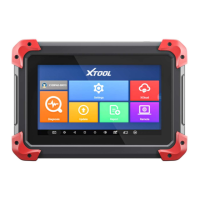
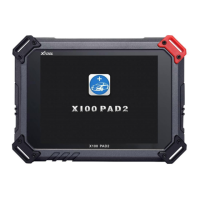
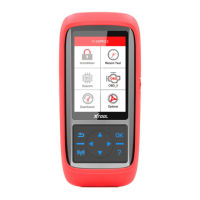
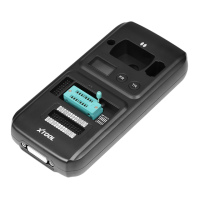
The X-Series Service Tool, produced by Shenzhen Xtooltech Co., Ltd, encompasses two primary models: the X300P and the X100Pro2. These devices are designed as anti-seismic and durable service tools for various automotive special functions, catering to the needs of automobile repair plants and fast repair shops.
Function Description:
The X300P model offers a comprehensive suite of maintenance and diagnostic functions, including:
- Maintenance Reset: For resetting various service indicators.
- EPB Replacement: Electronic Parking Brake replacement and service functions.
- OBD II: Standard On-Board Diagnostics II for reading and clearing trouble codes, viewing live data, and other diagnostic tasks.
- Tooth Learning: Functions related to crankshaft position sensor learning.
- BMS Battery Replacement: Battery Management System replacement and registration.
- TPS Throttle Relearn: Throttle Position Sensor relearning procedures.
- Tire Pressure Reset: Resetting tire pressure monitoring system (TPMS) sensors.
- Electronic Steering Matching: Matching and calibration for electronic power steering systems.
- ABS Bleeding Function: Procedures for bleeding the Anti-lock Braking System.
- EPS (Electric Power Steering): Additional functions related to EPS.
- DPF (Diesel Particulate Filter): Functions for DPF regeneration or reset.
- Window Init (Window Initialization): Procedures for initializing power windows.
- Gear Box Match (Gearbox Matching): Functions for matching or adapting gearbox components.
The X100Pro2 model specializes in:
- Key Programming: Functions for programming new keys or remote controls.
- Dashboard Recovery: Procedures for restoring or repairing dashboard data.
- Immobiliser: Functions related to the vehicle's immobilizer system.
- Eeprom: Reading and writing data to the EEPROM (Electrically Erasable Programmable Read-Only Memory).
Both devices feature a "Recent Test" option, allowing users to quickly access previously performed diagnostic or service tasks.
Important Technical Specifications:
- Monitor: 320x480 dpi TFT color display screen, providing clear visual feedback.
- Working Voltage: Operates within a range of 9V-18V, suitable for automotive environments.
- Working Temperature: Designed to function effectively in temperatures ranging from -10°C to 60°C.
- Storage Temperature: Can be stored in temperatures from -20°C to 70°C.
- Appearance Size: Compact dimensions of 200×92×33mm, making it portable and easy to handle.
- Weight: Lightweight at 0.35kg, enhancing portability.
- Connectivity: Includes a DB15 connector for connecting to the vehicle's OBD II port and a USB interface for connecting to a computer for software updates.
- Wireless Connectivity: Features a WIFI Connection Key for wireless network access.
- Software Version (Example): SW Ver: 4.0
- Hardware Version (Example): HW Ver: 5.2
- Serial Number (Example): S/N:X100PRO2-000001
Usage Features:
The device is designed for intuitive operation with a clear interface and physical controls:
- LCD Display: The primary interface for displaying product function menus and information.
- Direction Key: Used for navigation (Up/Down to move menu items, Left/Right to view information on different screens).
- OK Button: Confirms selections and enters functions.
- Return Button: Cancels selections or returns to the previous menu.
- Trigger Button: Used for specific actions, such as connecting to WIFI after entering a password.
- System Settings:
- WiFi Setting: Allows users to connect to wireless networks. Users can enable WIFI, select a network, enter a password, and connect using the trigger button.
- Language Setting: Supports multi-language switching, including English, Spanish, French, Portuguese, German, Russian, Polish, and Italian. Users can select their preferred language.
- Unit Setting: Enables selection between Metric and British measurement systems.
- Sound Setting: Allows users to turn the button prompt tone ON or OFF.
- About: Provides information on the current software version, hardware version, and login password.
Maintenance Features:
The X-Series Service Tool supports two methods for software upgrading to ensure it remains up-to-date with the latest vehicle data and functionalities:
-
WIFI One-click Upgrade:
- The device can be upgraded directly via a WIFI connection.
- Users can select individual upgrade modules or perform a one-click upgrade for all modules.
- The process is initiated from the "Update" menu, selecting "WiFi Update."
-
USB Data Wire Upgrade:
- This method involves connecting the device to a computer via a USB cable.
- Steps:
- Log on to the Xtool official website (www.xtooltech.com).
- Download and install the "Download Upgrade Tool" from the "Service&Support" page.
- Open the upgrade software on the computer and log in using the product serial number and activation code.
- Connect the X300P/X100Pro2 handheld device to the computer using the USB cable.
- Once the handheld device is turned on, the computer software will automatically connect and log in.
- Select the desired installation items for the computer software to upgrade procedures.
- After the upgrade, disconnect the USB cable and restart the X300P/X100Pro2 handheld device to begin using the updated software.
Safety Precautions:
- This product is intended for use by automotive technicians only.
- When the engine is running, ensure the maintenance area is well-ventilated and the engine's exhaust system is properly connected to the building's exhaust to prevent carbon monoxide poisoning, which can cause serious injury or death.
- Always wear ANSI-compliant goggles and keep clothing, hair, hands, tools, and diagnostic equipment away from running or hot engine parts to prevent injury.

 Need help?
 General

 To Next Page