112
Firmware Upgrade
We constantly working to improve our devices. Firmware upgrades bring new features and fixes and will
make your Prodigy even more interesting and diverse device.
Please check for new releases on our site in the Download section.
Please check the upgrade page on the Xtreamer Main site for exact instructions.
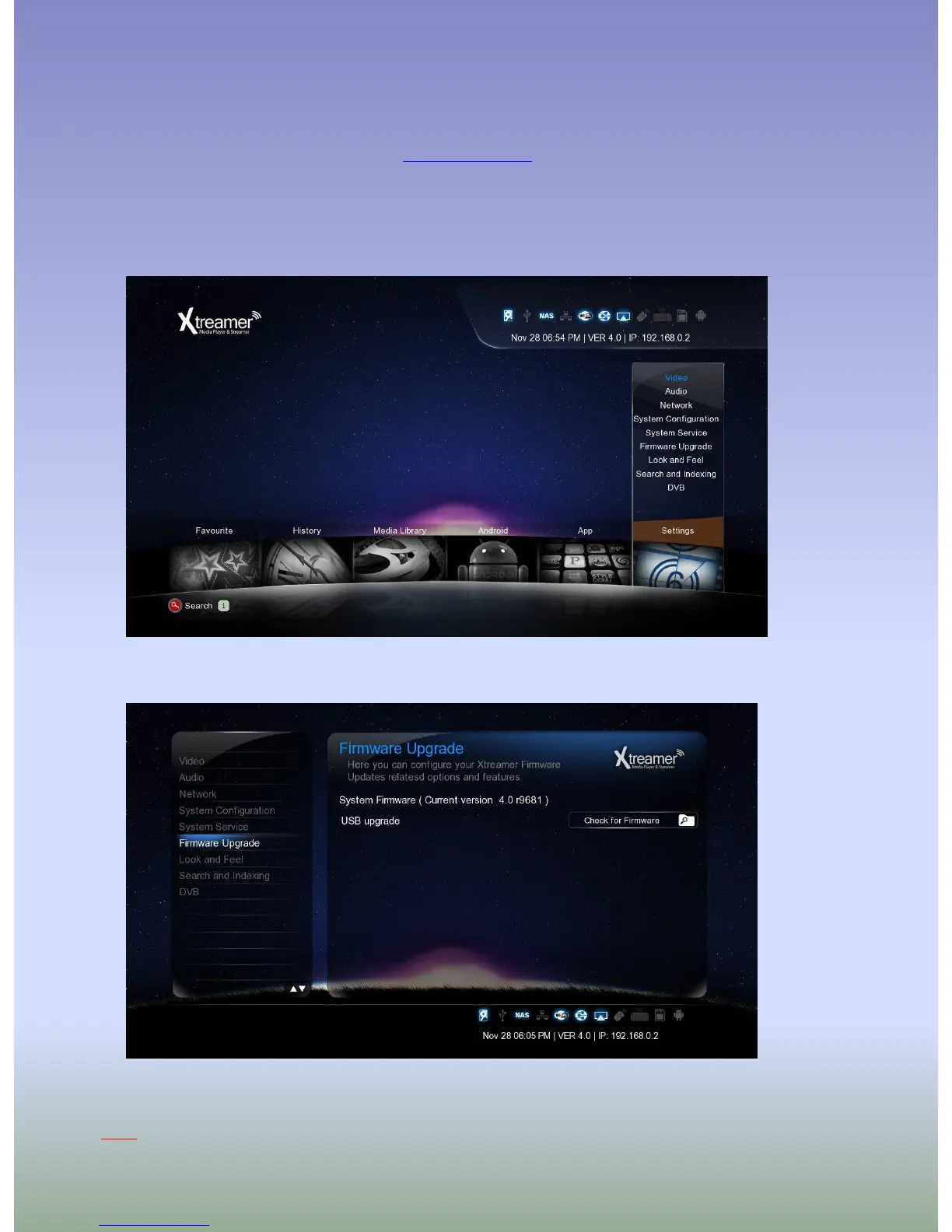
Download the firmware file and unzip it into the root of a USB stick. Plug the stick into one of USB ports.
Go to Settings -> Firmware Upgrade and choose Check for Firmware option. The device will automatically
scan the USB stick for firmware files.
Note: We recommend using a stick no bigger than 2GB. Format it FAT32



 To Next Page