11
Pair the controller
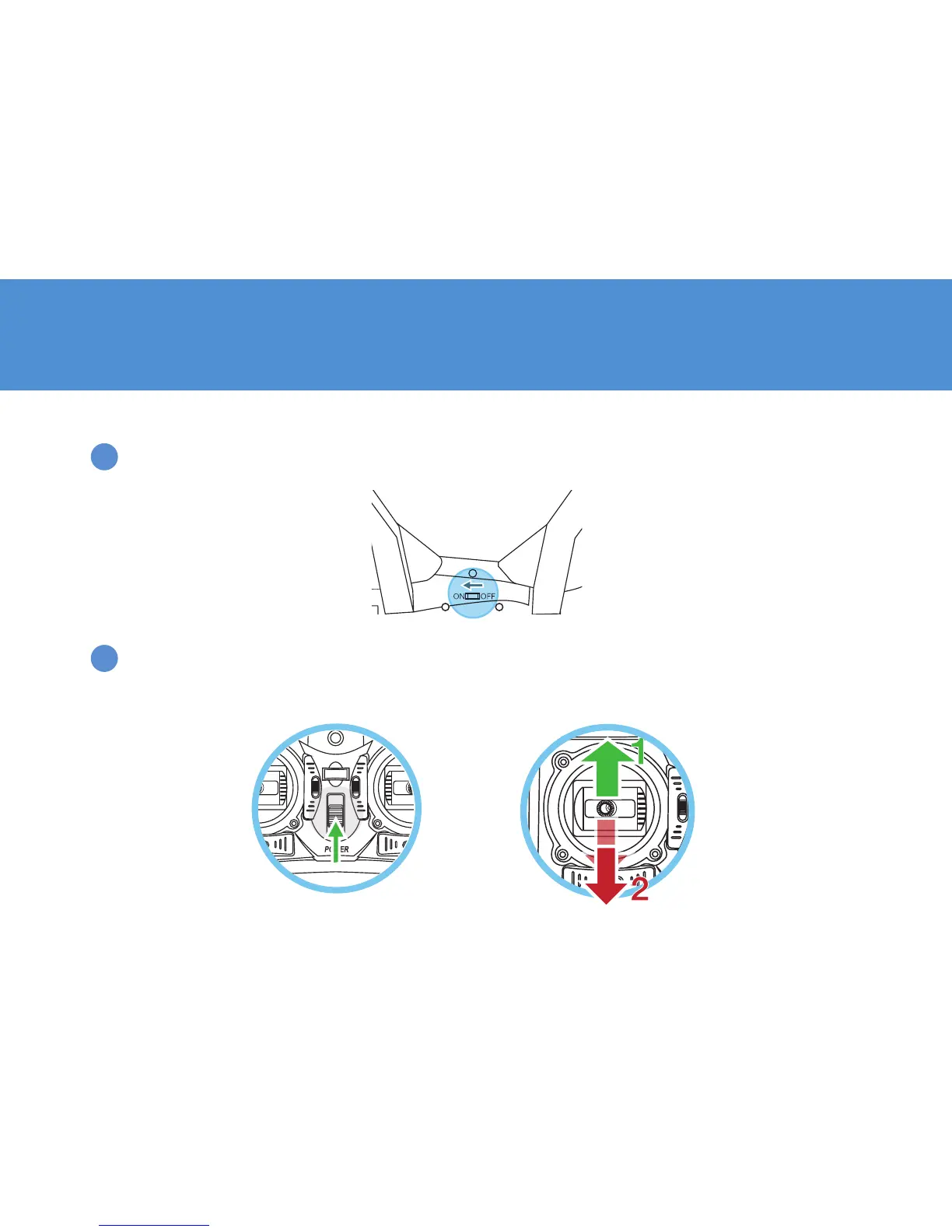
Turn on the Drone and place it on a flat, level surface. Allow up to 10 seconds for the Drone’s digital
gyroscope to stabilize automatically.
PREPARE FOR FLIGHT
1
2
Turn on the controller. Beginning from a neutral position, move the Throttle stick all the way up and then all
the way down. After 2 seconds, the controller stops blinking and beeps once more to indicate successful
pairing. The Drone is ready for takeoff.


 To Next Page