13
CAPTURE PHOTOS & VIDEOS
Capture awesome aerial action shots and videos with the HD camera.
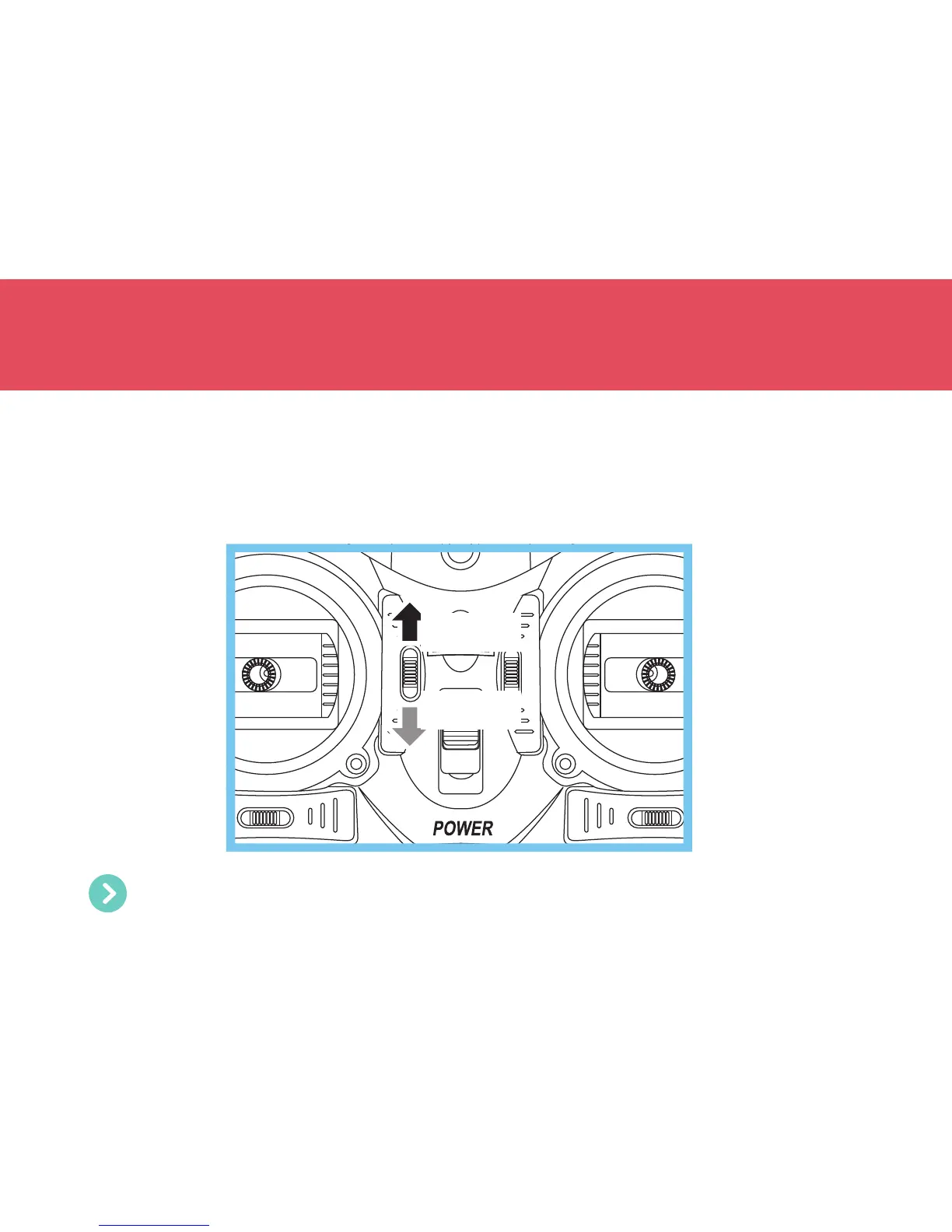
• To start recording a video, push the Video/Photo button up. While recording is in progress, the Drone’s rear
LEDs will be blinking. To stop recording, push the Video/Photo button up again.
• To take a photo, push the Video/Photo button down. The Drone’s front and rear LEDs will blink once every
time a photo is taken.
Video
Photo
Don’t forget to insert a microSD memory card into the microSD slot located on top of the camera before
taking off.


 To Next Page