6
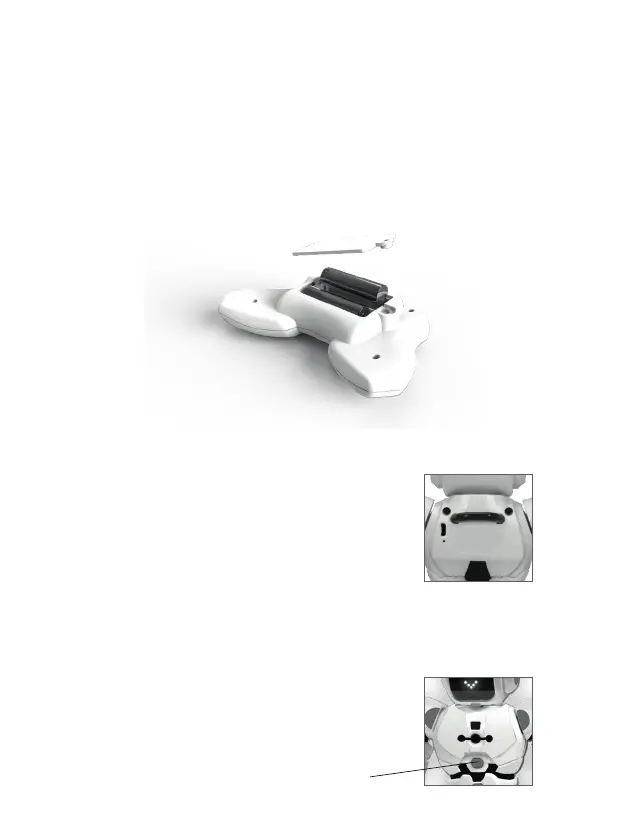
3. batteries installation
in the transmitter
in the robot
Robot baery is into the back of Robbie.
To charge Li-Po baery, please insert the USB port provided USB
charging cable to anyone USB port of power pack, mobile charger, car
charger or computer.
Switch OFF the robot before charging. A light in the robot will be
turned on during the charging process; when the robot is fully charged
the light will turn o.
The charging me is about 2 hours and the playing me is about 3
hours.
4. start Robbie
Switch on the ON/OFF buon on the front of Robbie (1). Robbie
introduce himself performing some movements and sounds.
NOTE: The robot should stay on the oor.
1. Use a philips’ head screw to open the baery compartment lid of controller.
2. Put 2 x 1.5V “AA” baeries inside the baery box.
3. Put the gate back and use a screw to ghten the gate.
(1)


 To Next Page