H-980 7.1 VIRTUAL SURROUND SOUND HEADSET
OWNER’S MANUAL —
Before installing and using the product, please read the instructions thoroughly and retain them for future reference.
8044982
FEATURES:
• TheUSB2.0interfaceeasilyconnectstoacomputer.Driversoftware
(provided)offerscustomizablefunctions
• Supportedsystemswithdriversoftware:Win7,Win8,Win8.1andWin10
• Thecustomizableinterfaceprovidespowerfulandrealistic3Dsound
qualitywithoptionstoenhancethelisteningsoundeffects
• Thetwo-piecebuilt-invibrationunitensuresstrongerbassandbrings
animmersiveeffecttoyourgameormovie;offeringamorepowerful
and stronger gaming experience
1. PC MANUAL
• DriverInstallation
• PlugtheUSBconnectorintoanyavailableUSBportonyourcomputer
• Ifthedriverdoesnotautomaticallyload,open“mycomputer”,locate
the“setup.exe”anddoubleclicktoinstall
• Entertheinstallationinterface(asPic.1),click“Next>”.Click‘Next’on
Pic2andPic3
Pic.1
Pic2.
Pic.3
Pic.4

 Need help?
 General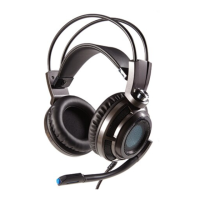

 To Next Page