EasyManua.ls Logo

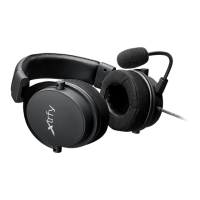
Xtrfy H1 - User Manual

Xtrfy H1
10 pages
Print Icon
To Next Page IconTo Next Page
Loading...
Question and Answer IconNeed help?

Do you have a question about the Xtrfy H1 and is the answer not in the manual?

Summary

Xtrfy H1 Product Introduction

Predict the Game

Highlights the headset's development for esports and its ability to provide a superior gaming soundscape.

Xtrfy H1 Specifications

Connecting the Headset

Connect to Computer

Instructions for connecting the headset to audio and microphone ports on a computer using the included adapter.

Attach the Microphone

Guidance on plugging the microphone into the left earcup, ensuring correct orientation.

Microphone Placement

Details on positioning the microphone for optimal passive noise cancellation and pickup.

Audio and Mic Volume Controls

Information on adjusting audio and mic volume using cable controls and the mute switch.

Connect to Xbox

Steps to connect the headset to an Xbox One controller using an adapter cable.

Connect to PS4

Instructions for connecting the headset to a PlayStation 4 controller via settings.

Connect to Mobile Devices

Guidance on connecting the headset to smartphones and tablets using CTIA standard connectors.

Maximizing Headset Performance

Summary

Xtrfy H1 Product Introduction

Predict the Game

Highlights the headset's development for esports and its ability to provide a superior gaming soundscape.

Xtrfy H1 Specifications

Connecting the Headset

Connect to Computer

Instructions for connecting the headset to audio and microphone ports on a computer using the included adapter.

Attach the Microphone

Guidance on plugging the microphone into the left earcup, ensuring correct orientation.

Microphone Placement

Details on positioning the microphone for optimal passive noise cancellation and pickup.

Audio and Mic Volume Controls

Information on adjusting audio and mic volume using cable controls and the mute switch.

Connect to Xbox

Steps to connect the headset to an Xbox One controller using an adapter cable.

Connect to PS4

Instructions for connecting the headset to a PlayStation 4 controller via settings.

Connect to Mobile Devices

Guidance on connecting the headset to smartphones and tablets using CTIA standard connectors.

Maximizing Headset Performance

Xtrfy H1 Specifications

General IconGeneral
TypeOver-ear
Driver Size50 mm
Frequency Response20 Hz - 20 kHz
MicrophoneYes
Connection3.5 mm jack
ConnectivityWired
Cable length2 m
Microphone Frequency Response100 Hz - 10 kHz
Impedance32 Ohm
Microphone Sensitivity-42 dB

Related product manuals