Charging Instructions
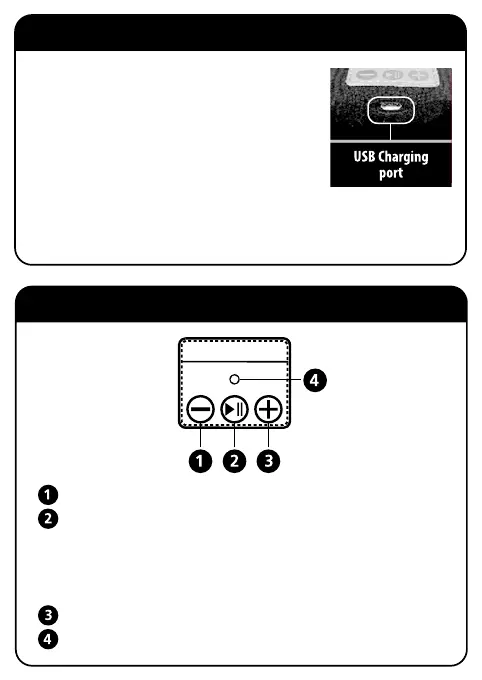
Buttons Interface
•
Fully charge battery before first use.
•
Use the supplied USB cable, simply plug into the charging
port of the headwear.
•
Now plug the other end of the USB cable into your PC
or laptop.
•
During charging, the LED Status Light will turns to be red
on the control panel.
•
When charging is completed, the red light will change to blue.
•
It will take about two hours to get the battery full charged.
Volume Down (long press) / Previous Song (short press)
Play/Pause/Answer/Hang Off/Redial
Power On/Power Off (long press)
Play/Pause (short press)
Answer/Hang Off (short press)
Redial (double click)
Volume Up (long press) / Next Song (short press)
LED Status Light



 To Next Page