EasyManua.ls Logo

Xvico X3S - Printing Operation Interface; Print Monitoring and Control; Adjusting Print Settings

Xvico X3S
6 pages
Print Icon
To Next Page IconTo Next Page
To Previous Page IconTo Previous Page
Loading...
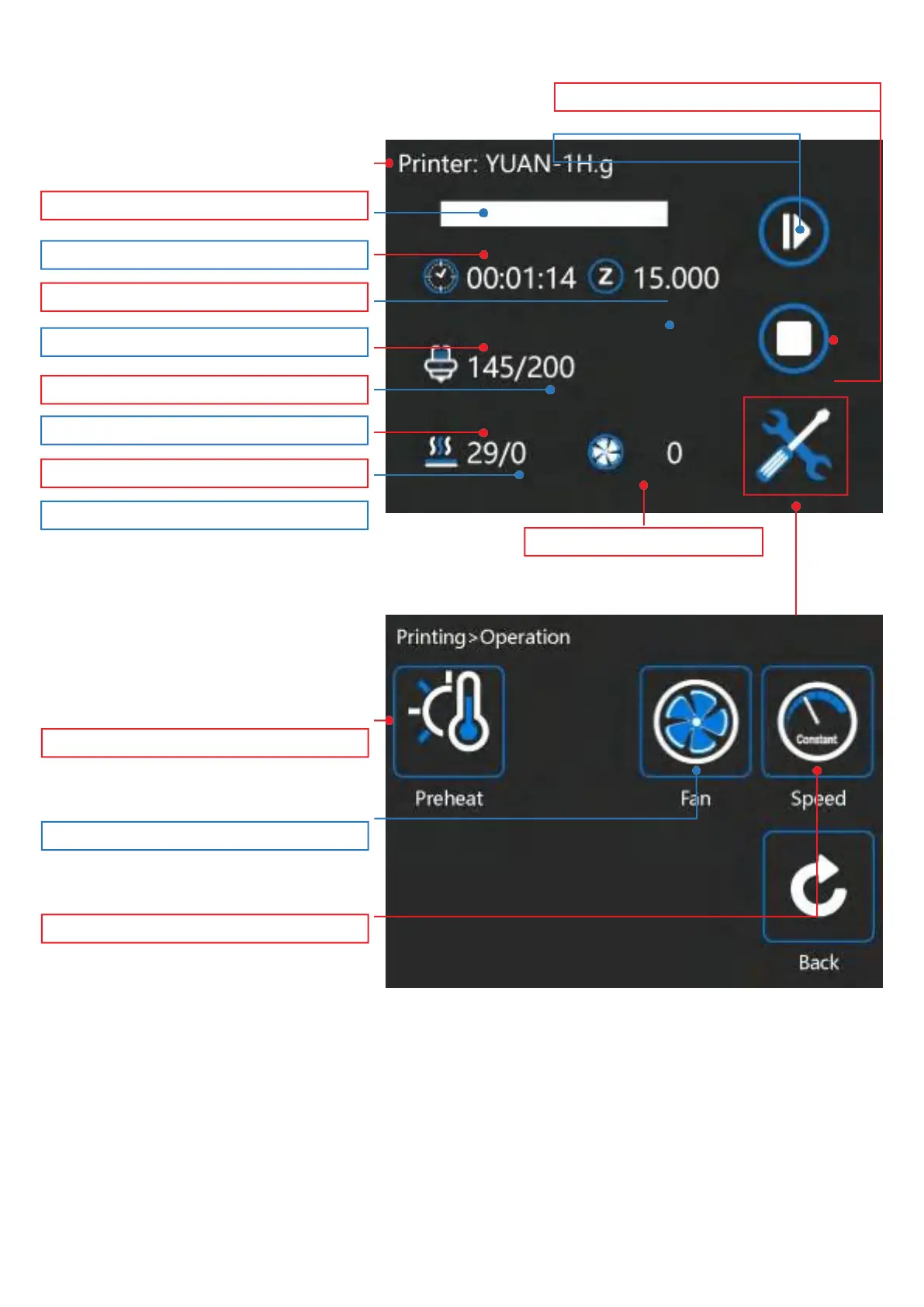
Part cooling fan speed
Set temperature of the Nozzle
Current temperature of the Hot Bed
Set temperature of the Hot Bed
Change the nozzle/Hot bed temperature
Change fan speed
Changeprintermoveandextruderate
End printing
Pause printing
You can change the nozzle / hot bed temperature, fan speed, print
speed and other related values in the operation interface
Current temperature of the Nozzle

Current height of nozzle
Print time
Print progress
Model

Other manuals for Xvico X3S

Related product manuals