09
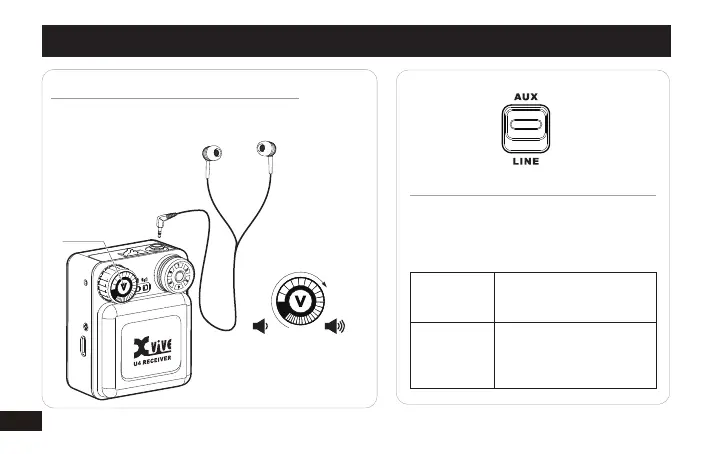
Adjusting Gain and Listening Volume
For the best audio quality, start by adjusting
the levels from the mixer or audio source and
maximizes the signal-to-noise ratio.
Aux (-10 dBV)
Use with mixers or other
professional audio devices
that send line-level signals.
Use when connecting
consumer audio devices
such as portable audio
players or computers.
Line (+4 dBu)
ADJUST TRANSMITTER LEVELS
QUICK START
VOLUME ADJUSTING
Please do not adjust
the volume to more
than 70%.
VOLUME
SWITCH
<70%
LISTENING TO AUDIO AT EXCESSIVE VOLUMES CAN CAUSE
PERMANENT HEARING DAMAGE. USE AS LOW A VOLUME
AS POSSIBLE.


 To Next Page