EasyManua.ls Logo

XWOW R2 - Page 24

XWOW R2
48 pages
Print Icon
To Next Page IconTo Next Page
To Previous Page IconTo Previous Page
Loading...
PRODUCT USE
First use
21
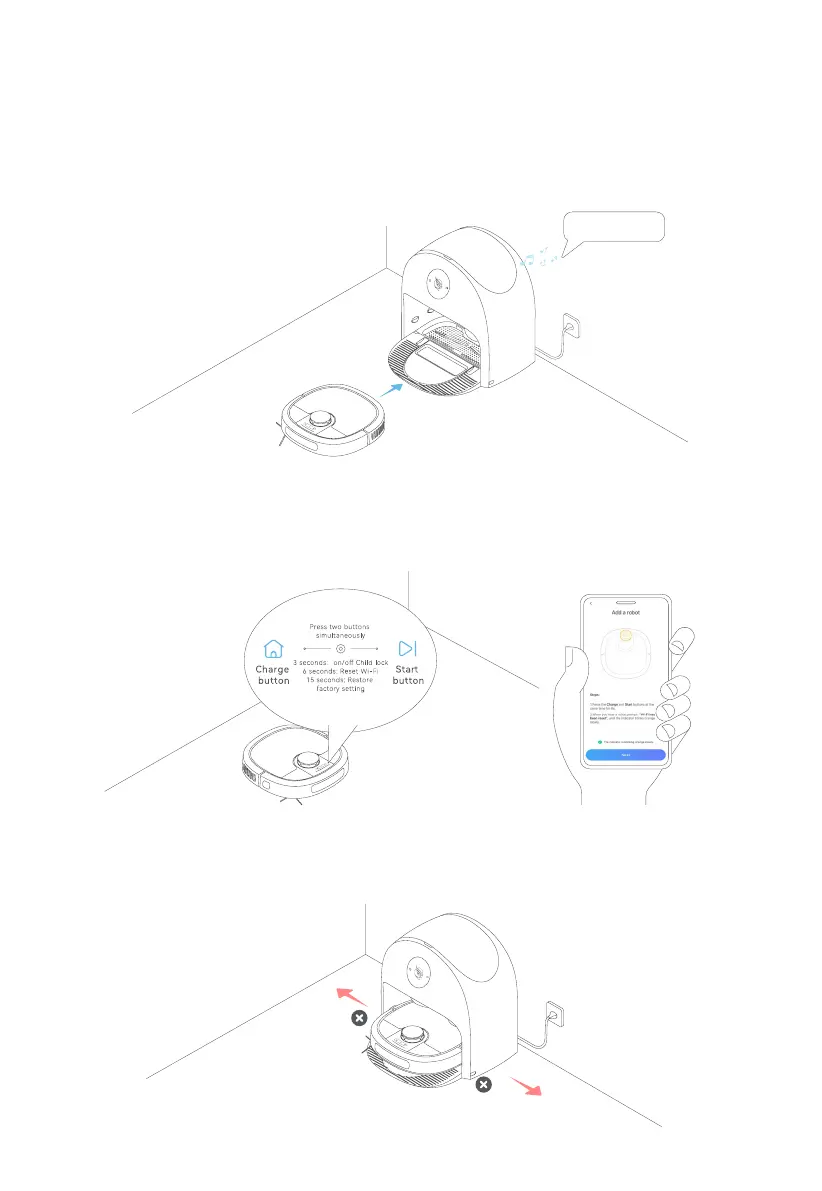
6. Do not move the station after mapping.
If the house environment changes a lot, the robot will remap; on the map conceived after mapping done, rooms are
󵽔󵽕󵽔
4. Turn on and charge the robot.
Press and hold the Power Button until the power supply indicator is solid on. Then, put the robot into the station as shown
󵽔󵿓󵽔
󵽕󵽔
5. Connect the robot to network.
󵺜󵽔
󵽔󵽕
󵾡󵽖󵾢󵽔
The device has
been staed up.