24
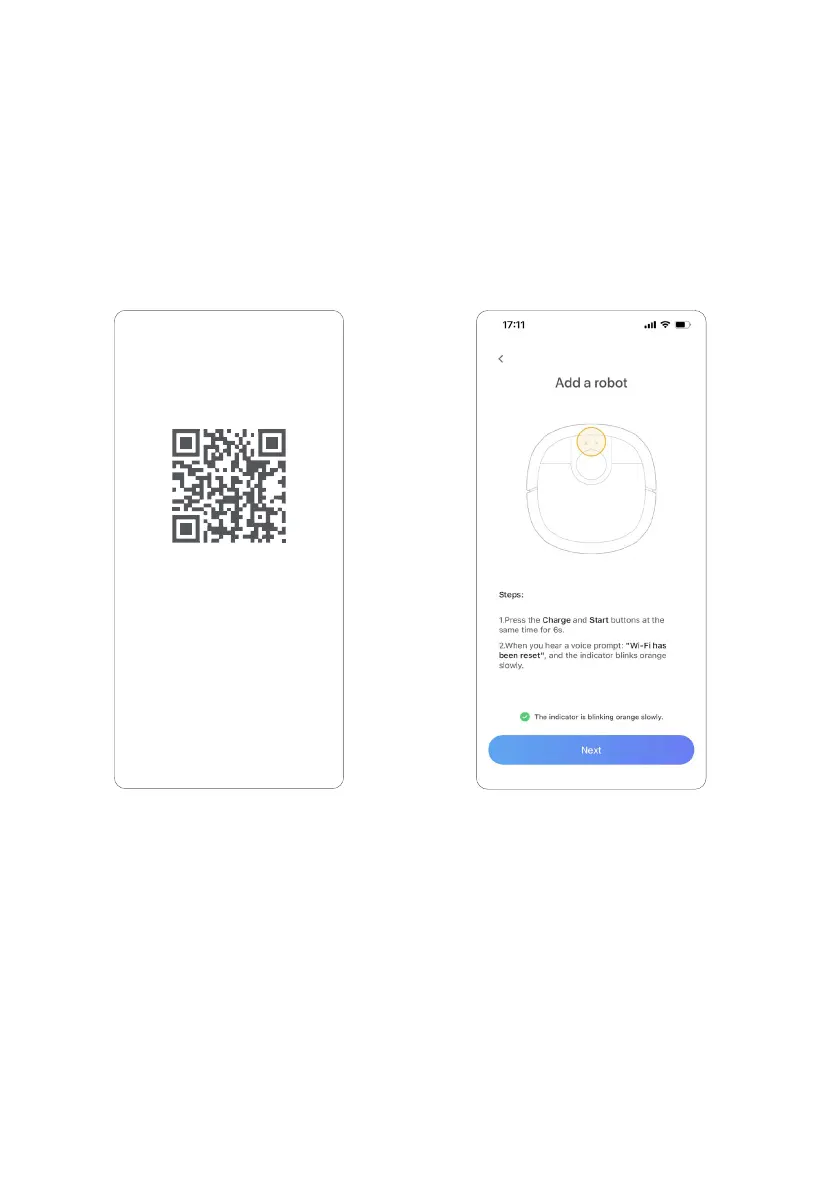
1. Download App
You can scan the above QR code to
download or search for [XWOW] in the
[App Store] on your phone to download
the app.
2. Reset Wi-Fi
Open the robot upper cover. Then, you
can see the Wi-Fi status indicator. Press
the Start Button and Charge Button at
the same time until you will hear a voice
prompt saying that [Wi-Fi resetting
completed. Go to network connection
mode].
Please check that:
Check this in the app and proceed to the
next step.
Using the robot with a phone will bring you more convenient operation
and personalized experience!
The instruction for downloading app and binding the robot is shown
below:
PRODUCT USE
App introduction and operation
XWOW App


 To Next Page