EasyManua.ls Logo

XWOW R2 - Page 32

XWOW R2
48 pages
Print Icon
To Next Page IconTo Next Page
To Previous Page IconTo Previous Page
Loading...
29
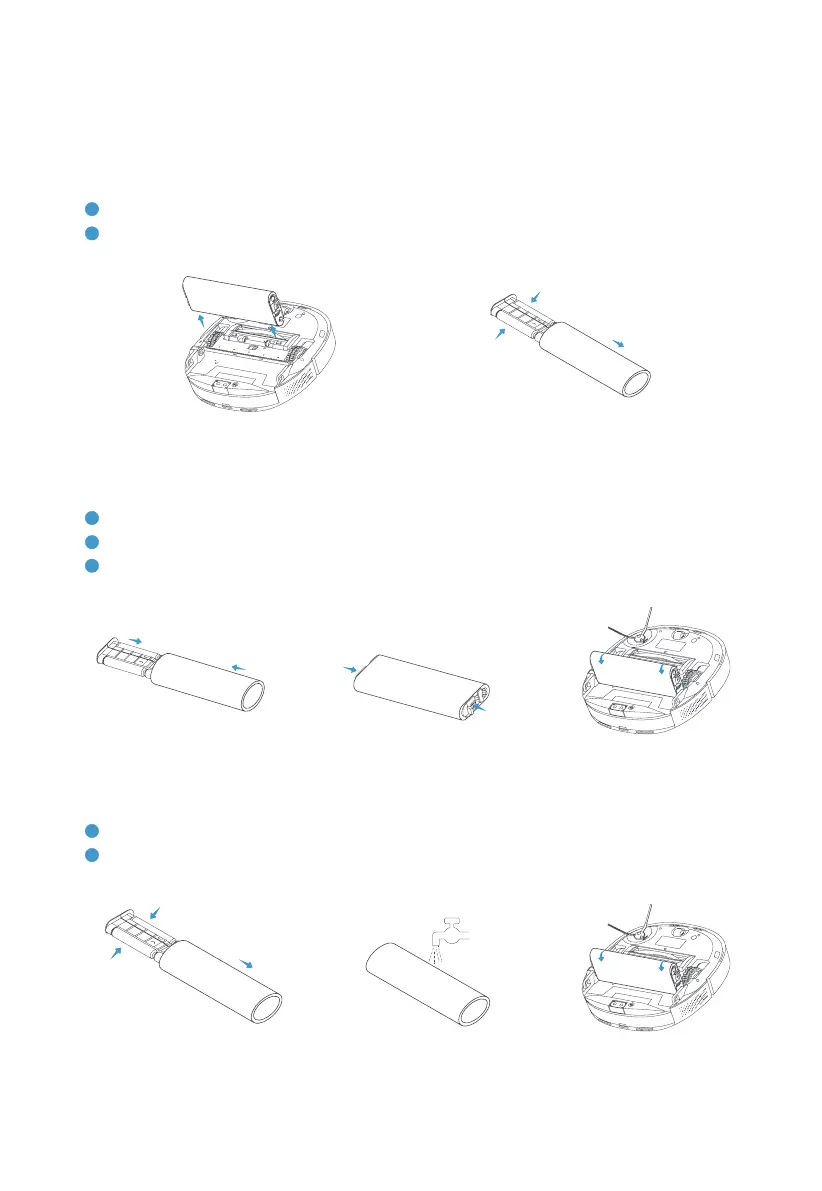
MAINTENANCE
Cleaning and maintenance
Removal
1
󵽔󵽔
2
󵽔
Cleaning and maintenance
1
Remove the mop based on the guiding steps in [Installation/Removal].
2
󵽕󵽕󵽔
Installation
1
󵽔
2
󵽔
3
Fasten it downwards to the robot. After you hear a click sound, it indicates that the mop has been
installed properly.
Robot | Mop suppo & mop