18
2 3 4
1
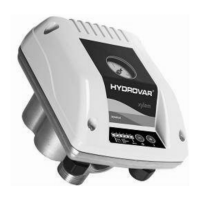
Front label
1 2 3 4
Display of the system
pressure
• LED Signal
• Error code
• Stop-Button
• Decrease
• Start-Button
• Increase
5 Status signal and required value adjustment
After connecting the power supply to the Hydrovar-Watercooled the 1
st
LED is switched on.
To start the unit, press the (+)-button.
Fast blinking of LED 1 Pump is running
Slow blinking of LED 1 Required pressure is reached and the unit is in standby mode
To stop the unit, press the (-)-button.
Auto Start Function – Memory Function:
HVW in operation - after a power supply failure – HVW will start automatically again
HVW in standby - after power supply failure – HVW will remain in standby mode, if the required pressure is
available - after pressure is down – HVW will start automatically.
If the unit has been stopped - stop- button has been pressed - before the power supply failure, the Hydrovar-
Watercooled is also stopped after return of the supply power.
Description of the LED Signal
Bright
Dark
Slow blinking
Fast blinking


 To Next Page
 Loading...