EasyManua.ls Logo

XZENT X-302MH - User Manual

XZENT X-302MH
29 pages
Print Icon
To Next Page IconTo Next Page
Loading...
gera
..
teanleitung
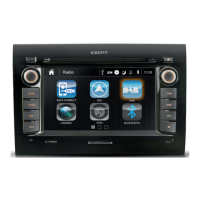
2-DIN Naviceiver X-302MH
XZENT · Bohrturmweg 1 · Bad Zurzach · Switzerland
www.xzent.com
DEVICE MANUAL
for Motor home
Question and Answer IconNeed help?

Do you have a question about the XZENT X-302MH and is the answer not in the manual?

Summary

Safety Information

Front Panel Hard Keys

Remote Control

Bluetooth Mode

Favorite Mode

Setting up and managing a list of frequently used contacts or functions for quick access.

Phonebook Mode

Accessing and managing phone contacts synchronized with the device.

Bluetooth Mode Operations

Keypad Mode

Using the on-screen keypad for dialing numbers or entering data in Bluetooth mode.

Setting+ Mode

Accessing Bluetooth settings for pairing, connection status, and media control.

Setup

Setup General

Configuring basic device settings like language, backlight, beep, and wallpaper.

Setup Safety

Adjusting safety-related settings such as anti-theft, camera mute, and camera inverse functions.

Navigation Mode

Technical Features

Summary

Safety Information

Front Panel Hard Keys

Remote Control

Bluetooth Mode

Favorite Mode

Setting up and managing a list of frequently used contacts or functions for quick access.

Phonebook Mode

Accessing and managing phone contacts synchronized with the device.

Bluetooth Mode Operations

Keypad Mode

Using the on-screen keypad for dialing numbers or entering data in Bluetooth mode.

Setting+ Mode

Accessing Bluetooth settings for pairing, connection status, and media control.

Setup

Setup General

Configuring basic device settings like language, backlight, beep, and wallpaper.

Setup Safety

Adjusting safety-related settings such as anti-theft, camera mute, and camera inverse functions.

Navigation Mode

Technical Features

XZENT X-302MH Specifications

General IconGeneral
Resolution800 x 480 pixels
TouchscreenYes
BluetoothYes
USB Ports1
Radio TunerFM/AM
Audio Output Power4 x 45 W
NavigationYes
Apple CarPlayYes
Android AutoYes
SD Card SlotYes
GPS NavigationYes
Rear View Camera InputYes
Compatible FormatsMP3, WMA, AVI, MP4, MKV, WMV

Related product manuals