EasyManua.ls Logo

XZENT ARGO X-F270 - User Manual

XZENT ARGO X-F270
11 pages
Print Icon
To Next Page IconTo Next Page
Loading...
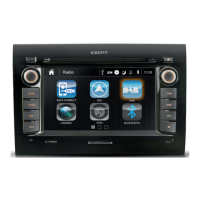
Car-Specific Infotainer X-F270
ARGO Series
XZENT by ACR AG · Bohrturmweg 1 · Bad Zurzach · Switzerland
www.xzent.com
X-F270
USER MANUAL

Other manuals for XZENT ARGO X-F270

Question and Answer IconNeed help?

Do you have a question about the XZENT ARGO X-F270 and is the answer not in the manual?

Summary

Safety Information

General Safety Notes

General notes and warnings about the manual and device operation.

Important Safety Instructions

Key warnings and instructions for safe device usage and installation.

Front Panel Overview

Front Panel Operation Buttons

Explanation of the functions for each physical button on the front panel.

Steering Wheel Control (OE Mode, IR-Stalk-Interface)

Steering Wheel Control Operation

Details on button functions: Skip, Phone, Volume, Camera/Voice.

Steering Wheel Control Reassignment

Guidance on reassigning functions for Analogue-mode SWC.

Device Settings

General Settings

Configuration for language, date/time, ALT key, beep, and connectivity.

Audio Settings

Adjustments for balance, fader, equalizer, and Navi mixer.

TFT Display Settings

Screen settings like brightness, dim mode, and auto standby.

USB;iPod;BT Music (A;V) Source

Bluetooth Pair, Connect, Call, Music

Phone Pairing and Connection

Steps for pairing a compatible phone and managing connections.

Call Handling Interface

Description of the interface during calls (incoming, active).

Bluetooth Operation Buttons

Explanation of buttons: Devices, Keypad, Contacts, Call Logs, Music, Setup.

Navigation Source

Overview

This document serves as a user manual for the XZENT X-F270, a car-specific infotainment system from the ARGO Series. It provides comprehensive information on the device's functions, usage, and maintenance, ensuring users can operate the unit safely and effectively.

Function Description

The XZENT X-F270 is a car-specific infotainer designed to integrate various entertainment and navigation features into a vehicle's dashboard. Its core function is to provide a centralized control hub for audio, communication, and navigation within the car environment. The device supports multiple audio sources, including DAB+ digital radio, FM radio, USB, iPod, and Bluetooth music streaming. For navigation, it utilizes a microSD card slot for map data and offers a dedicated navigation mode. Communication features include Bluetooth pairing for hands-free calling and contact management. Additionally, the X-F270 supports external device connectivity through A/V input and offers smartphone integration via WebLink and AndroidLink (features that may become available through future software updates). The system is designed to be functional in vehicles with a 12V DC battery and negative ground.

Usage Features

The X-F270 features a user-friendly interface with a main menu that provides quick access to all primary functions. The front panel includes a rotary knob for volume and power control, along with dedicated sensor keys for Home, Navigation (NAV), Camera (CAM), DAB radio, an assignable ALT function, and Bluetooth (BT).

Main Menu and Navigation: The main menu displays a clock, date, and source icons for Navigation, Radio, USB, and Bluetooth. Users can swipe left or right on the screen or use arrow keys to browse different pages of source icons. The Home button returns to the main screen. The device supports a microSD card for navigation software, and a quick start guide for its UI operation is available. Map updates are managed via www.naviextras.com.

Audio Sources:

  • DAB Radio: Accesses DAB+ digital radio services, offering enriched digital radio content. Users can browse ensembles, view station logos, slideshows, and text information. It supports auto-played first stations of new ensembles and allows saving favorite stations as presets.
  • FM Radio: Provides access to FM radio with RDS tuner functionality, which transmits data like alternative frequencies and radio text. Users can initiate auto search and store presets, change AF behavior, and adjust reception mode (DX/LOC). The interface displays a frequency scale band with a marker for the current tuned frequency and allows seeking to receivable stations.
  • USB/iPod/BT Music (A/V) Source: Allows playback of audio and video files from USB devices, iPods, and Bluetooth-connected phones. The media player UI includes controls for pause/resume/play, skip tracks, repeat, and shuffle. In list view, users can browse media files like a folder-file list and filter by media type (e.g., video files in USB mode). Video playback is only possible when the handbrake is engaged and can be viewed in full-screen mode.
  • A/V In Source: Enables listening to audio from an external device connected via the audio line-in, played through the vehicle's loudspeakers.

Bluetooth Connectivity: The Bluetooth function allows pairing compatible phones for hands-free calling and music streaming. Users can manage paired phones (connect/disconnect, delete), access a dial keypad, view contact lists, and manage call logs (outgoing, received, missed calls). The system supports A2DP for Bluetooth music playback. Settings include auto-connect, auto-answer, microphone gain adjustment, and contact order.

Steering Wheel Control (SWC): The X-F270 is pre-configured to work with an IR-Stalk-Interface or an existing mini-ISO connector for analogue key interface. SWC buttons can mimic UI button functionality, supporting short and long presses for different functions (e.g., station change in DAB, call handling). For analogue mode, users can re-assign button functions, with a visual UI highlighting and green check for successful assignments. Default values can be restored.

Device Settings: The device settings menu is comprehensive, covering General, Audio, TFT (screen), Camera, and Miscellaneous options.

  • General: Includes language, date & time (manual or GPS sync), 12/24h format, time zone, DAB+ Time sync, ALT key assignment (short and long press), key press beeps, and microphone settings.
  • Audio: Adjusts balance, fader, equalizer (presets or manual), Navi Mixer (mixing navigation voice with background audio), and startup volume for different sources.
  • TFT (Screen): Controls screen brightness for day and night modes, dim mode (auto, day, night), and touchscreen auto standby (screen powers off after idle time, audio continues).
  • Camera: Configures settings for the connected rear-view camera, including reverse mute (volume reduction), reverse delay (time until cam view closes), and camera picture adjustment (normal or horizontal mirrored).
  • Miscellaneous: Provides information on software version, allows factory reset, and enables SWC assignment for Analogue-Key mode.

Smartphone Integration:

  • WebLink: (Future software update) Connects compatible phones to the XZENT device to use smartphone apps. Requires the WebLink Host App and connection via USB-1.
  • AndroidLink: (Future software update) Connects compatible Android phones to the XZENT device for smartphone apps. Requires the AutoLink Host App, connection via USB-1, and acceptance of access and Bluetooth pairing requests.

Maintenance Features

The manual emphasizes several aspects related to device maintenance and care:

  • Software Updates: Updates and improvements are provided via USB and can be downloaded from www.xzent.com. USB-1 is designated for software updates.
  • Troubleshooting: In case of issues, users are advised to consult their XZENT dealer/importer. For persistent short circuits, contacting an authorized XZENT dealer is recommended.
  • Fuse Replacement: Before replacing a defective fuse, users should try to identify the cause of the short circuit. If the short circuit is not due to power supply or wiring failure, the fuse can be replaced with one of identical value.
  • General Care: Protect the unit from water and other liquids to prevent short circuits or fire. Avoid inserting metallic objects into the unit. Do not expose the unit to hard impacts, as this can cause mechanical or electrical malfunction.
  • Battery Management: Be careful not to drain the car battery when using the unit with the engine off, as the unit consumes considerable energy and the battery may discharge to a point where the engine cannot start.
  • Authorized Service: Users are explicitly warned not to disassemble or alter the unit themselves, as this will void the warranty. All repairs and servicing should be performed by an authorized XZENT dealer.
  • Accessory Usage: Only original accessories designed and manufactured for the unit should be used to prevent damage. Installation should follow mounting instructions using supplied accessories to ensure safety during accidents.
  • Compatibility: When connecting to other devices, users should read the respective user guides for compatibility and electrical connection notes.
  • Legal Compliance: The manual reminds users to respect traffic regulations regarding monitor usage while driving, playback volume, and smartphone operation, as legal penalties or insurance coverage issues may arise from non-compliance.

The XZENT X-F270 is designed to be a robust and versatile infotainment system, providing a wide range of features for in-car entertainment, communication, and navigation, with clear guidelines for safe operation and maintenance.

XZENT ARGO X-F270 Specifications

General IconGeneral
DAB+Yes
Apple CarPlayYes
Android AutoYes
BluetoothYes
NavigationYes
Camera InputYes
USBYes
TouchscreenYes
RadioYes
AUX InputYes
GPS NavigationYes
Rear View Camera InputYes
Operating SystemAndroid
Screen Resolution1024x600

Related product manuals