ControLs and IndICators
Button Operation
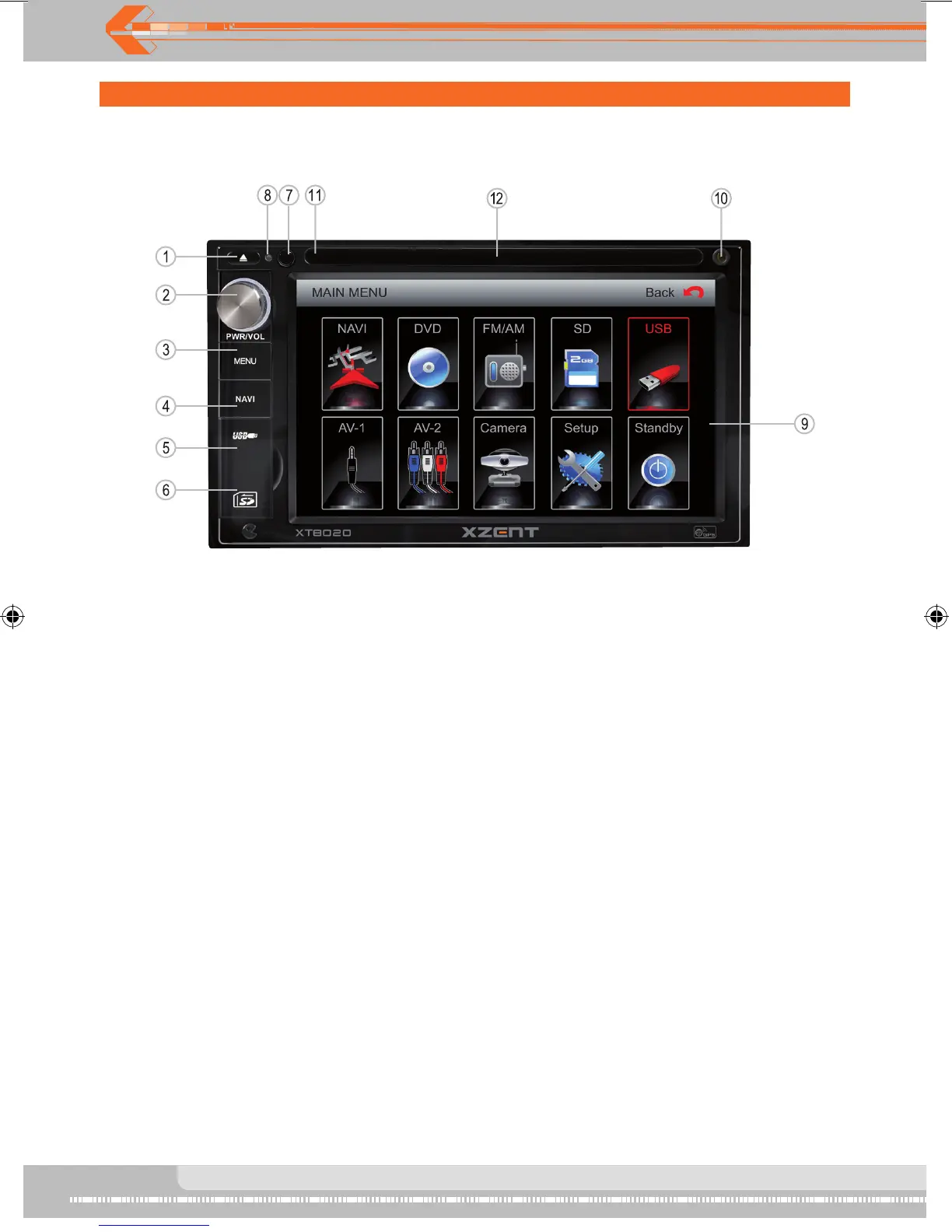
1. EJECT
Press once for disc insertion/ejection.
2. POWER OFF/VOL/Smart dial
Rotary encoder volume control.
Press to power on when the machine is in power off state.
Press and hold to power off while unit is on.
Press short to enter EQ setting.
Rotary encoder to browse mode while in main menu and press to
enter/chosen mode.
3. MENU
Press to enter main menu. Press again back to previous mode.
4. NAVI
Press to enter NAVI mode.
5. USB PORT
6. SD SLOT
7. Remote sensor
8. RESET
9. Touch screen TFT
10. Front AUX-IN Jack
11. Disc indicative LED
Red is with disc.
White is without disc.
12. Disc slot


 To Next Page