EasyManua.ls Logo

Yaber U10 - Page 19

Yaber U10
31 pages
Print Icon
To Next Page IconTo Next Page
To Previous Page IconTo Previous Page
Loading...
ftersales@yabertech.com
:Keep
pressing
the
OK
button
on
the
remote
control
or
projector,
uniil
the
positioning
icon
[
appears
at
the
point
desired.
:Press
the
arrow
keys
on
the
remote
control
or
projector
to
adjust
the
horizontal
or
vertical
parameters.
:
Press
the
key
on
the
remote
controller
to
back
to
previous
page.
:Long press
the
MENU
button
on
the
remote
to
restore
the
original
parameters.
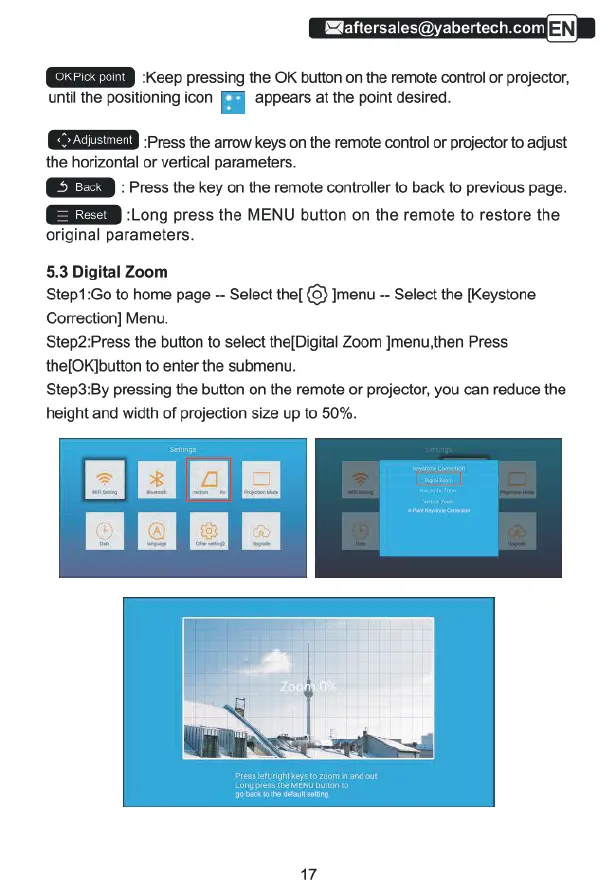
5.3
Digital
Zoom
Step1:Go
to
home
page
Select
the[
{3}
Jmenu
-
Select
the
[Keystone
Correction]
Menu.
Step2:Press
the
button
to
select
the[Digital
Zoom
Jmenu,then
Press
the[OK]button
to
enter
the
submenu.
Step3:By
pressing
the
button
on
the
remote
or
projector,
you
can
reduce
the
height
and
width
of
projection
size
up
to
50%.
17

Related product manuals