EasyManua.ls Logo

Yaber U5 - 2. Sound Menu; Note:; 3. Time Menu

Yaber U5
31 pages
Print Icon
To Next Page IconTo Next Page
To Previous Page IconTo Previous Page
Loading...
A
aftersale:
yabertech.com
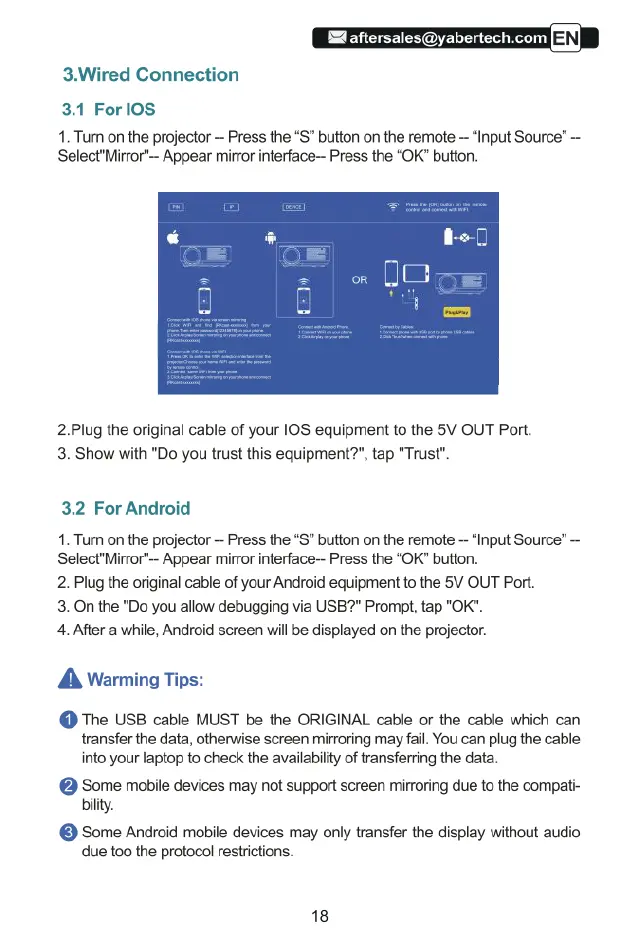
3.Wired
Connection
3.1
ForlOS
1.
Turn
on
the
projector
Press
the
“S”
button
on
the
remote
“Input
Source”
-
Select"Mirror"-
Appear
mirror
interface—
Press
the
“OK”
button.
2.Plug
the
original
cable
of
your
I0S
equipment
to
the
5V
OUT
Port.
3.
Show
with
"Do
you
trust
this
equipment?",
tap
"Trust".
3.2
For
Android
1.
Tum
on
the
projector
-
Press
the
“S”
button
on
the
remote
--
“Input
Source”
Select"Mirror"-
Appear
mirror
interface--
Press
the
“OK”
button.
2.
Plug
the
original
cable
of
your
Android
equipment
to
the
5V
OUT
Port.
3.
On
the
"Do you
allow
debugging
via
USB?"
Prompt,
tap
"OK".
4.
After
a
while,
Android
screen
will
be
displayed
on
the
projector.
A
Warming
Tips:
@
The
USB
cable
MUST
be
the
ORIGINAL
cable
or
the
cable
which
can
transfer
the
data,
otherwise
screen
mirroring
may
fail.
You
can
plug
the
cable
into
your
laptop
to
check
the
availability
of
transferring
the data.
@
Some
mobile
devices
may
not
support
screen
mirroring
due
to
the
compat-
bility.
@
Some
Android
mobile
devices
may
only
transfer
the
display
without
audio
due
too the
protocol
restrictions.
18

Related product manuals