numbered
key
you
pressed will come on
(if
this segment
was previously
empty) and stay
on,
indicating
this
segment is now storing data.
To
stop
recording
at any point before
the selected segmenfs time
limit'is up,
simply press STOP.
This
is
the
preferred method, since
it
eliminates any
"dead
time"
remaining from your
last-recorded
word and end of
the
time
segment(which
would
keep your transmitter
unnecessarily keyed for
a
short
period).
In
any
case, your
message
can
not exceed the 4 or 8-
second
limit.
Don't worry
if you didn't
have
enough time to
finish your
phrase/
you
can
repeat the above steps
to
rerecord
the same
message
-
the previous
message will
be overwritten.
(Note
that there is
no
"rewind"
step
required.)
Checking
Your Recording
Without Transmitting
You
can check
the contents
of a memory segment or
pair
without
playing
it back over the
air,
just
by
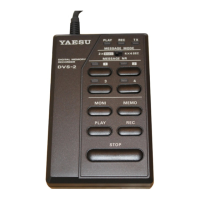
pressing ll|oNl followed by the appropriate
numbered
key. The green
REC LED blinks until you press the
numbered key,
and then stays
on during the playback
period. We recommend always
using
this to check
the
results immediately after
making
a
recording
and
before
playing it
back
over the air.
If you have recorded several
4-second segments
that you
intend to
combine during playback,
move the
MESSAGE MODE
switch to the
2
x
8 SEG
position to
hear how the segments sound when
played back
together. Note
from the table on the
preceeding page that,
in
the 8-second
mode,
the
1 button plays
back segments
1
and
2,
while
the
2
button plays
back segments
3 and 4.
Clearing
All
Memory
Although it should not normally
be necessary,you can clear the contents
of all
memory
(both
that
usedfor receive and transmit
recording).
J Using a sharp
object, press the switch
inside
the
hole
on the
leftside
of the
DV$2 momentarily.
D Wait at
least five seconds, then press the
PLAY
button.
The green
PLAY LED should
light.
O Press the
STOP button.
page
5


 To Next Page