
 Need help?
Do you have a question about the YAGUD ZF-0301 and is the answer not in the manual?
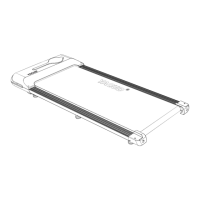
Lists the main components of the walking machine package.
Details the accessories included in the package.
Provides specifications like voltage, load, dimensions, and weight.
Explains the functions of the remote control buttons and modes.
Details how to operate the treadmill in speed mode.
Details how to operate the treadmill in time countdown mode.
Details how to operate the treadmill in distance reverse meter mode.
Details how to operate the treadmill in calorie count mode.
Guidance on preparing for exercise and familiarizing with controls.
Solutions for communication line issues and no signal output.
Solutions for motor wire issues, voltage output, and motor problems.
Solutions for overload, abnormal motor, and overvoltage issues.
Solutions for load exceeding current, assembly issues, and current limiting system faults.
Solutions for low power supply voltage and invalid testing circuits.
This document describes the YAGUD® walking machine, an indoor fitness device designed for walking exercises. It emphasizes safe and convenient use, providing detailed instructions for operation, maintenance, and troubleshooting.
The YAGUD walking machine is primarily designed for indoor walking exercises. It features an electronic display that shows various exercise metrics and a remote control for adjusting settings. The machine offers four distinct operating modes to cater to different workout preferences:
The walking machine also includes a hibernation function, where it enters a low-power state if no operation occurs for more than 10 minutes after stopping, automatically closing the display until any key is pressed to wake it up.
The YAGUD walking machine is designed for straightforward operation with a focus on user safety and convenience.
Installation and Placement: Before use, ensure the walking machine is installed according to instructions. It should be placed on a clean, smooth surface indoors, away from thick carpets that might obstruct airflow. Maintain a safety space of 0.8m on both sides, 2m (length) x 1m (width) behind, and 0.8m in front for easy plug insertion. The power cord should be inserted into a safely grounded power socket.
Remote Control: The device comes with a remote control that is pre-paired at the factory. If re-pairing is needed, hold down the "START" button on the remote (within 10cm of the display) before powering on the treadmill. Once powered on, a quick series of five beeps indicates successful pairing. The remote control features:
Exercise Advice: Before starting any exercise program, it is recommended to consult a professional to determine appropriate frequency, intensity, and duration based on age and physical condition. Users should familiarize themselves with the machine's controls (start, stop, speed adjustment) by standing next to it before stepping on. Begin by standing on the plastic anti-skateboard on both sides, holding the handrail, and starting the machine at a low speed (1.6-3.2 km/h). Gradually increase speed to 3-5 km/h for about 10 minutes, then slowly bring the machine to a stop. Avoid high speeds initially to prevent falls. If any discomfort like chest tightness, irregular heartbeat, or dizziness occurs, stop immediately and consult a professional.
Proper maintenance is crucial for extending the service life of the YAGUD walking machine.
Plate Lubrication: Regular lubrication of the running plate is essential, but over-lubrication should be avoided. To check if lubrication is needed, grab the running belt and touch the center of its back. If your hand feels slightly wet with silicone oil, no lubrication is needed. If the running board feels dry and no silicone oil transfers to your hand, it's time to lubricate. Steps for lubrication:
Running Belt Elastic Adjustment: The running belt's tension is factory-adjusted but may slacken over time, leading to pauses or skids during use. To adjust the belt:
Troubleshooting: The manual provides a troubleshooting guide for common error codes (E01-E05), offering solutions such as reconnecting communication cables, replacing electronic watch components, checking motor wires, replacing motors, operating within rated load, checking treadmill structure, and verifying power supply voltage. For any issues, it is recommended to consult the after-sales staff or the company directly.
Warranty: The product comes with a 1-year warranty. The warranty does not cover failures caused by incorrect installation, improper use, or unauthorized replacement of parts by customers. It is intended for home use only; commercial use voids the warranty.
 General
| Incline | 0 - 15% |
|---|---|
| Display | LCD Display |
| Programs | 12 Preset Programs |
| Foldable | Yes |
| Heart Rate Monitoring | Hand Grip Sensors |

 To Next Page