EasyManua.ls Logo

Yamaha D-85 - Custom Voice Tone Adjustments; Brightness Control for Custom Voices; Playing and Mixing Custom Voices

Yamaha D-85
36 pages
Print Icon
To Next Page IconTo Next Page
To Previous Page IconTo Previous Page
Loading...
m
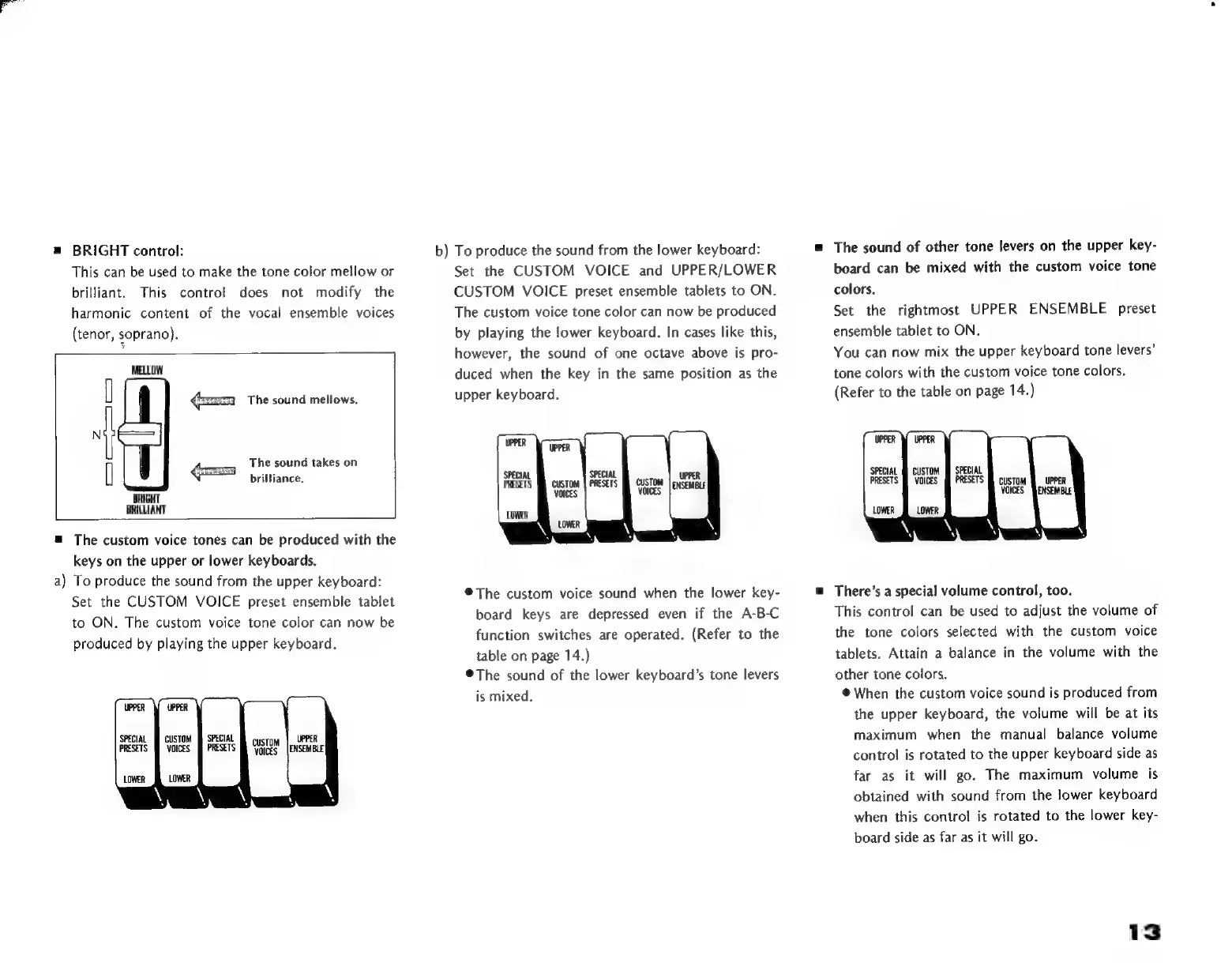
BRIGHT
control:
This
can
be
used
to
make
the
tone
color
mellow
or
brilliant.
This
control
does
not
modify
the
harmonic
content
of
the
vocal
ensemble
voices
(tenor,
soprano).
MELLOW
The
sound
mellows.
1
The
sound
takes
on
[
4
brilliance.
BRIGHT
BRILLIANT
=
The
custom
voice
tones
can
be
produced
with
the
keys
on
the
upper
or
lower
keyboards.
a)
To
produce
the
sound
from
the
upper
keyboard:
Set
the
CUSTOM
VOICE
preset
ensemble
tablet
to
ON.
The
custom
voice
tone
color
can
now
be
produced
by
playing
the
upper
keyboard.
b)
To
produce
the
sound
from
the
lower
keyboard:
Set
the
CUSTOM
VOICE
and
UPPER/LOWER
CUSTOM
VOICE
preset
ensemble
tablets
to
ON.
The
custom
voice
tone
color
can
now
be
produced
by
playing
the
lower
keyboard.
In
cases
like
this,
however,
the
sound
of
one
octave
above
is
pro-
duced
when
the
key
in
the
same
position
as
the
upper
keyboard.
SPECIAL
PRESETS
LOWER
®The
custom
voice
sound
when
the
lower
key-
board
keys
are
depressed
even
if
the
A-B-C
function
switches
are
operated.
(Refer
to
the
table
on
page
14.)
*
The
sound
of
the
lower
keyboard's
tone
levers
is
mixed.
m
The
sound
of
other
tone
levers
on
the
upper
key-
board
can
be
mixed
with
the
custom
voice
tone
colors.
Set
the
rightmost
UPPER
ENSEMBLE
preset
ensemble
tablet
to
ON.
You
can
now
mix
the
upper
keyboard
tone
levers'
tone
colors
with
the
custom
voice
tone
colors.
(Refer
to
the
table
on
page
14.)
There's
a
special
volume
control,
too.
This
control
can
be
used
to
adjust
the
volume
of
the
tone
colors
selected
with
the
custom
voice
tablets.
Attain
a
balance
in
the
volume
with
the
other
tone
colors.
*
When
the
custom
voice
sound
is
produced
from
the
upper
keyboard,
the
volume
will
be
at
its
maximum
when
the
manual
balance
volume
control
is
rotated
to
the
upper
keyboard
side
as
far
as
it
will
go.
The
maximum
volume
is
obtained
with
sound
from
the
lower
keyboard
when
this
control
is
rotated
to
the
lower
key-
board
side
as
far
as
it
will
go.
13