EasyManua.ls Logo

Yamaha D-85 - Preparing to Play; Initial Setup Procedure; Sound Adjustment and Testing; Troubleshooting Sound Issues

Yamaha D-85
36 pages
Print Icon
To Next Page IconTo Next Page
To Previous Page IconTo Previous Page
Loading...
"
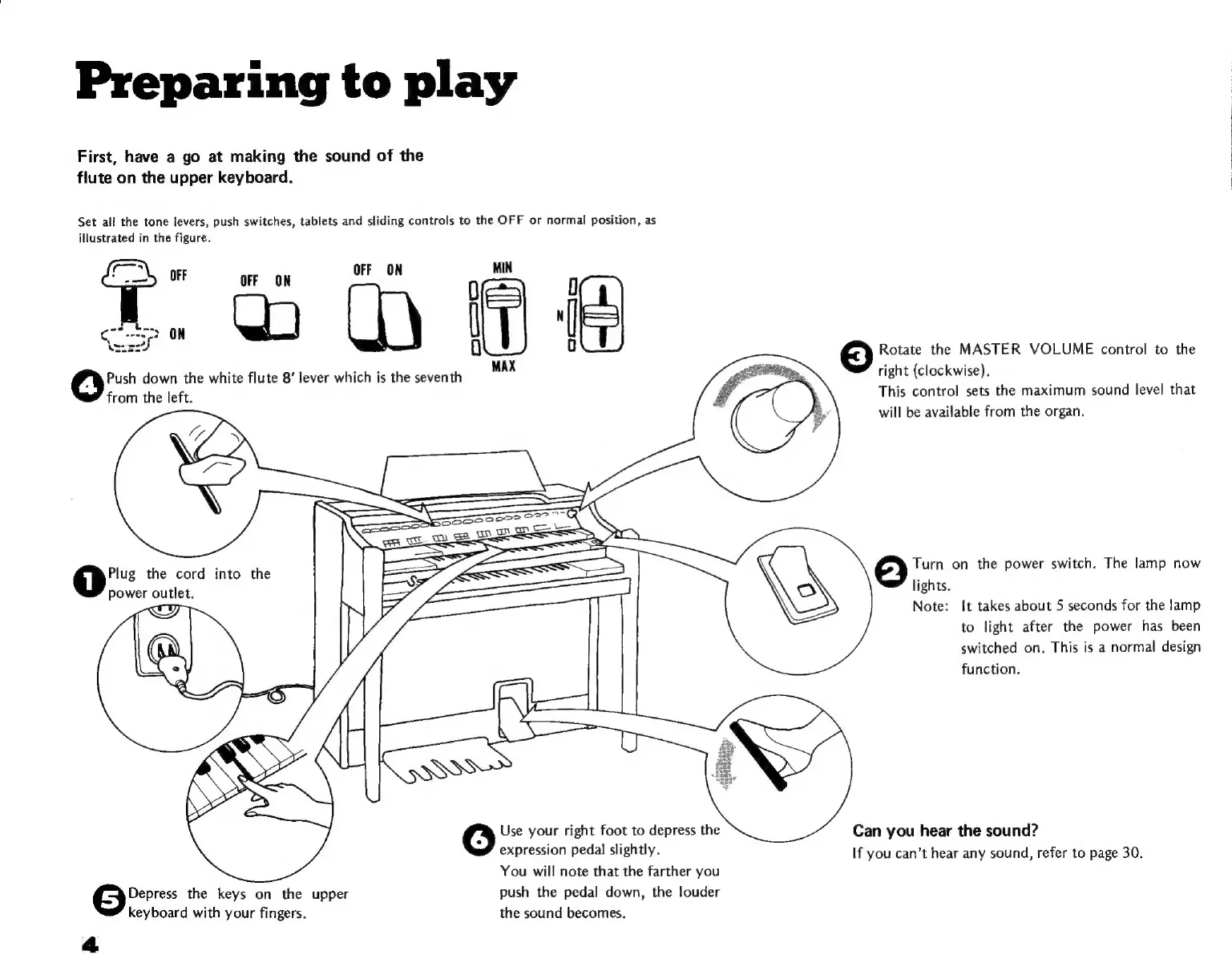
Preparing
to
play
First,
have
a
go
at
making
the
sound
of
the
flute
on
the
upper
keyboard.
Set
all
the
tone
levers,
push
switches,
tablets
and
sliding
controls
to
the
OFF
or
normal
position,
as
illustrated
in
the
figure.
MIN
D
D
Ip
ll
ü
D
Rotate
the
MASTER
VOLUME
control
to
the
MAX
Push
down
the
white
flute
8“
lever
which
is
the
seventh
right
(clockwise).
from
the
left.
3
This
control
sets
the
maximum
sound
level
that
I
š
will
be
available
from
the
organ.
Plug
the
cord
into
the
=
Turn
on
the
power
switch.
The
lamp
now
power
outlet.
lights.
Note:
It
takes
about
5
seconds
for
the
lamp
to
light
after
the
power
has
been
switched
on.
This
is
a
normal
design
function.
Use
your
right
foot
to
depress
the
Can
you
hear
the
sound?
expression
pedal
slightly.
If
you
can’t
hear
any
sound,
refer
to
page
30.
You
will
note
that
the
farther
you
Depress
the
keys
on
the
upper
push
the
pedal
down,
the
louder
keyboard
with
your
fingers.
the
sound
becomes.
4

Related product manuals