SELECT
SELECT
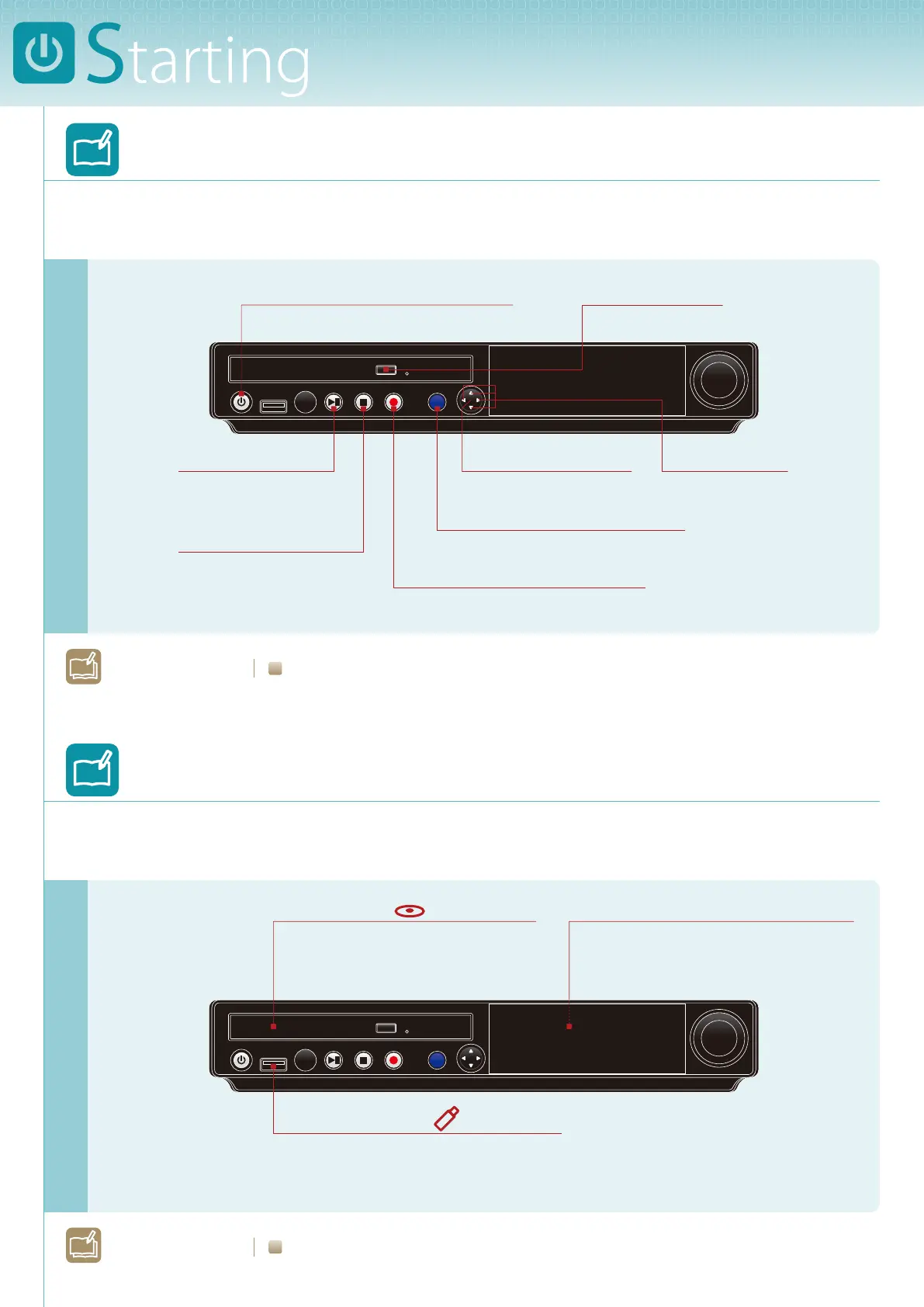
Learning about the Control Unit
Buttons that you will use for playback and recording.
Turns on or shuts down the Disklavier.
ON/OFF
Starts and pauses
playback/recording.
PLAY/PAUSE
The Disklavier can play songs on
commercial audio CDs and data CDs
(such as PianoSoft•PlusAudio, etc)
Compact Disc
The Disklavier comes with a total of 128
megabytes of internal ash memory
that allows you to store song data.
Internal Flash Memory
Executes the selection.
ENTER
(center)
Selects the item.
CURSOR
You can also use commercially available
USB ash memory to store song data.
USB Flash Memory
Opens the media selection screen.
SELECT
Gets the Disklavier ready to record.
RECORD
Stops playback/recording.
STOP
Opens the CD tray.
EJECT
L
earn More?
See page 2 on Operation Manual.
L
earn More?
See page 14 on Operation Manual.
Learning about Media
Media that you can use on the Disklavier.







 To Next Page