CD tray on the Media Center
To change the playback tempo >> See page 27 on Operation Manual.
To play in a different key (transposition) >> See page 27 on Operation Manual.
To repeat playback >> See page 28 on Operation Manual.
To use the timer >> See page 35 on Operation Manual.
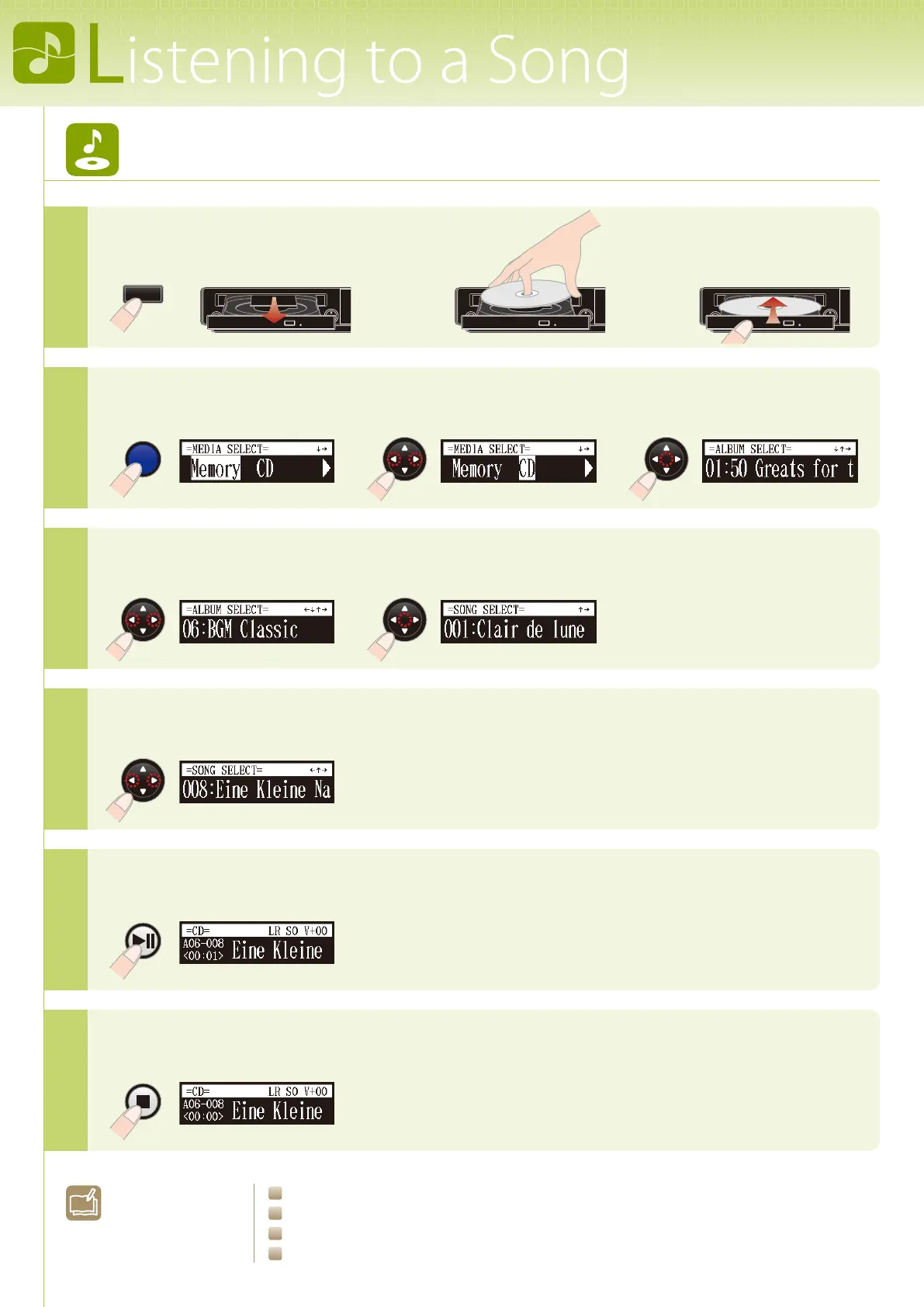
Load a CD.
Listening to a CD included with the Disklavier
1
Select “CD” as the playback source.
2
Select an album.
3
Select a song.
4
Start song playback.
5
Stop song playback.
6
>>
>>
>>
[
EJECT
]
[
SELECT
]
>>
[
CURSOR
] [
ENTER
]
[
ENTER
]
>>
[
CURSOR
]
[
CURSOR
]
[
PLAY
]
[
STOP
]
L
earn More?







 To Next Page