EasyManua.ls Logo

Yamaha Electone FE-40 - Presetting Various Sounds; General Presets

Yamaha Electone FE-40
24 pages
Print Icon
To Next Page IconTo Next Page
To Previous Page IconTo Previous Page
Loading...
GENERAL
PRESETS
]
(This
photograph
shows
FE-50.)
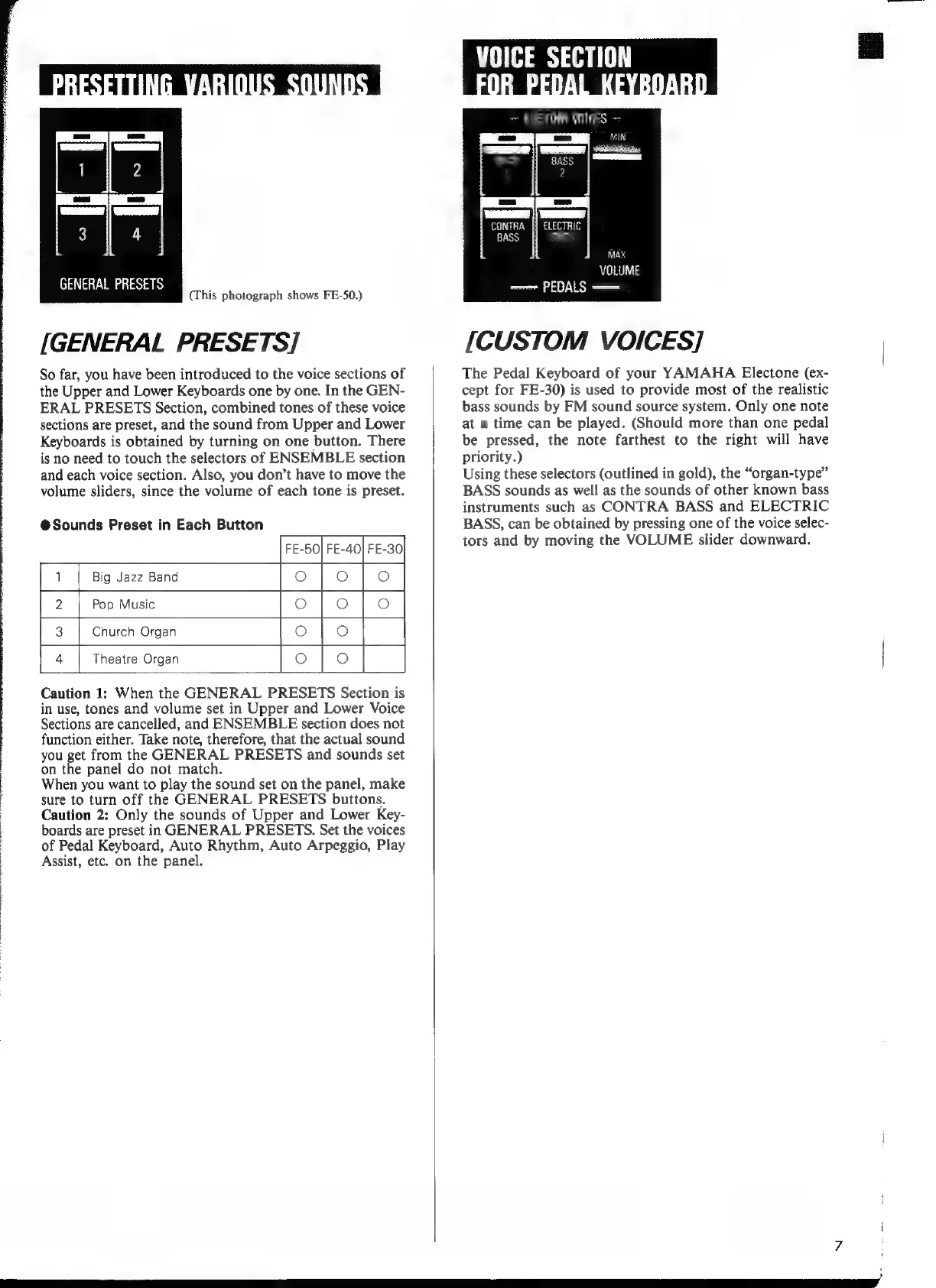
[GENERAL
PRESETS]
So
far,
you
have
been
introduced
to
the
voice
sections
of
the
Upper
and
Lower
Keyboards
one
by
one.
In
the
GEN-
ERAL
PRESETS
Section,
combined
tones
of
these
voice
sections
are
preset,
and
the
sound
from
Upper
and
Lower
Keyboards
is
obtained
by
turning
on
one
button.
There
is
no
need
to
touch
the
selectors
of
ENSEMBLE
section
and
each
voice
section.
Also,
you
don't
have
to
move
the
volume
sliders,
since
the
volume
of
each
tone
is
preset.
FE-50| FE-40|
FE-30
ees
@Sounds
Preset
in
Each
Button
|
1
Big
Jazz
Band
Pop
Music
остона
rotor
4
Theatre
Organ
Caution
1:
When
the
GENERAL
PRESETS
Section
is
in
use,
tones
and
volume
set
in
Upper
and
Lower
Voice
Sections
are
cancelled,
and
ENSEMBLE
section
does
not
function
either.
Take
note,
therefore,
that
the
actual
sound
you
get
from
the
GENERAL
PRESETS
and
sounds
set
on
the
panel
do
not
match.
When
you
want
to
play
the
sound
set
on
the
panel,
make
sure
to
turn
off
the
GENERAL
PRESETS
buttons.
Caution
2:
Only
the
sounds
of
Upper
and
Lower
Key-
boards
are
preset
in
GENERAL
PRESETS.
Set
the
voices
of
Pedal
Keyboard,
Auto
Rhythm,
Auto
Arpeggio,
Play
Assist,
etc.
on
the
panel.
~
CUSTOM
ШЕ
==
j
BA
Gg
Weg
sl
een
CONTRA
[|
ELECTRIC
BASS
[SI
МАХ
VOLUME
——
PEDALS
—
[CUSTOM
VOICES]
The
Pedal
Keyboard
of
your
YAMAHA
Electone
(ex-
cept
for
FE-30)
is
used
to
provide
most
of
the
realistic
bass
sounds
by
FM
sound
source
system.
Only
one
note
at
a
time
can
be
played.
(Should
more
than
one
pedal
be
pressed,
the
note
farthest
to
the
right
will
have
priority.)
Using
these
selectors
(outlined
in
gold),
the
*organ-type"
BASS
sounds
as
well
as
the
sounds
of
other
known
bass
instruments
such
as
CONTRA
BASS
and
ELECTRIC
BASS,
can
be
obtained
by
pressing
one
of
the
voice
selec-
tors
and
by
moving
the
VOLUME
slider
downward.