EasyManua.ls Logo

Yamaha Electone FE-40 - Sound Effects and Controls; Tremolo, Symphonic, and Vibrato Effects

Yamaha Electone FE-40
24 pages
Print Icon
To Next Page IconTo Next Page
To Previous Page IconTo Previous Page
Loading...
m
МАХ
DELAY
DEPTH
——
VIBRATO
——
TREMOLO/SYMPHONIC
[TREMOLO/SYMPHONIC]
Two
different
kinds
of
effects
can
be
obtained
by
using
this
function.
TREMOLO
is
a
cyclé
variation
in
the
am-
plitude
(volume)
of
a
sound,
to
create
charming
and
spreading
sound
effect.
SYMPHONIC
is
recombined
to
produce
the
impression
that
a
large
number
of
instru-
ments
are
involved,
generating
a
“symphony-like”
effect.
These
effects
can
be
applied
only
to
the
UPPER
and
LOWER
COMBINATION/ORCHESTRA
Sections.
To
add
these
effects
to
one
or
two
of
these
sections,
first
press
the
control(s)
for
that
section
and
the
corresponding
in-
dicator
lamp
will
illuminate.
Then
select
the
desired
ef-
fect:
TREMOLO
or
SYMPHONIC.
NOTE:
By
turning
both
the
TREMOLO
and
SYM-
PHONIC
effects
off
(by
pressing
the
corresponding
but-
tons
again),
a
slow
tremolo
effect
(chorus)
can
be
obtained.
€
TREMOLO
SPEED
(FE-50/FE-40
only)
This
control
is
provided
so
that
you
may
adjust
the
TREMOLO
speed
to
suit
your
personal
taste.
Use
this
control
when
the
TREMOLO
(not
SYMPHONIC)
but-
ton
is
on.
Turning
to
the
right
makes
the
speed
faster,
and
to
the
left,
slower.
*
When
button
2
of
GENERAL
PRESETS
is
pressed,
or
in
the
case
of
FE-50,
when
the
UPPER
ENSEM-
BLE
button
is
pressed,
the
SYMPHONIC
effect
is
ac-
tuated
by
compulsion,
irrespective
of
the
TREMOLO
and
SYMPHONIC
buttons
being
set
to
ON
or
OFF
position.
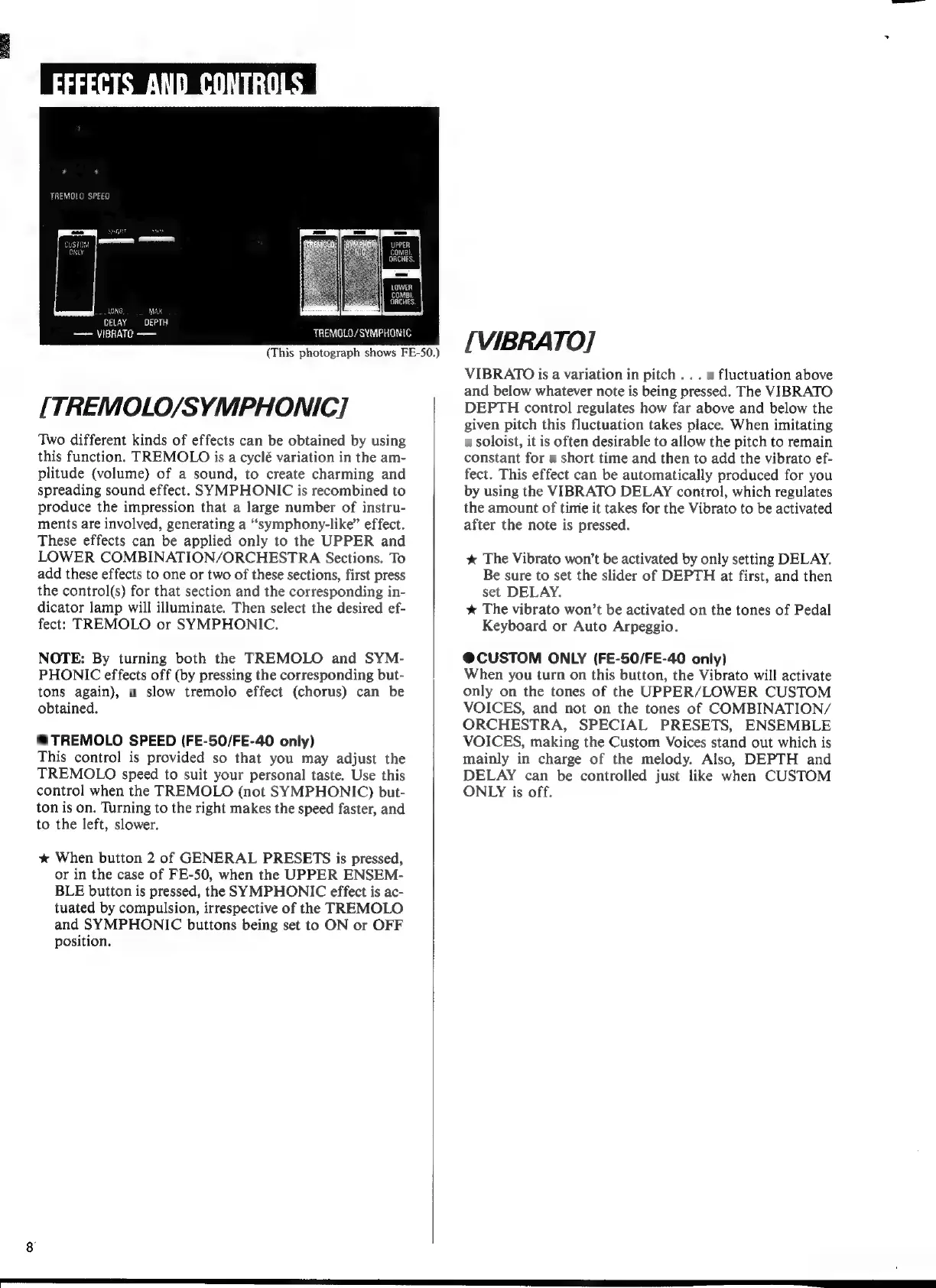
(This
photograph
shows
FE-50.)
[VIBRATO]
VIBRATO
is
a
variation
in
pitch
.
.
.
a
fluctuation
above
and
below
whatever
note
is
being
pressed.
The
VIBRATO
DEPTH
control
regulates
how
far
above
and
below
the
given
pitch
this
fluctuation
takes
place.
When
imitating
a
soloist,
it
is
often
desirable
to
allow
the
pitch
to
remain
constant
for
a
short
time
and
then
to
add
the
vibrato
ef-
fect.
This
effect
can
be
automatically
produced
for
you
by
using
the
VIBRATO
DELAY
control,
which
regulates
the
amount
of
time
it
takes
for
the
Vibrato
to
be
activated
after
the
note
is
pressed.
*
The
Vibrato
won’t
be
activated
by
only
setting
DELAY.
Be
sure
to
set
the
slider
of
DEPTH
at
first,
and
then
set
DELAY.
*
The
vibrato
won’t
be
activated
on
the
tones
of
Pedal
Keyboard
or
Auto
Arpeggio.
@CUSTOM
ONLY
(FE-50/FE-40
only)
When
you
turn
on
this
button,
the
Vibrato
will
activate
only
on
the
tones
of
the
UPPER/LOWER
CUSTOM
VOICES,
and
not
on
the
tones
of
COMBINATION/
ORCHESTRA,
SPECIAL
PRESETS,
ENSEMBLE
VOICES,
making
the
Custom
Voices
stand
out
which
is
mainly
in
charge
of
the
melody.
Also,
DEPTH
and
DELAY
can
be
controlled
just
like
when
CUSTOM
ONLY
is
off.