Need help?
Do you have a question about the Yamaha HTR-7065 and is the answer not in the manual?
Overview of the AV receiver's capabilities, supported content, and key features like YPAO and CINEMA DSP.
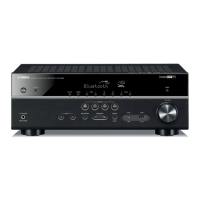
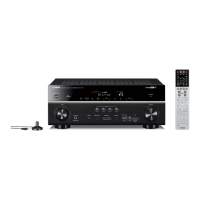
Identification and explanation of the unit's front panel, rear panel, and remote control components.
Step-by-step guide for initial setup, including connecting speakers, TV, and power.
Guidance on arranging speakers and subwoofer for optimal sound placement based on system configuration.
Detailed instructions for physically connecting speaker cables to the AV receiver's terminals.
Steps to connect a TV via HDMI, enabling audio return and device control features.
Guide on connecting video sources like BD/DVD players using HDMI or component video connections.
Information on enhancing speaker output by connecting an external power amplifier to the PRE OUT jacks.
Procedure for optimizing speaker settings using the YPAO microphone at a single listening position.
General steps for playing audio and video sources through the receiver, including input selection.
Options for choosing different sound programs and surround decoders for playback.
Guide to manually registering and selecting favorite FM/AM radio stations as presets.
Instructions for navigating and controlling iPod music playback via the TV screen menu.
How to configure repeat and shuffle playback settings for USB music files.
How to configure media sharing settings on PCs or NAS for network playback via DLNA.
Steps to connect speakers or an external amplifier for audio output in a secondary zone.
Method to cycle through different information displays on the unit's front panel using the INFO key.
How to display unit status information, such as audio format and volume, on the TV screen.
List of adjustable playback settings available in the Option menu for fine-tuning audio and video.
Guide to changing input source names, icons, and audio/video assignments for each input.
How to assign and configure SCENE settings for one-touch operation of multiple functions.
Adjustable parameters for sound programs, including DSP level, delays, and room characteristics.
Overview of all configurable settings within the Setup menu, categorized by function.
Manual configuration of speaker size, distance, level, and other acoustic parameters.
How to register TV remote control codes to operate the TV with the unit's remote.
Steps to register remote control codes for playback devices like BD/DVD players for unified control.
Common questions and answers regarding the unit's operation and features.
Solutions for common problems and operational issues, categorized by system, audio, video, and remote control.
Definitions of audio terms, including decoding formats, sampling frequency, and quantization bits.
Details on how HDMI Control works for device operation, synchronization, and setup procedures.
Details of all available input connectors on the unit, including analog, digital, video, and HDMI types.
Details of all available output connectors on the unit, including speaker, pre-out, and monitor outputs.
Guide to controlling the unit remotely using a web browser interface via the network.
Copyright and licensing information for the ASN.1 object dumping code used in the product.
 General
| Channels | 7.2 |
|---|---|
| Total Harmonic Distortion (THD) | 0.09% |
| Frequency Response | 10 Hz - 100 kHz (+1 dB, -3 dB) |
| HDMI Inputs | 6 |
| HDMI Outputs | 2 |
| HDMI Switching | Yes |
| Audio D/A Converter | 192 kHz/24-bit |
| DSP Presets | 17 |
| Input Sensitivity | 200 mV |
| Signal-To-Noise Ratio | 100 dB |
| HDMI Pass-Through | Yes |
| Tuner Bands | AM/FM |
| Preset Station Qty | 40 |
| Bluetooth | Yes |
| Wi-Fi | No |
| Audio Formats Supported | Dolby TrueHD, DTS-HD Master Audio, Dolby Digital Plus |
| Video Formats Supported | 4K Ultra HD, 3D |
| Weight | 11.2 kg |
| Surround Sound Effects | SILENT CINEMA DSP, Virtual CINEMA DSP |
| Input Impedance | 47 k ohms |
| Additional Features | YPAO sound optimization, ECO mode, Compressed Music Enhancer |
| Tuner Type | FM/AM |
| Connectivity | Bluetooth, Ethernet |
| Inputs | 6 HDMI, 4 Audio |
| Outputs | 1 HDMI, 1 Subwoofer |
| Video Features | 4K Ultra HD, 3D |

 To Next Page