9
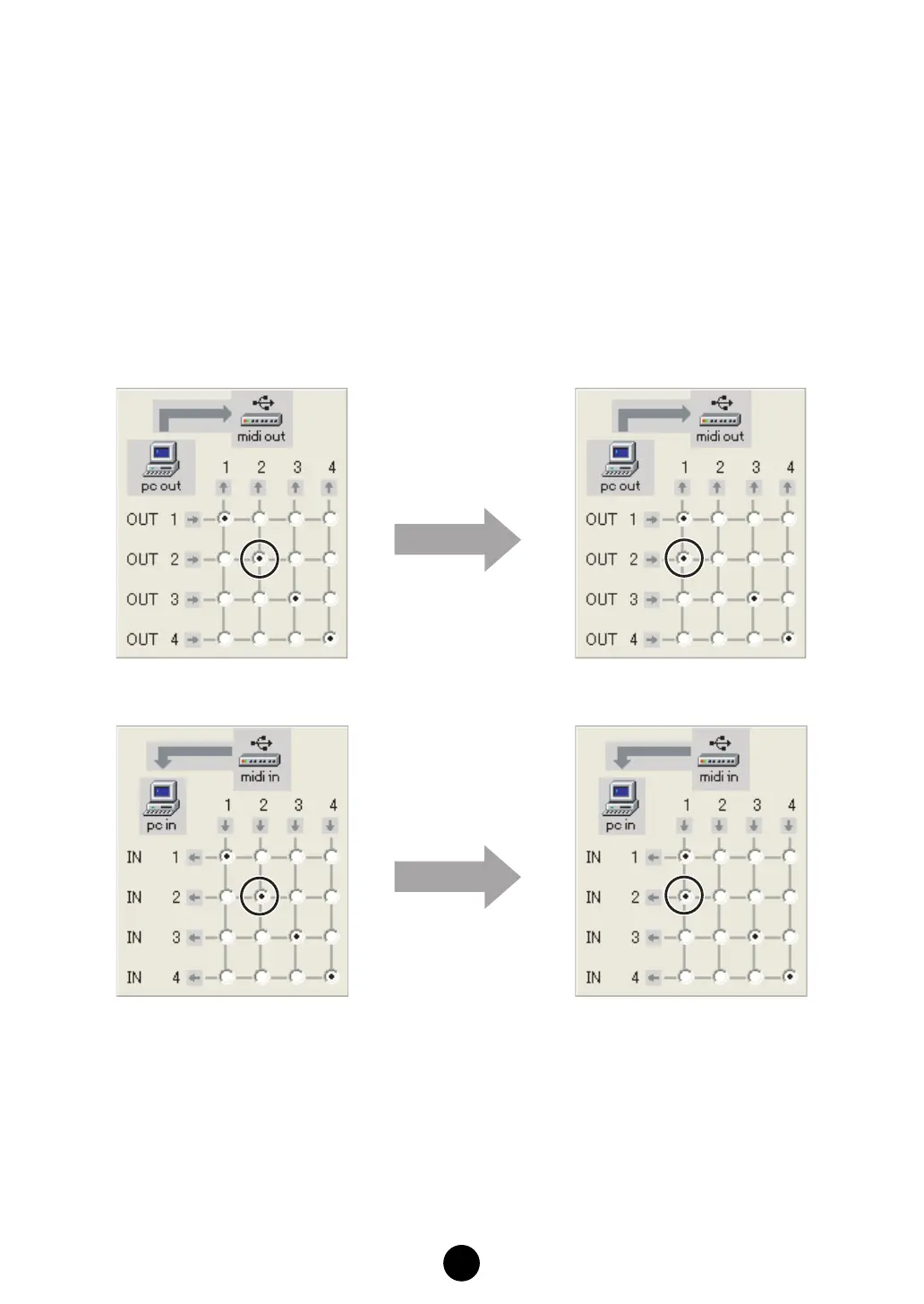
(2) In the “YAMAHA USB-MIDI Driver” dialog, merge the input/output ports.
• OUT
Change the settings to connect the two output ports which are used by the sequencer
and Multi Part Editor to MOTIF ES input port 1.
•IN
Change the settings to connect the MOTIF ES output port 1 to the two input ports
which are used by the sequencer and Multi Part Editor.
For example, change the settings as shown in the illustrations below when using the
input/output port 1 and input/output port 2 in the Studio Manager (Multi Part Editor)
and sequencer.
(3) Click [OK] to close the dialog.
OUT
IN



 To Next Page
 Loading...