
 Need help?
Do you have a question about the Yamaha PortaSound MK-100 and is the answer not in the manual?
Details the nine main functions of the MULTI-MENU system for arranging sounds and rhythms.
Create custom sounds by combining waveforms from two groups to form new, distinctive sounds.
Adjust the rise and sustain pattern (envelope) of Orchestra voices to obtain different sounds.
Achieve the effect of two instruments playing together by mixing selected sounds.
Set the accompaniment sound timbre of chords for Auto Bass Chord accompaniment.
Customize the bass sound used for the Auto Bass Chord accompaniment.
Store and create up to 12 types of your own personalized rhythm patterns.
Create and store up to 12 unique bass lines for accompaniment.
Store chord progressions (up to 250 chords) and melodies (up to 750 notes).
Digitally store (SAVE) and transfer (LOAD) patterns and tunes using a tape recorder.
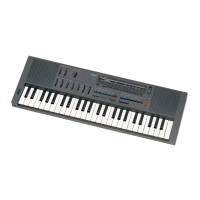
The Yamaha PortaSound MK-100 is a multi-programmable stereo keyboard designed to offer a wide range of sound creation and arrangement capabilities. Its core functionality revolves around the "MULTI-MENU" system, which provides nine distinct functions that can be used individually or in various combinations to customize instrument voices, rhythms, and bass lines. The device also includes features for storing user-created sounds, either in its internal 3.2 kilobyte RAM or digitally on tape via a tape interface.
The MULTI-MENU system is the central hub for all creative operations on the MK-100. It allows users to delve into various aspects of sound design and musical arrangement.
MELODY VOICE VARI 1 (Waveform Synthesizer): This function enables users to create custom sounds by combining illustrated waveforms from two groups. There are 12 preset voices available, but the waveform synthesizer allows for the creation of entirely new, distinctive sounds. Users select one waveform from each group and push their corresponding selectors to blend them. For instance, modifying the "ORGAN" voice with specific waveform combinations can yield a different organ sound. The manual provides examples like creating a "Clarinet-like sound" from "TRUMPET" and a "Pipe organ-like sound" from "VIOLIN" by selecting particular waveform combinations and adjusting the vibrato. Existing custom waveforms are retained even when another Menu is chosen, and the preset voice can be restored by pushing selector 1 (PRESET).
MELODY VOICE VARI 2 (Envelope Synthesizer): This function focuses on adjusting the rise and sustain pattern (envelope) of the Orchestra voices to produce different sounds. Similar to the waveform synthesizer, users select one illustrated envelope from each of two groups and combine them to form a new one. An example provided is transforming the "PIANO" voice into a soft, "horn-like sound" by selecting specific envelope combinations. Other examples include creating a "Banjo-like sound" from "OBOE" and a "Wah-guitar-like sound" from "GUITAR." It's noted that if a voice has been customized by MELODY VOICE VARI 1, it should be reset to the preset voice before using MELODY VOICE VARI 2. Custom envelopes are also retained across Menu selections, and the original envelope can be restored by pressing selector 1 (PRESET). For enhanced effects, MELODY VOICE VARI 1 and 2 can be combined.
MELODY MIXER (Dual-Voice Synthesizer): This feature allows for the simultaneous playing of two instruments, creating a mixed sound. Users can select one of the Menu sounds, which is then mixed with a voice chosen from the Orchestra panel. The manual suggests that combining two sounds of different types often yields a more interesting effect than combining similar ones. Examples include mixing "MUSIC BOX" with "ORGAN," "HARPSICHORD" with "PICCOLO," and "GUITAR" with "SAXOPHONE." When using MELODY MIXER, only one note at a time is mixed, meaning that when chords are played, only the highest notes are mixed. If sounds have been modified by MELODY VOICE VARI 1 and 2, the modified sounds are mixed. To cancel MELODY MIXER, users simply push the selectors with illuminated lamps to turn them off.
CHORD VOICE VARI: This function is dedicated to setting the accompaniment sound timbre of the chords for the Auto Bass Chord feature. After selecting a rhythm and initiating playback (SYNCHRO START or START), users slide the AUTO BASS CHORD control to either SINGLE FINGER CHORD or FINGERED CHORD. Once the bass and chords begin to play by pressing a key on the left side of the keyboard, users can select any desired sound for the chords by pressing its corresponding selector. The timbre set here applies to all rhythms and variations. If the sound has been customized by MELODY VOICE VARI 1 or 2, the custom sound will be heard. To cancel CHORD VOICE VARI, users press the selectors with illuminated lamps. An example demonstrates changing the preset "PIANO" chord sound to "TRUMPET" or "GUITAR" while playing with the "MARCH" rhythm. Another example shows how to create a "country-like banjo backing" by first changing the "OBOE" sound to a banjo-like sound using MELODY VOICE VARI 2, then selecting "MARCH" with specific BASS/RHYTHM and CHORD VARIATION settings, and finally selecting the modified "OBOE" (BANJO) with CHORD VOICE VARI.
BASS VOICE VARI: This function allows users to set the bass sound for Auto Bass Chord. While the MK-100 typically uses the "GUITAR" voice for the bass line across all rhythms, this function enables users to change it to any preferred sound. The procedure is identical to CHORD VOICE VARI: users press the selector for the desired bass sound while playing in the AUTO BASS CHORD key section. The bass sound set here applies to all rhythms. If the sound has been customized by MELODY VOICE VARI 1 or 2, the custom sound will be used for the bass line. To cancel BASS VOICE VARI, users press the selectors with illuminated lamps. Examples include changing the bass sound to "Synthe. bass" (SYNTHE 1), "Wood bass" (ORGAN or PIANO), "Tuba" (SAXOPHONE or VIOLIN), "Bassoon" (OBOE), and "Steel drum" (MUSIC BOX). This function can be combined with CUSTOM BASSIST to enhance the characteristics of various bass instruments.
CUSTOM DRUMMER (Programmable Rhythm Machine): This feature allows users to program and store up to 12 types of their own rhythm patterns, fostering individuality in their musical creations. Users select a preset rhythm as a base and then input their desired drum patterns using specific selectors for BASS DRUM, SNARE DRUM, CLOSED HI-HAT, and OPEN HI-HAT. The rhythm input is typically for 2 bars. To program, users select a preset rhythm, slow down the tempo, and then input their pattern by tapping the selectors. Selector 7 (PROGRAM) is used to input a bass drum rhythm, while selector 6 (CANCEL) depresses the bass drum sound if it's already selected. The same process applies to SNARE DRUM or HI-HAT. If an error occurs during input, it can be canceled by pressing selector 6 (CANCEL) and re-inputting. Once programmed, the rhythm can be played back by pressing the RHYTHM START selector. To revert to the original rhythm, selector 1 (PRESET) is pressed. Custom rhythm patterns are retained even when other Menus are selected while selector 2 (CUSTOM) is active. The manual provides examples for programming "8 Beat" rhythm, "MARCHING DRUM" (set to MARCH), "ROCK" (set to 16 BEAT), and "NEW WAVE" (set to DISCO). It notes that for fast rhythms like CLOSED HI-HAT, the autocorrect function of MULTI-MENU will accurately input the rhythm even with rapid tapping.
CUSTOM BASSIST (Bass Line Sequencer): This function enables users to create and store up to 12 bass lines. Users play a bass line on the keyboard's low octave, and the device stores it. Bass lines are stored in 2-bar lengths and are programmed in C Major chord. The MK-100's computer automatically adjusts the bass line to any key and any of eight chord types (Major, Minor, 7th, Minor 7th, Major 7th, Minor 7th flatted 5th, Diminished, and Augmented) as required. To program, users select a rhythm, press selector 4 (PROGRAM) of MULTI-MENU, which plays a preset or previously stored bass pattern, then slow down the tempo and push selector 6 (CANCEL) to clear the current bass line. Users then play their desired bass line on the low octave. If a mistake is made, selector 6 (CANCEL) can be pressed to re-record. It's important not to depress the last note of the second bar for too long, as it might erase the first note of the line. The rhythm can be stopped by pressing STOP. After programming, the AUTO BASS CHORD control is slid to SINGLE FINGER CHORD or FINGERED CHORD to play chords with the programmed rhythm. Selector 1 (PRESET) restores the original bass line pattern. Custom bass lines are retained across Menu selections. Examples are provided for programming a "REGGAE type bass pattern" and other patterns suitable for songs like "Dancing Queen," "Copacabana," "Physical," and "Take the A Train."
MUSIC PROGRAMMER: This is a comprehensive function for storing chord progressions and melodies for automatic playback. It also allows for recording playing in digital signals on tape via the Tape Interface. The MUSIC PROGRAMMER has three main functions:
TAPE INTERFACE: This function allows users to store (SAVE) digitally on tape patterns and tunes memorized by the MK-100 with MUSIC PROGRAMMER. It also enables transferring (LOAD) these digital signals from tape back into the MK-100's memory, facilitating the creation of a tape library of user's own playing. To use this feature, a tape recorder, an interface cable PSC-4 (or equivalent), and a tape are required. The connection involves connecting the cable from the MK-100's rear panel (AUX OUT/DC 9V 12V IN) to the tape recorder's MIC and EAR/PHONE/MONITOR jacks.
The MK-100 is designed for interactive and creative use. The manual emphasizes playing the given examples according to instructions to master the device. While initial operation might seem complicated, users are encouraged to practice to become proficient and expand their keyboard playing pleasure. The MULTI-MENU system's modular design allows for combining various functions, such as MELODY VOICE VARI 1 and 2 for more complex sound effects, or BASS VOICE VARI with CUSTOM BASSIST for enhanced bass instrument features. The ability to store custom waveforms, envelopes, rhythm patterns, and bass lines ensures that user creations are retained and can be recalled. The autocorrect function for rhythm input, particularly for fast patterns, aids in accurate programming. The visual feedback from illuminated lamps on selectors helps users understand the active functions. The flexibility to adjust tempo, reset to presets, and cancel inputs provides a forgiving environment for experimentation and learning. The tape interface extends the device's memory capabilities, allowing for an extensive library of custom music.
While the manual does not explicitly detail "maintenance features" in the traditional sense (e.g., cleaning, repair), it does provide guidance on ensuring optimal performance and data integrity:
In essence, the Yamaha PortaSound MK-100 is a versatile and user-friendly instrument that empowers musicians to explore sound design and arrangement with a robust set of programmable features, supported by clear operational guidelines for both creative use and data management.
 General
| Number of Keys | 49 |
|---|---|
| Voices | 100 |
| Preset Voices | 100 |
| Effects | Reverb, Chorus |
| Speakers | 2 x 8cm |
| Type | Keyboard |
| Polyphony | 8 |
| Outputs | Headphone, Line Out |
| Power Supply | 9V DC |




 To Next Page

