EasyManua.ls Logo

Yamaha NS-WSW41 - User Manual

Yamaha NS-WSW41
24 pages
Print Icon
To Next Page IconTo Next Page
Loading...
UAB
Contents
Supplied items ...................................................................... 2
Features ................................................................................. 3
Frequently asked questions................................................. 3
Part names and functions (sound bar/subwoofer) ............ 4
Installation............................................................................. 5
Connections........................................................................... 6
Operations............................................................................. 8
Listening to the sound from a Bluetooth device.............. 10
Settings................................................................................ 12
Programming the sound bar with the TV’s remote control
(TV’s remote control learning function)..................................................... 12
Sending the TV’s remote signal through the sound bar
(TV Remote Repeater function)......................................................................... 14
Setting the auto power standby function ................................................ 14
Initializing the sound bar ................................................................................ 14
Troubleshooting ................................................................. 15
Specifications ...................................................................... 20
Front Surround System
(YAS-CU203+NS-WSW41)
Owner’s Manual
About this manual
NOTE
This indicates precautions for use of the product and its feature limitations.
HINT
This indicates supplementary explanations for better use.
Question and Answer IconNeed help?

Do you have a question about the Yamaha NS-WSW41 and is the answer not in the manual?

Summary

Important Safety Instructions

FCC Information

Information for US customers regarding FCC compliance and potential interference.

FCC Warning

Warning regarding modifications and user authority to operate the equipment.

Operating Precautions

Environment and Handling Precautions

Guidelines for safe installation, ventilation, and handling of the unit and its components.

Installation Guide

Placement and Mounting

Instructions for placing the sound bar and subwoofer, and mounting the unit on a wall.

Connecting Devices

Optical Connection to TV

Steps for connecting the sound bar to a TV using the supplied optical cable.

System Operations

Key Functions and Indicators

Bluetooth Audio Playback

Bluetooth Device Pairing

Steps to pair a Bluetooth device with the sound bar for the first time.

Customizing Settings

TV Remote Control Learning

Programming the sound bar to be controlled by the TV's remote control.

Troubleshooting Guide

Power and System Issues

Resolving problems related to power, system response, and automatic operation.

Audio Troubleshooting

No Sound or Interrupted Sound

Diagnosing and fixing issues with no sound from the subwoofer or interruptions.

Remote Control Troubleshooting

Remote Control Operation Issues

Resolving problems with the sound bar or TV not responding to remote control commands.

Remote Control Learning Problems

Troubleshooting issues encountered during the TV remote control learning process.

Bluetooth Troubleshooting

Bluetooth Pairing and Connection

Resolving issues with pairing Bluetooth devices and establishing a connection.

Bluetooth Playback Issues

Troubleshooting no sound or interrupted sound during Bluetooth playback.

Summary

Important Safety Instructions

FCC Information

Information for US customers regarding FCC compliance and potential interference.

FCC Warning

Warning regarding modifications and user authority to operate the equipment.

Operating Precautions

Environment and Handling Precautions

Guidelines for safe installation, ventilation, and handling of the unit and its components.

Installation Guide

Placement and Mounting

Instructions for placing the sound bar and subwoofer, and mounting the unit on a wall.

Connecting Devices

Optical Connection to TV

Steps for connecting the sound bar to a TV using the supplied optical cable.

System Operations

Key Functions and Indicators

Bluetooth Audio Playback

Bluetooth Device Pairing

Steps to pair a Bluetooth device with the sound bar for the first time.

Customizing Settings

TV Remote Control Learning

Programming the sound bar to be controlled by the TV's remote control.

Troubleshooting Guide

Power and System Issues

Resolving problems related to power, system response, and automatic operation.

Audio Troubleshooting

No Sound or Interrupted Sound

Diagnosing and fixing issues with no sound from the subwoofer or interruptions.

Remote Control Troubleshooting

Remote Control Operation Issues

Resolving problems with the sound bar or TV not responding to remote control commands.

Remote Control Learning Problems

Troubleshooting issues encountered during the TV remote control learning process.

Bluetooth Troubleshooting

Bluetooth Pairing and Connection

Resolving issues with pairing Bluetooth devices and establishing a connection.

Bluetooth Playback Issues

Troubleshooting no sound or interrupted sound during Bluetooth playback.

Overview

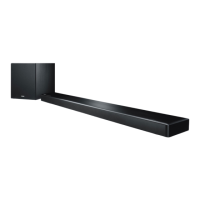
The Yamaha YAS-203 (YAS-CU203+NS-WSW41) is a front surround system designed to deliver powerful and realistic sound. It consists of a sound bar (YAS-CU203) and a wireless subwoofer (NS-WSW41), offering easy installation and connection to TVs and other devices.

Function Description:

The YAS-203 system provides a comprehensive audio experience with several key features:

  • AIR SURROUND XTREME: This technology creates a wide and deep 7.1 channel surround soundstage, simulating speakers positioned not only in front but also to the left, right, and behind the listener.
  • Advanced Bass Extension Processing: Equipped with Yamaha's original bass boost technology, the system reproduces powerful low-frequency sound through its dedicated subwoofer.
  • Bluetooth® Connection: Allows for wireless playback of audio content from Bluetooth-compatible smartphones, tablets, or computers. It supports the aptX codec for high-quality sound and includes a Compressed Music Enhancer to restore depth and freshness to compressed audio.
  • HOME THEATER CONTROLLER Application: A dedicated free application for Bluetooth devices (like smartphones) enables easy and convenient control of the sound bar, including basic operations, sound-field adjustments, and sound adjustments.
  • TV's Remote Control Learning Function: Allows users to program the sound bar to be controlled by their TV's infrared (IR) remote control, enabling simultaneous power on/off, volume adjustment, and muting/unmuting of both devices.
  • TV Remote Repeater Function: Transmits the TV's IR remote control signals through the sound bar. This is useful if the sound bar blocks the TV's remote sensor, ensuring the TV's remote control remains functional.
  • Clear Voice: Enhances the clarity of voices in movies, TV news, or sports programs.
  • UniVolume: Maintains consistent sound volume across different inputs or sound sources, preventing sudden volume changes when switching content.

Important Technical Specifications:

  • Amplifier Section:
    • Sound bar (YAS-CU203): Front L/R 50 W x 2 channels maximum rated output power.
    • Subwoofer (NS-WSW41): 100 W dynamic power.
  • Speaker Section:
    • Sound bar: Acoustic suspension type (non-magnetic shielding), 5.5 cm (2-1/8") cone x 2 drivers, 150 Hz to 22 kHz frequency response, 6 Ω impedance.
    • Subwoofer: Advanced Yamaha Active Servo Technology (magnetic shielding type), 16 cm (6-1/2") cone driver, 35 Hz to 150 Hz frequency response, 5.5 Ω impedance.
  • Decoder: Supports PCM (2ch), Dolby Digital, and DTS Digital Surround.
  • Input Jacks:
    • Digital (Optical): 1 (TV)
    • Digital (Coaxial): 1 (BD/DVD)
    • Analog (RCA): 1 (ANALOG)
  • Wireless Subwoofer:
    • Frequency band: 2.4 GHz
    • Transmission range: 10 m (33 ft) without interference.
  • Bluetooth:
    • Version: Ver. 2.1+EDR
    • Supported protocols: A2DP, SPP
    • Supported codecs: SBC, aptX
    • Wireless output: Bluetooth Class 2
    • Maximum communication distance: 10 m (33 ft) without obstructions.
    • Supported content protection method: SCMS-T
  • Power Supply:
    • U.S.A. and Canada models: AC 120 V, 60 Hz
    • U.K. and Europe models: AC 230 V, 50 Hz
    • Taiwan model: AC 110-120 V, 50/60 Hz
    • China model: AC 220 V, 50 Hz
    • Other models: AC 220-240 V, 50/60 Hz
  • Power Consumption:
    • Sound bar: 26 W
    • Subwoofer: 45 W
  • Standby Power Consumption:
    • Sound bar: 0.4 W (U.S.A. and Canada models: 1.4 W; U.K. and Europe models: 1.5 W; Korea and Taiwan models: 1.2 W; China model: 1.3 W; Australia and Asia models: 1.7 W)
    • Bluetooth standby power consumption: 0.5 W
  • Dimensions (W x H x D):
    • Sound bar (not including stands, default state): 886 x 79 x 121 mm (34-7/8" x 3-1/8" x 4-3/4")
    • Sound bar (including stands): 886 x 94 x 121 mm (34-7/8" x 3-5/8" x 4-3/4")
    • Subwoofer: 290 x 292 x 316 mm (11-3/8" x 11-1/2" x 12-1/2")
  • Thickness excluding speaker protrusions (thinnest part): 65 mm (2-1/2")
  • Weight:
    • Sound bar: 2.9 kg (6.4 lbs)
    • Subwoofer: 8.1 kg (17.9 lbs)

Usage Features:

  • Remote Control: The system comes with a remote control for easy operation. Batteries (AAA, R03, UM4 x 2) are included. The remote has an operating range of within 6 m (20 ft) at a 30° angle.
  • Input Selection: Dedicated input keys (TV, BD/DVD, ANALOG, BLUETOOTH) on the remote allow users to select the desired audio source.
  • Volume Control: Separate keys for adjusting the volume of the subwoofer and the sound bar.
  • Bluetooth Standby Mode: Allows the sound bar to automatically turn on/off in conjunction with the operation of a Bluetooth device.
  • Audio Delay Adjustment: Synchronizes audio with video if there's a delay.
  • Decoder Indication: Indicators on the sound bar show the type of input audio signal (Dolby Digital, DTS Digital Surround, PCM).
  • Installation Options: Can be placed on a flat surface (e.g., TV cabinet) or wall-mounted using the provided mounting template and commercially available screws. The subwoofer should be placed to the outside of the sound bar, facing slightly inward to avoid echoes.
  • Wireless Subwoofer Connection: The sound bar and subwoofer connect automatically when both are powered on. Manual pairing is also possible if needed.
  • Remote Control Learning: The sound bar can learn IR signals from a TV remote for integrated control.
  • TV Remote Repeater: If the sound bar obstructs the TV's IR sensor, this function relays the TV's remote signals.
  • Auto Power Standby: Automatically turns off the sound bar after 8 hours of no operation or 20 minutes of no audio input/operation when Bluetooth is selected as the input source.

Maintenance Features:

  • Cleaning: Use a clean, dry cloth for cleaning. Avoid chemical solvents.
  • Troubleshooting Guide: The manual includes a comprehensive troubleshooting section to address common issues related to power, sound output, remote control, and Bluetooth connectivity.
  • Initialization: The sound bar can be initialized to factory settings by holding down the power key on the front panel for more than 3 seconds while the unit is off.
  • Battery Replacement: Replace remote control batteries when the effective operation range decreases. Do not mix old and new batteries or different types.
  • Professional Installation: For wall mounting, it is recommended that installation work be performed by a qualified contractor or dealer to prevent personal injury or damage.
  • Firmware/Software Updates: While not explicitly detailed as a user-accessible feature, the "HOME THEATER CONTROLLER" application may offer avenues for software-related maintenance or updates.

Safety and Environmental Considerations:

  • Placement: Install in a well-ventilated, cool, dry, clean place away from direct sunlight, heat sources, vibration, dust, moisture, and extreme temperatures. Maintain minimum clearances for ventilation.
  • Electrical Safety: Do not expose to rain or moisture. Do not open the cabinet. Use only specified voltage. Disconnect power during lightning storms or long periods of non-use.
  • Interference: Keep away from other electrical appliances, motors, or transformers to avoid humming. Avoid placing magnetically sensitive items near the sound bar.
  • Bluetooth Interference: The 2.4 GHz band used by Bluetooth is shared by other equipment, which may affect communication speed or distance.
  • Disposal: Electrical and electronic products and batteries should be disposed of at applicable collection points, not with general household waste, in accordance with national legislation and Directives 2002/96/EC and 2006/66/EC.
  • Medical Devices: Do not use within 22 cm (9 inches) of persons with a heart pacemaker or defibrillator implant due to potential radio wave interference.

Yamaha NS-WSW41 Specifications

General IconGeneral
BrandYamaha
ModelNS-WSW41
CategorySpeaker System
LanguageEnglish

Related product manuals