EasyManua.ls Logo

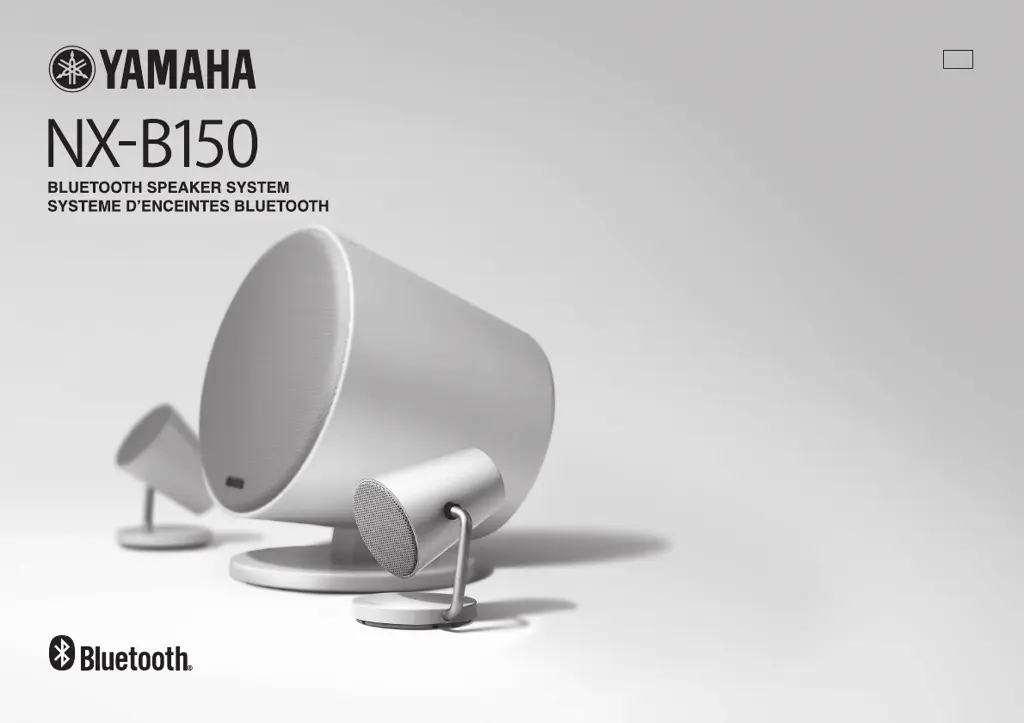
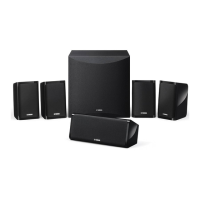
Yamaha NX-B150 - User Manual

Yamaha NX-B150
50 pages
Print Icon
To Next Page IconTo Next Page
Loading...
MANUAL DE INSTRUCCIONES
OWNER’S MANUAL
MODE D’EMPLOI
ULV

Questions and Answers

  • K
    kanereneeAug 13, 2025
    What to do if Yamaha NX-B150 Speaker System won't pair or connect?
    • M
      Maria MarksAug 13, 2025
      If your Yamaha Speaker System can't pair or connect with a device, ensure you perform the pairing within 5 minutes of pressing and holding the Bluetooth button. Check that your device supports A2DP. Move the Yamaha unit away from devices emitting 2.4 GHz signals, like microwaves or wireless LANs. Disable any other Bluetooth connections to the unit. If needed, delete the pairing information from your device and pair again. Also, confirm that Bluetooth is enabled on your device and that the Yamaha unit is registered in its Bluetooth device list.
  • J
    Jason BennettAug 16, 2025
    How to fix Yamaha NX-B150 when there is no sound?
    • B
      Bradley SalasAug 17, 2025
      If no sound is coming from your Yamaha Speaker System, or the sound is too quiet, there are several things to check: * Ensure the power is turned on; the power light should be white. * Verify the speakers and the connection device are properly connected. If using Bluetooth, try reestablishing the connection. * Increase the volume on the Yamaha unit by pressing the + (volume) button. * Also, check and increase the volume on the connected device.
  • A
    Amanda HuntAug 25, 2025
    What to do if Yamaha NX-B150 Speaker System sound is interrupted during playback?
    • L
      leahsharpAug 25, 2025
      If the sound is interrupted or there is no sound during playback on your Yamaha Speaker System, consider the following: * The Bluetooth connection between the unit and the connected device may have been disabled. Try reestablishing the Bluetooth connection. * Interference from devices emitting signals in the 2.4 GHz frequency band, like microwave ovens or wireless LAN devices, may be the cause. Try moving the unit away from such devices. * Ensure the Yamaha unit is selected as the output destination on your connection device.
  • M
    Mark OlsonAug 28, 2025
    Why Yamaha NX-B150 auto-power on function does not work?
    • E
      elizabeth43Aug 28, 2025
      The auto-power on function of the Yamaha Speaker System may not work if the volume on the connected device is too low. Increase the volume on the connection device.
  • B
    Barbara BoydAug 31, 2025
    How to fix Yamaha NX-B150 Speaker System when no sound is outputting?
    • R
      Robert GarciaAug 31, 2025
      If no sound comes from your Yamaha Speaker System, or the sound is too quiet, first ensure the power is on and the power indicator light is white. Then, verify that the speakers and the connecting device are properly connected. If the volume is low, increase it both on the Yamaha unit by pressing the + (volume) button and on the connected device.
  • C
    Christina CohenSep 4, 2025
    Why does my Yamaha NX-B150 Speaker System have interrupted sound during playback?
    • B
      Brooke BrennanSep 5, 2025
      If the sound from your Yamaha Speaker System is interrupted or there's no sound during playback, first, try reestablishing the Bluetooth connection. Also, make sure to keep the unit away from devices that emit signals in the 2.4 GHz frequency band, such as microwave ovens or wireless LAN devices. Finally, confirm that the Yamaha unit is selected as the output destination on your connected device.
  • S
    Sara MckenzieSep 8, 2025
    How to enable auto-standby on Yamaha NX-B150 Speaker System?
    • N
      Nicholas RamirezSep 8, 2025
      To enable the auto-standby function on your Yamaha Speaker System, ensure the AUTO STANDBY switch is set to ON.
  • R
    Rickey RodriguezNov 19, 2025
    What to do if Yamaha Speaker System cannot pair with the device?
    • M
      Michael CampbellNov 19, 2025
      If your Yamaha Speaker System cannot pair or connect with a device, consider these potential causes: * Ensure you perform the pairing operation within 5 minutes of pressing and holding the Bluetooth button. * Confirm that your connection device supports A2DP. * Move the Yamaha unit away from devices that emit signals in the 2.4 GHz frequency band, such as microwave ovens or wireless LAN devices. * If another device is already connected, disable the existing Bluetooth connection. * If the pairing information was deleted from the Yamaha unit, delete it from the connection device as well and then re-pair. * Make sure the Bluetooth function is enabled on the connection device. * If the unit hasn't been registered to the Bluetooth device list on the connection device, repeat the ...

Summary

Important Safety Instructions

General Safety Warnings

Crucial safety guidelines and warnings for operating the audio system safely and preventing hazards.

Regulatory and Compliance Information

FCC and Canadian Compliance

Details on FCC regulations for US users and Canadian compliance standards for the device.

Operating Precautions and Warnings

Lightning and Moisture Warnings

Specific warnings about protecting the unit from lightning, moisture, and avoiding CRT TV interference.

Controls and Functions Overview

Detailed Controls and Functions

Operation Panel Operations

Explanation of power, volume, and Bluetooth buttons/indicators on the operation panel.

Rear Panel Connections and Settings

Details on AC IN, Bass Level, Speaker Jacks, AUTO STANDBY switch, and AUX input.

Wall Mounting Satellite Speakers

Connecting Cables and Devices

Power Management Features

Bluetooth Pairing and Setup

Device Pairing Process

Step-by-step guide to pair a Bluetooth device with the unit for wireless music playback.

Bluetooth Music Playback and Management

Troubleshooting Common Issues

No Sound or Low Volume

Solutions for problems related to no sound output or quiet audio from the speakers.

Troubleshooting Bluetooth Problems

Bluetooth Pairing and Connection Errors

Resolving issues with pairing devices, establishing Bluetooth connections, and interference.

Bluetooth Technology and Safety

Medical Device Safety

Important safety precautions regarding the use of the unit near medical devices and pacemakers.

Yamaha NX-B150 Specifications

General IconGeneral
BrandYamaha
ModelNX-B150
CategorySpeaker System
LanguageEnglish

Related product manuals